Page 239 of 244
Chapter 11. Dose Measurement Guide
There are three ways to measure radiation dose from vatech A9. Read and choose the procedure
that is most suitable for your situation.
11.1. Using Dose Measurement Mode
Dose measurement mode is a unique feature of vatech A9. Using this mode, the inspector can
measure radiation dose without removing the sensor sticker or the rotating unit’s cover.
To measure the radiation dose using the dose measurement mode:
1. Attach the dosimeter to the sensor.
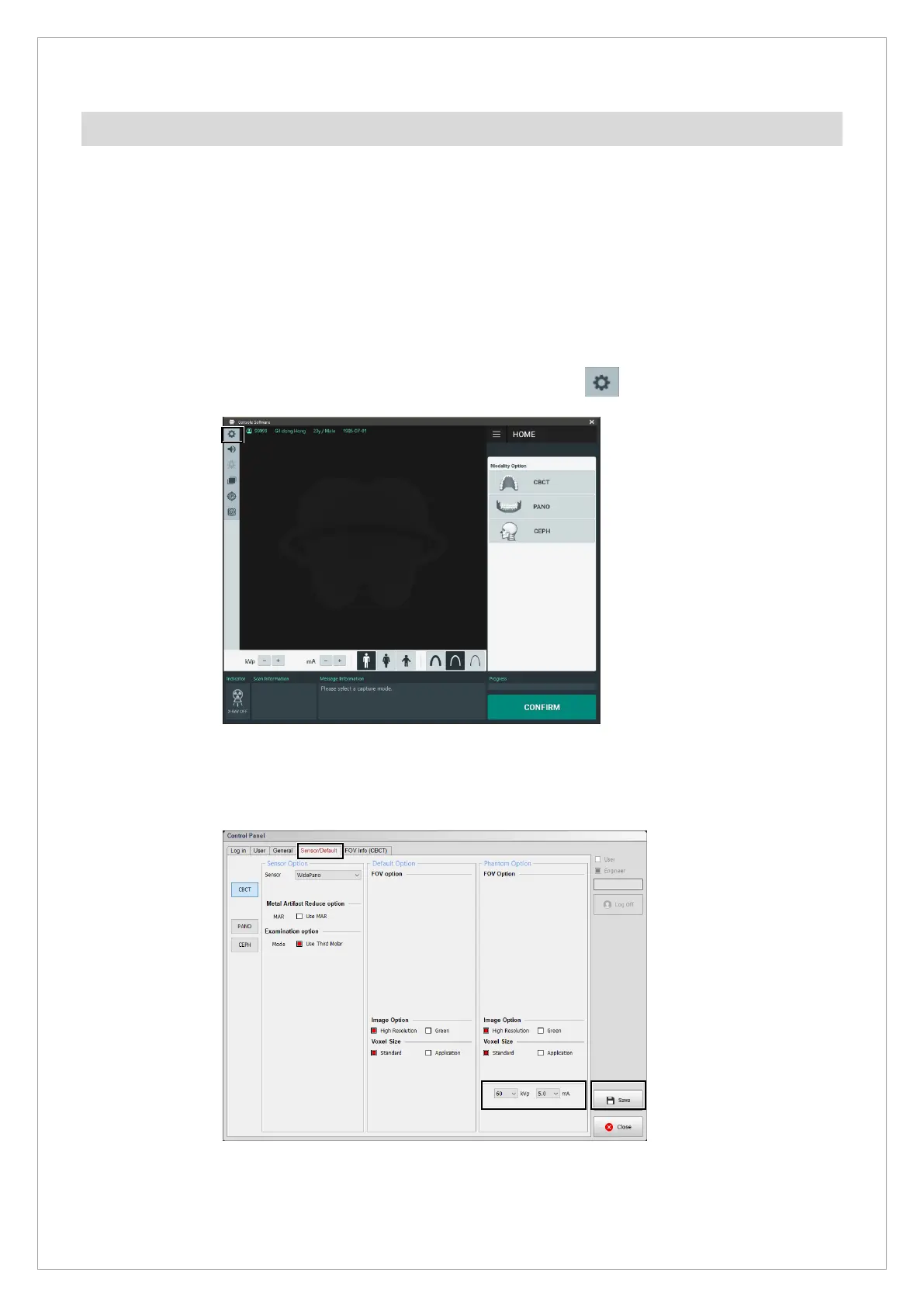
2. Start the console software and click the setting button (
) in the menu bar.
After you click the button, the control panel dialog box will pop up.
3. In the control panel dialog box, click the Sensor/Default tab. Customize the voltage (kVp)
and current (mA) as desired, and click Save to apply the changes



 To Next Page