Page 240 of 244
Dose measurement mode and phantom mode share settings. When you
customize the voltage and current for dose measurement mode, the settings
for the phantom mode are also changed. Check if the current and voltage
settings are correct before you start a phantom mode.
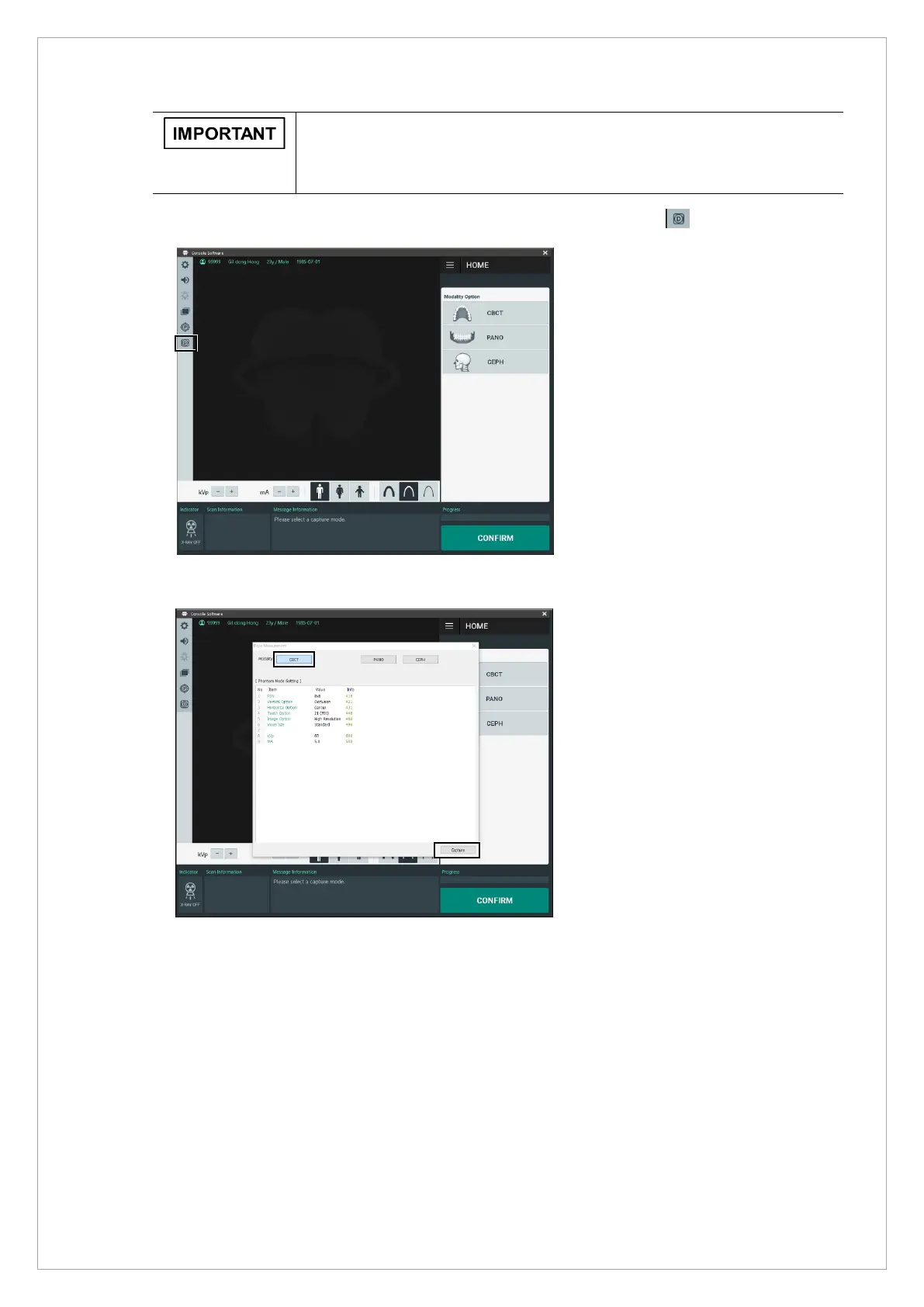
5. Return to the main window; Click the dose measurement mode button ( ).
6. In the Dose Measurement dialog box, select the modality desired then click Capture
7. Check the results from the dosimeter.



 To Next Page