Page 198 of 244
Chapter 8. How to Upgrade Your Firmware
The MCU (Micro Controller Unit) operates the system by installed the Firmware program. Therefore,
when new functions or patches are released, Firmware files should be upgraded to apply the
changes.
8.1. Firmware Upgrade Procedure (Ethernet Communication)
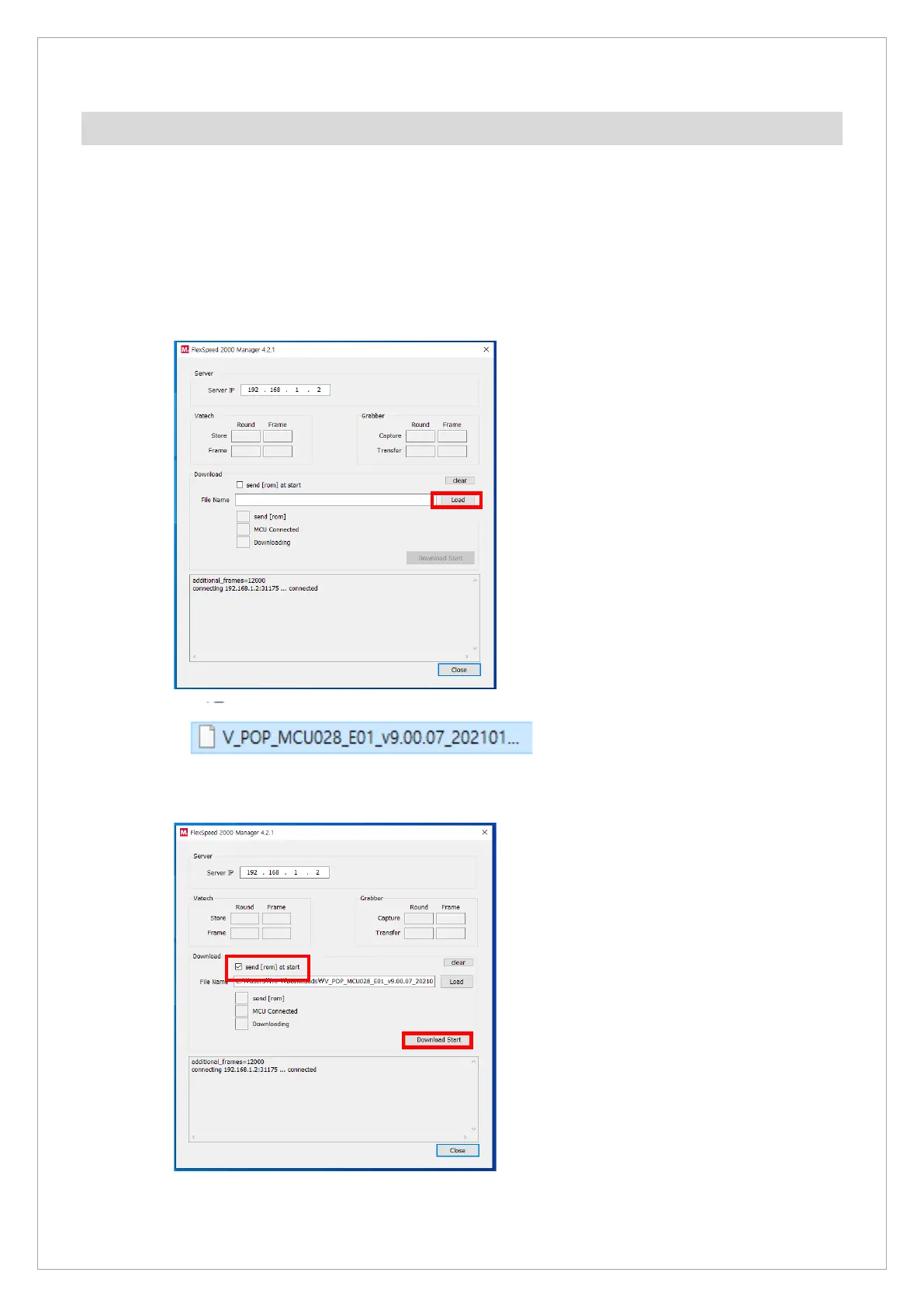
1. Run the Flexspeed2000Manager.
2. Click the Load button to find a file to download.
3. Choose the send [rom] at the start item and click the Download Start button.



 To Next Page