Page 103 of 244
2.7. DAP Calibration
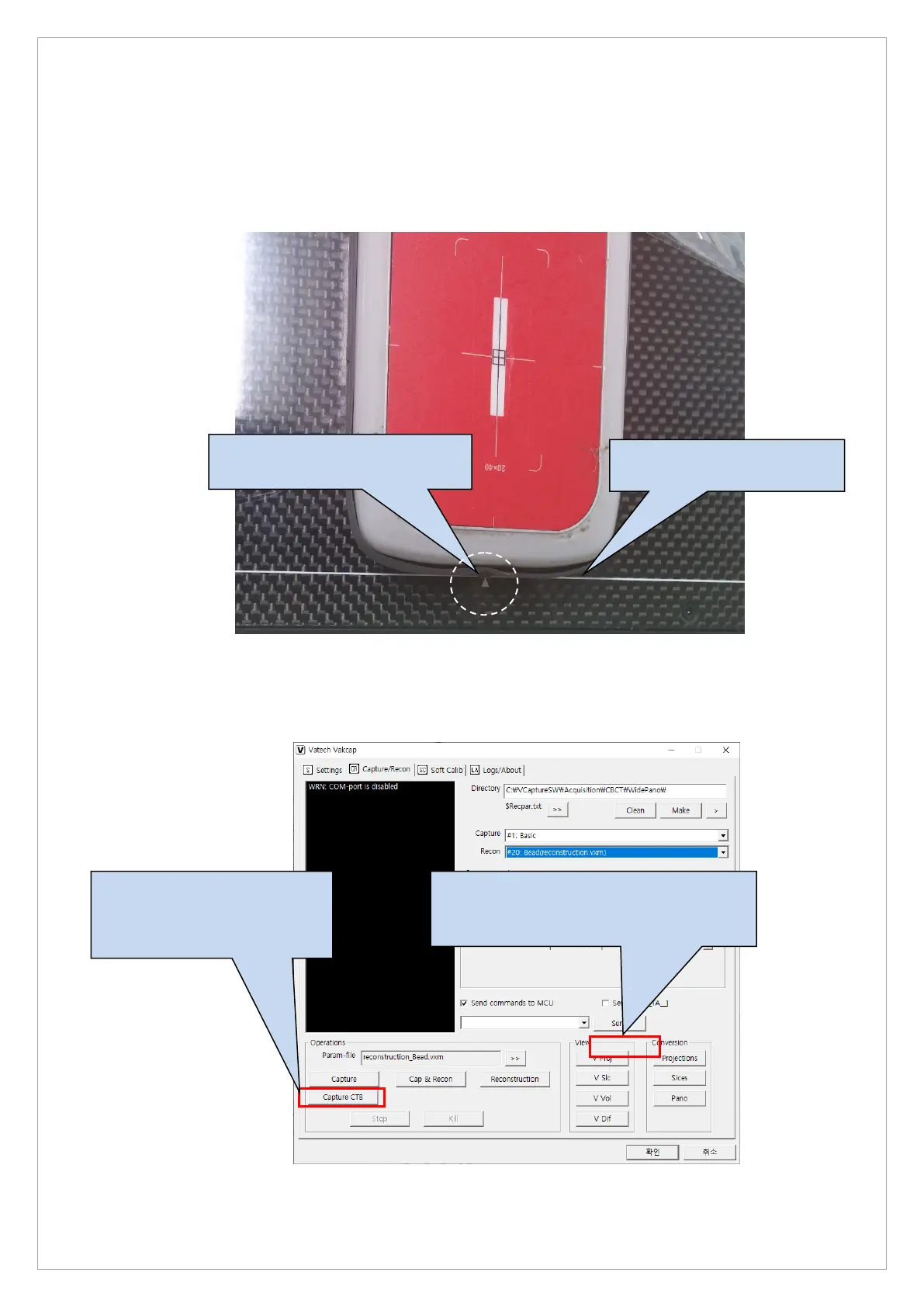
Follow the steps below to start a DAP calibration:
1. Position the dosimeter as illustrated below:
2. Click the Setting tab and click Capture CTB to confirm the dosimeter’s position and capture
the dark date.
3. After capturing the dark data, click V Proj to check the catpured image.
The end of dosimeter must be
placed at the white line.
Place the dosimeter at the area
indicated by the white arrow.
1. Click Capture CTB after
dark data acquisition and
press the exposure switch
for about 5 seconds.
2. After image acquistion, click V proj to
check the image and the position of the
dosimeter.



 To Next Page