Page 180 of 244
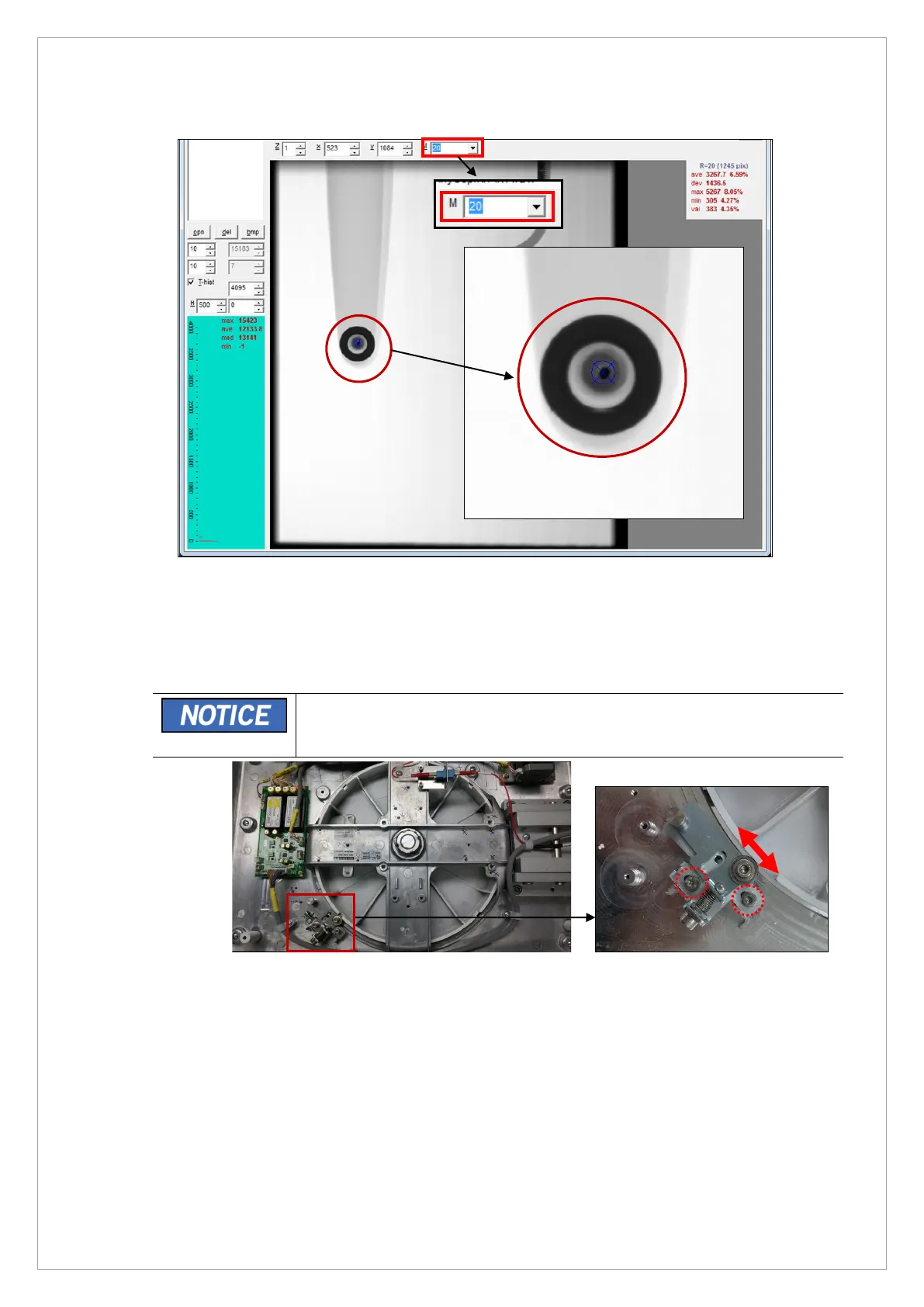
11. Select 20 in the M box and make sure that the Ear-Rod guide pin is in the blue ROI area.
12. If the pin is out of the blue ROI area, do the steps that follow
4) Disassemble the top cover from CEPH Unit. Refer to Chapter 2. Hardware Part
Service Guide.
5) Loosen 2 wrench bolts and adjust the fixed block of EAR-ROD as shown below.
• If turn the fixed block of EAR-ROD to the right on the picture below, the
Guide Pin of EAR-ROD will move from the right to the left on the picture
in the step11), and vice versa.
6) Exit VAKCAP. Acquire the PHANTOM image again and measure the Pixel Number at
the center of PHANTOM.
7) Repeat the procedures until the Ear-Rod is aligned correctly.



 To Next Page