EasyManua.ls Logo

Vatech A9 PHT-30CSS - Page 110

Vatech A9 PHT-30CSS
244 pages
Print Icon
To Next Page IconTo Next Page
To Previous Page IconTo Previous Page
Loading...
Page 109 of 244
2.8.1. Acquire CT Phantom Image
Follow the steps below to capture a CT phantom image:
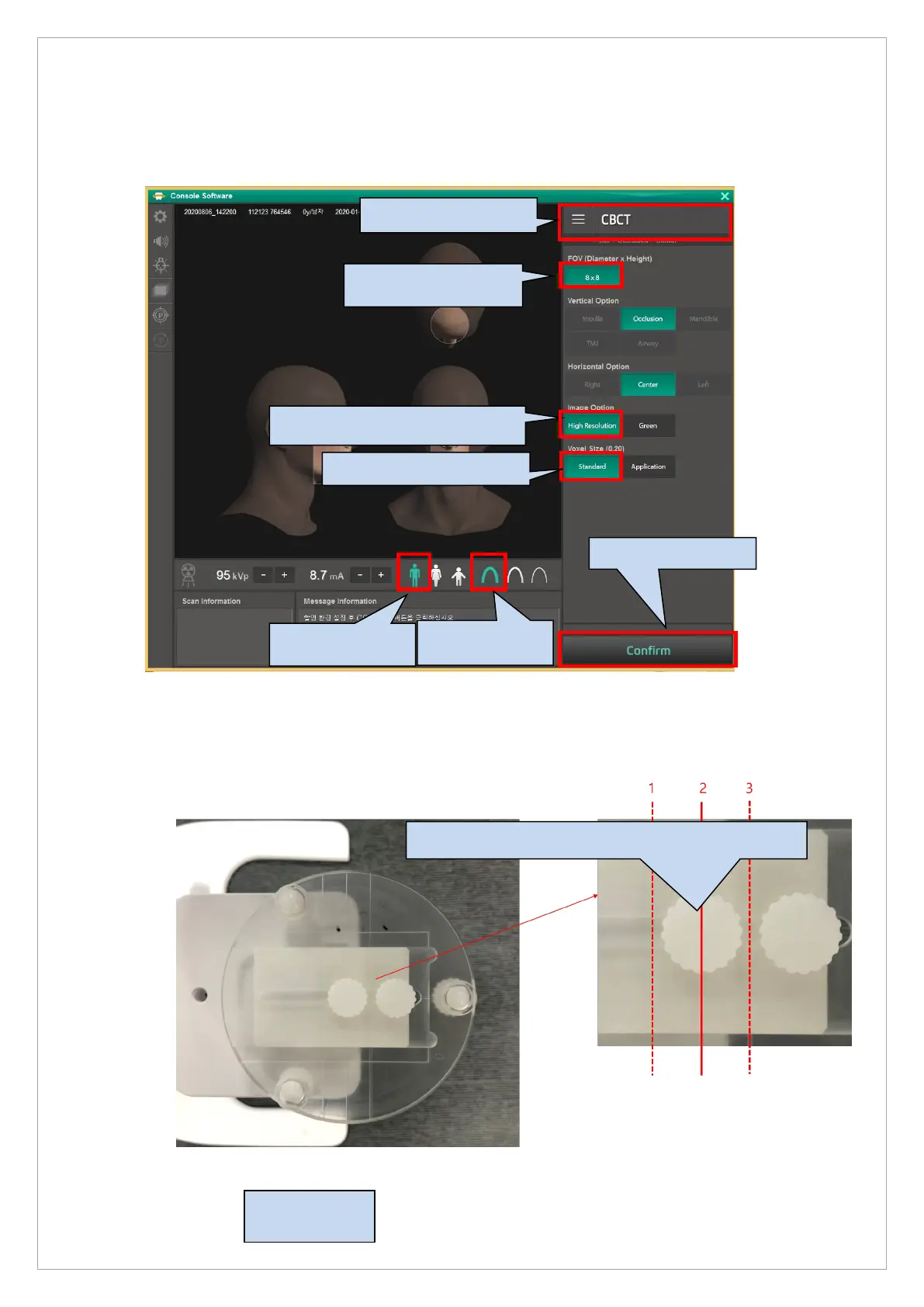
1. Run the Console Software, choose FOV 8x8, High resolution, Man, Hard mode, and click the
Confirm button.
2. Put the Phantom jig on the Chinrest.
Adjust so that the lines of the top and bottom are straight.
CT Number
Phantom
3. Choose the High resolution.

2. FOV: Choose the 8x8
4. Choose the Standard.
5. Choose the Man.
1. Choose the CBCT.
6. Choose the
Hard mode.
7. Click the CONFIRM.

Table of Contents

Related product manuals