Page 136 of 244
4.3.5. PANO Sensor: Bright Calibration
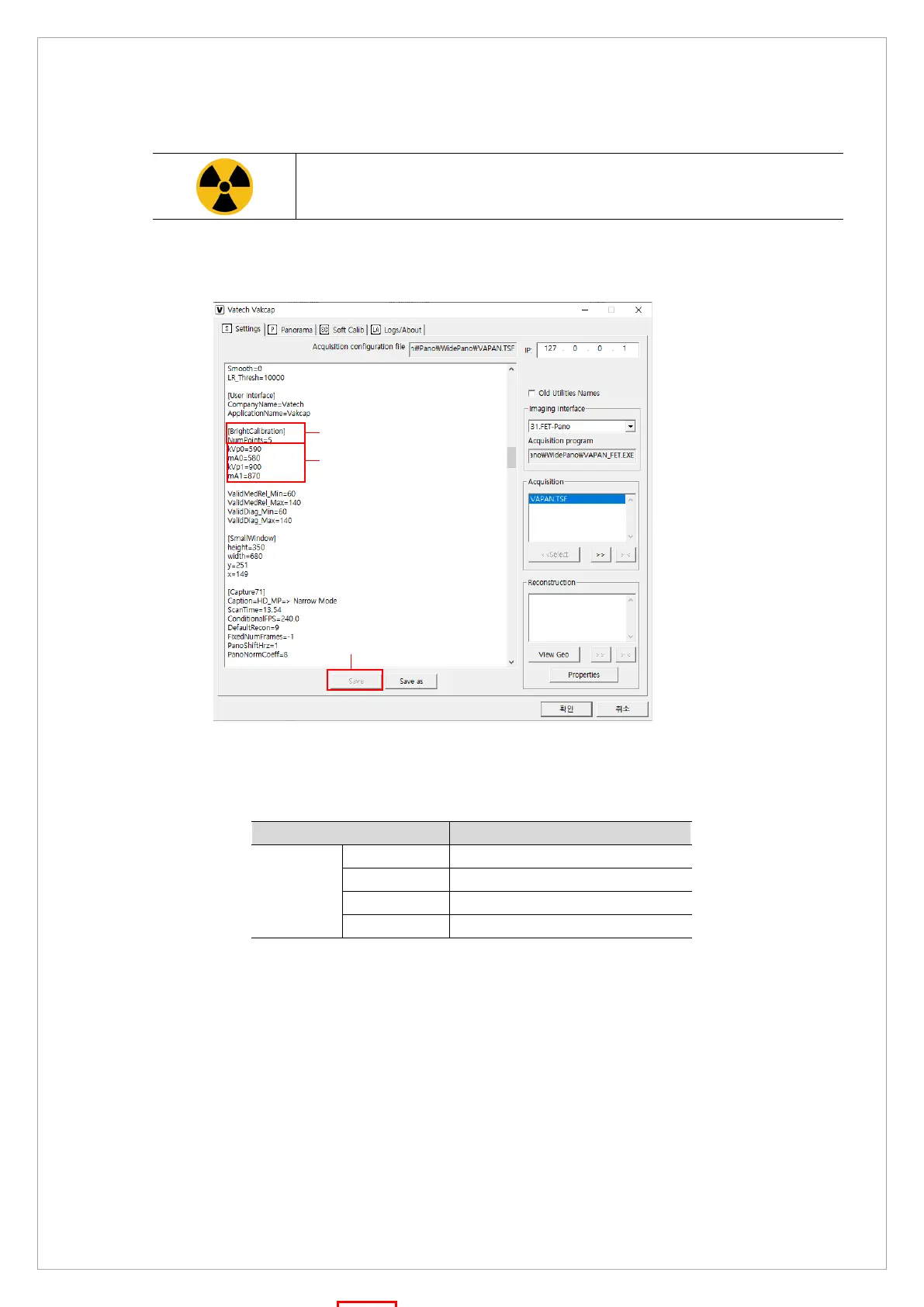
Stay outside of the X-ray room during Bright Calibration data achievement.
1. Run the VACAP.exe file (Path: C:\VCaptureSW\Acquisition\Pano\WidePANO\VA C AP. e xe )
2. On the dialog box, select Settings and follow the steps below to set exposure condition:
1) Go to [BrightCalibration] and enter 5 for NumPoints.
2) Check whether the tube voltage (kVp) and current (mA) meets the standards. If
necessary, enter voltage and current values according to the table below:
exposure
condition
3) Click Save.
3. Send [SPM_PSON] to MCU to supply power to the PANO Sensor.
①
②
③



 To Next Page