Page 188 of 244
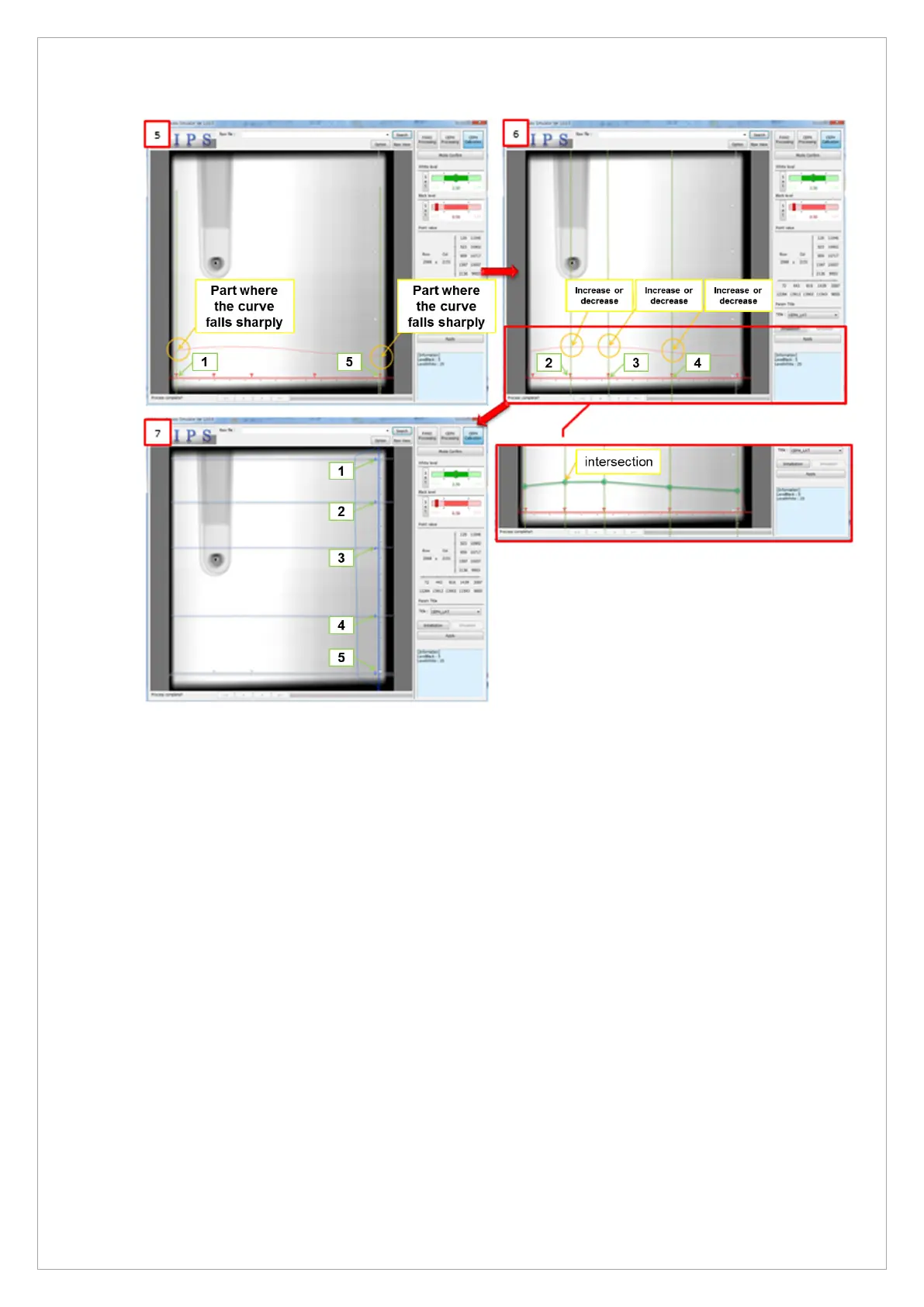
4. As in [5], Row Points 1 and 5 set the endpoint without the influence of the left and right
collimators.
This is set at the point before the left, and the right curves descend sharply in the raw histogram.
5. As in [6], Row Points 2, 3, and 4 are set to positions that can reflect the trend of the histogram.
6. In the histogram, set the part where the curve increases and decreases.
7. As shown in [7], if the intersections between the vertical lines of Row Points 1 to 5 and the
Histogram are almost identical to each other, if the curve of the Histogram is almost identical, the
correct point is set.
8. If there are many differences from the line connecting the histogram and the intersection, reset
the point.
9. Column Points 1 to 5 is set in the same way as Row Points 1 to 5.



 To Next Page