Page 191 of 244
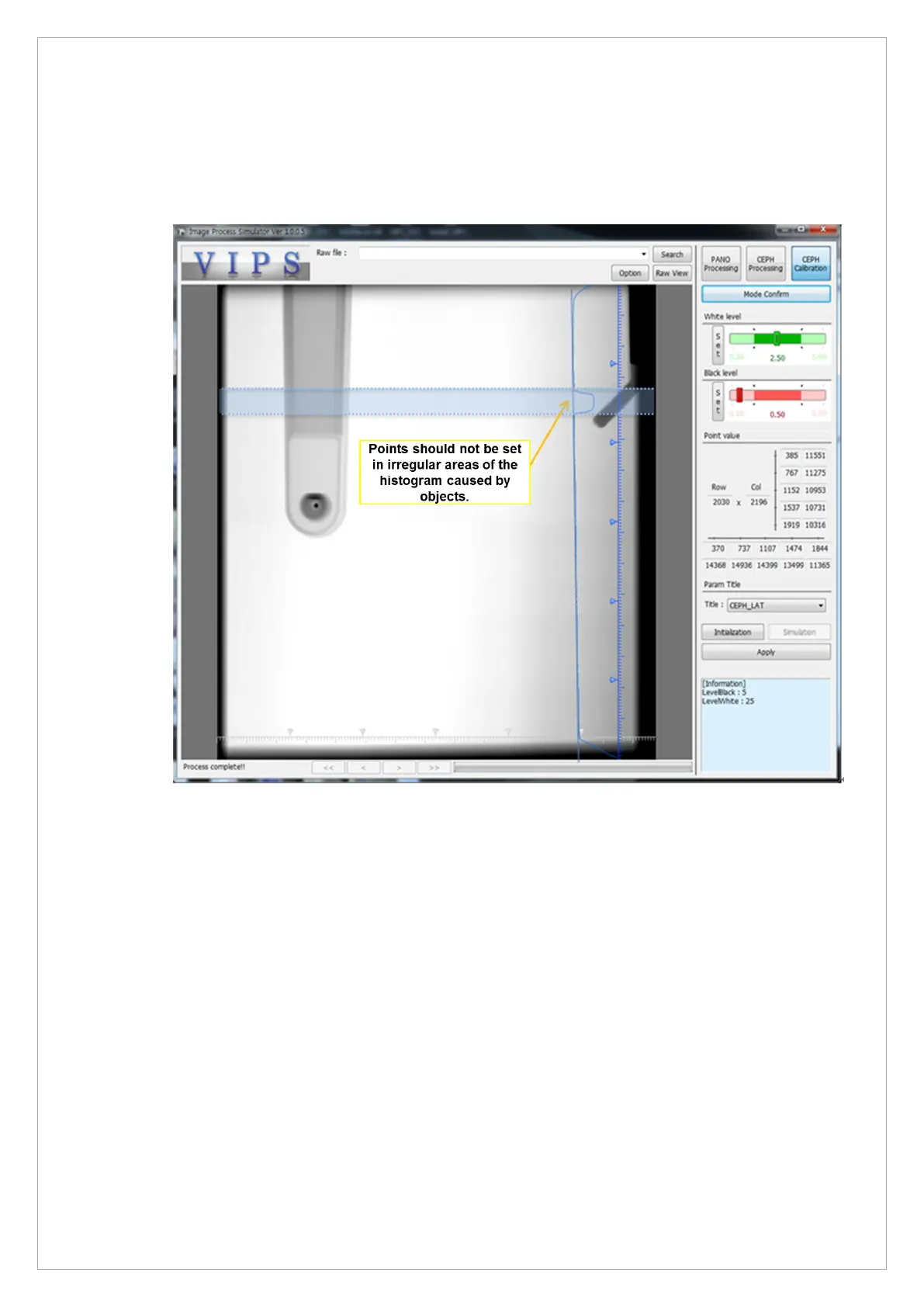
6.4.3. Cautions When Setting V.I.P.S Point
1. The point should not be set in the histogram irregular area caused by object or noise in the
image.
2. Countermeasures when background noise occurs even after calibration is applied
In the case of lateral images, the column guideline is basically set on the right side, and it is
changed to the left side and set again.
In the case of the frontal image, the column guideline is basically set from the left side, and it
is changed to the right side and set again.
If the same phenomenon occurs in the above two cases, there may be Alignment or other
problems with the equipment, and set again from the beginning after checking. When the
setting is completed, as shown in the pictures from 3 to 7, 8. Choose the Apply button.



 To Next Page