Page 56 of 244
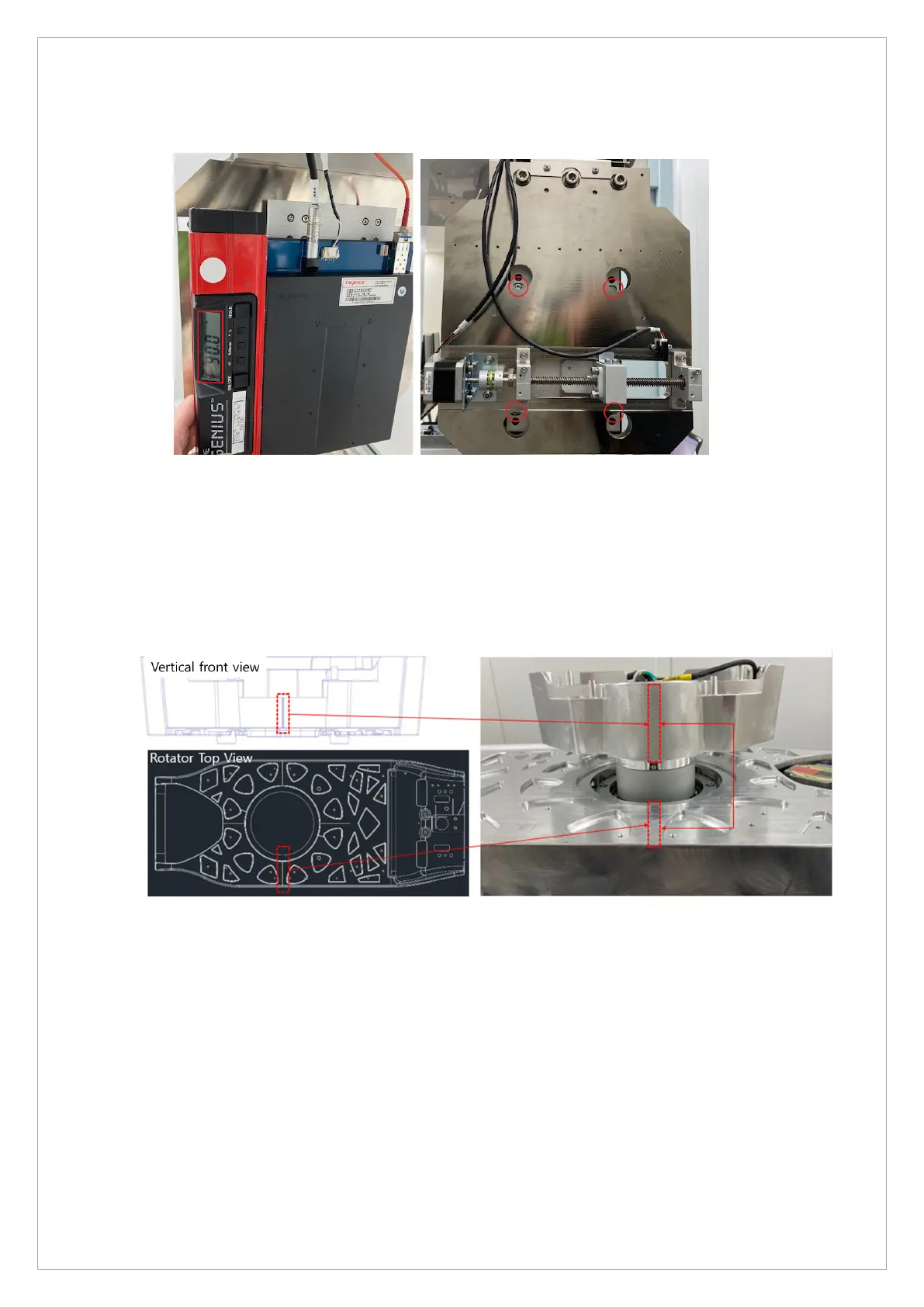
2.2.2. Check the sensor horizontal level
1. Place the digital level at the position as shown in the picture above and check the horizontal
level. (Standard: ± 0.1° or less)
2. If the sensor level does not meet the standard, loosen the 4-point bolts in the red circle,
adjust it to meet the standard, and then refasten it.
2.2.3. Equipment Start Position Setting
1. As in the image above, set the half value with [SPM_ACHF_XXXX] to align the vertical and
rotator guidelines straight (The default ACHF value = 400)
2. Send the same values for CT half value [SPM_ACHF_XXXX] in the PANO half
[SPM_HFST_XXXX] and the CEPH half [SPM_CPHF_XXXX].



 To Next Page