9. Installing Software
Green 16/18 Installation Manual 123
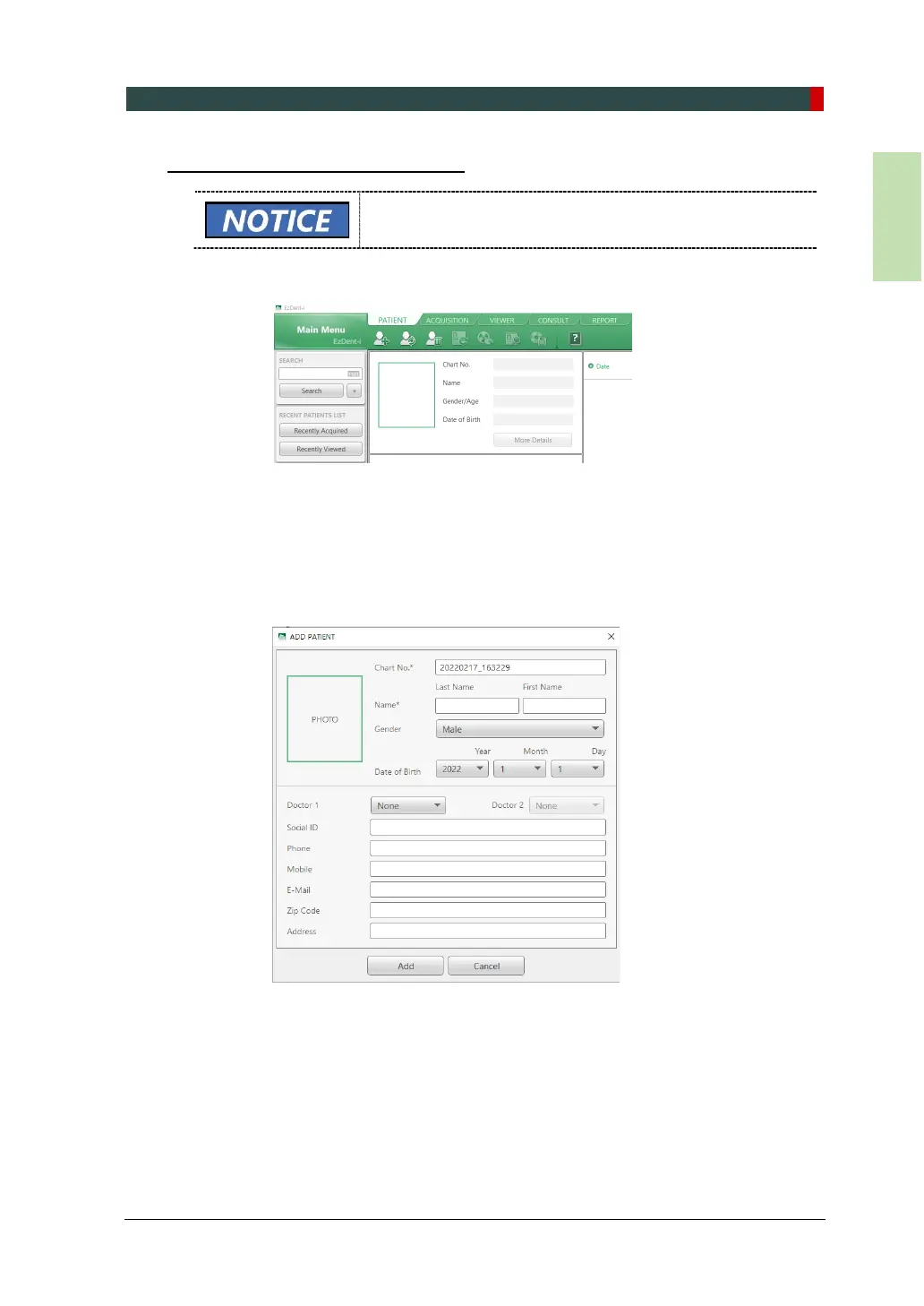
Creating a New Patient Information
For further details on this subject, refer to the accompanying
EzDent-i Manual.
1. Click the Add Patient from the PATIENT tab.
2. Enter the required fields (*) in the patient information:
Chart number
First name
Last name
the rest of the fields are optional, but it is recommended that you fill them in
3. Click Add to save the patient record.














 To Next Page