9. Installing Software
110 Smart Plus (PHT-35LHS) Installation Manual
<Flectron Grabber>
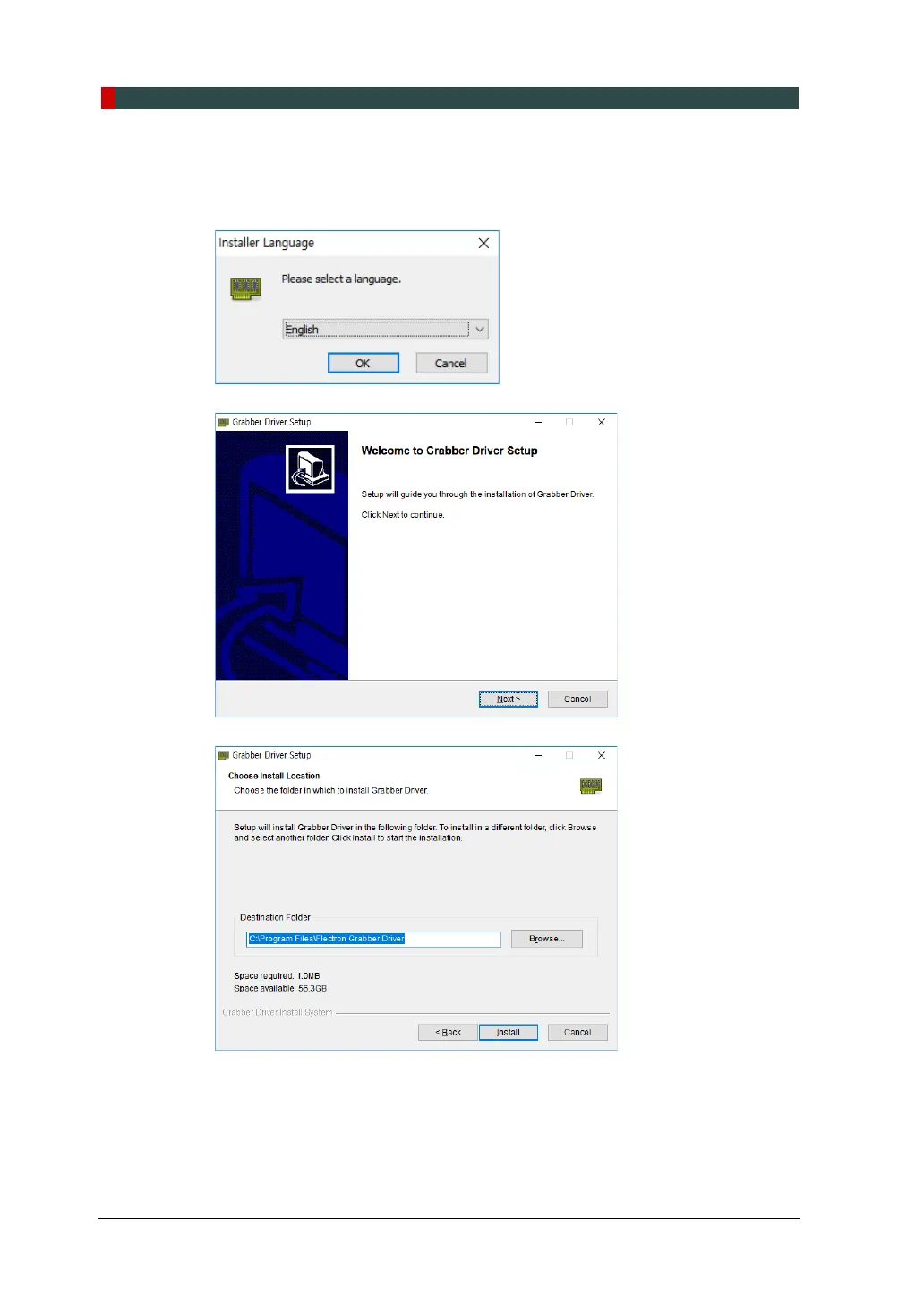
1. After completing the Direct X® installation, Grabber Driver Setup will be started.
Select the language in the installer language window and press the OK button.
2. When the Grabber Driver Setup window appears, click the Next button.
3. Enter the installation location and click the Install button.
\














 To Next Page