1.3.2 Powering On the Thermal Management Unit
NOTE: Depending on the operating state, there are start and stop priority switches that may prevent the cooling unit
from operating even though power to the unit is switched on and you have turned it on via Vertiv™ Liebert® iCOM™.
The cooling unit operates only when all switches are closed. For example, even though you have turned on the unit
through Liebert® iCOM™, if the BMS remote monitoring system is sending a command to turn off the unit, the cooling
unit remains off.
NOTE: You must be logged in to access the menu options. See Powering On the Vertiv™ Liebert® iCOM™ and Logging
In/Unlocking Controls on the previous page .
To power-on the unit:
1. Touch , then >Turn Unit On. The TURN UNIT ON dialog opens.
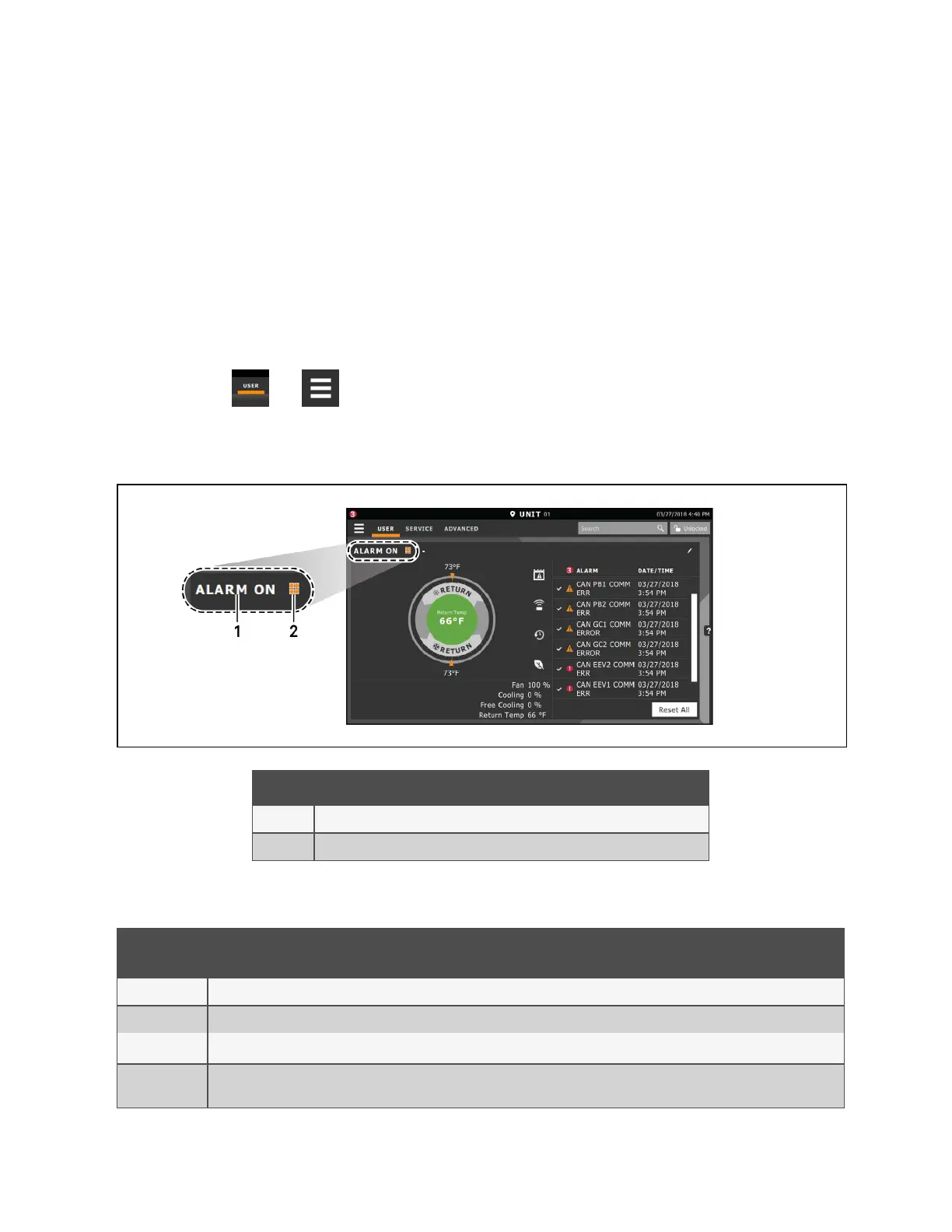
2. Touch Turn Unit On. The cooling unit starts and the operating status is displayed as shown in Figure 1.4 below .
Figure 1.4 Unit Status on Liebert® iCOM™ Display
Item Description
1 Current status of the unit. See Table 1.4 on the next page .
2 Teamwork icon. See Viewing Teamwork, Standby, andCascade Status on page22 .
Unit Status
Text
Description
ALARM OFF An alarm forced the unit to turn off. See Viewing Unit Alarms on page17 .
MANUAL Controlled by a service technician. See Enabling Manual Mode for Diagnostics on page165 .
DISPLAY OFF
Unit is turned Off at the Liebert® iCOM™ display. See Powering On the Thermal Management Unit above .
ALARM
STANDBY
In standby because of an active alarm on the unit. See Viewing Unit Alarms on page17 .
Table 1.4 Cooling Unit Statuses Displayed
1 Getting Started with Vertiv™ Liebert® iCOM™Installer/User Guide
7
Vertiv™ Liebert® iCOM™Installer/User Guide










 To Next Page