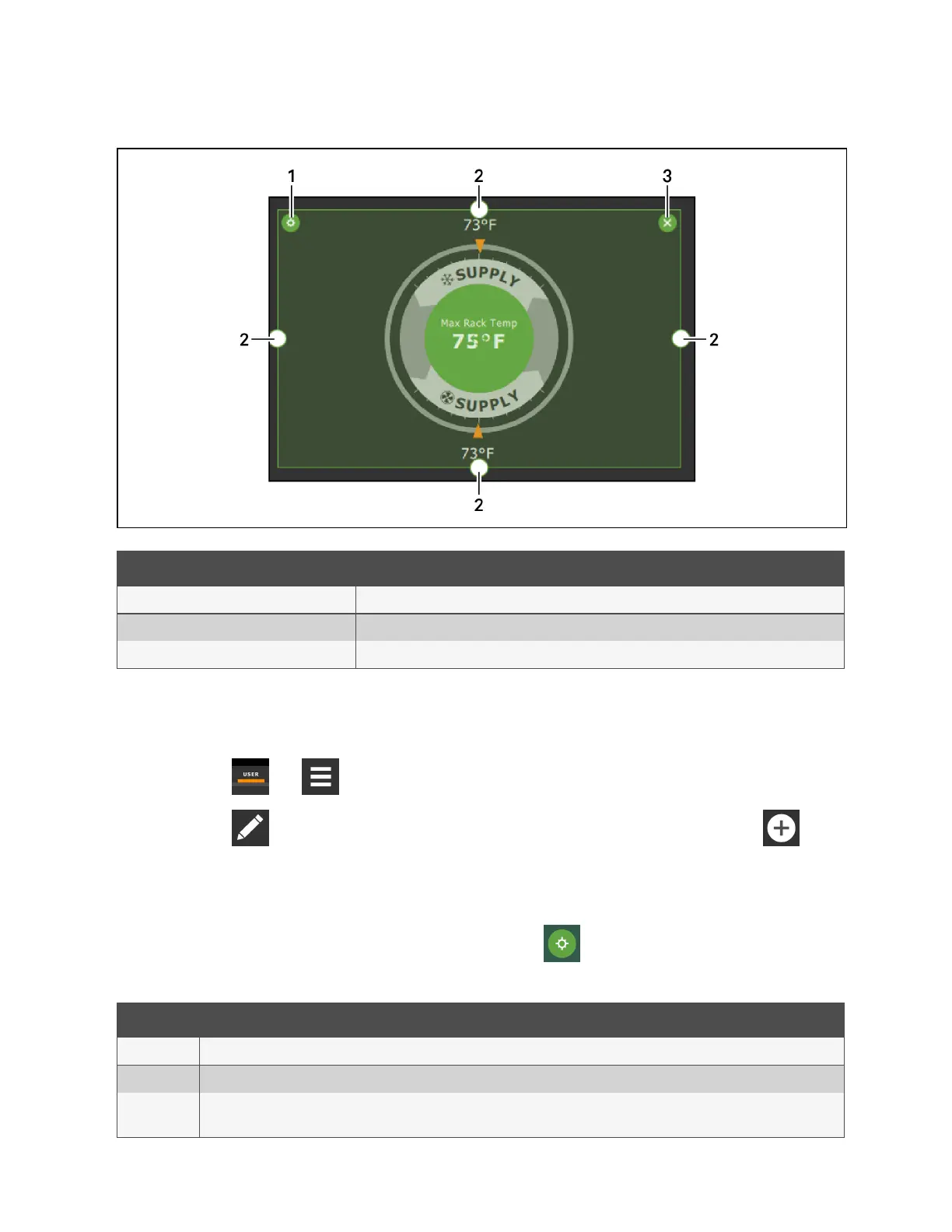
Figure 12.1 Add/Remove Content Icons and Resizing Handles
Item Description
1 Content adjustment icon
2 Resizing handles
3 Remove content icon
12.2.3 Adding and Adjusting Content
You can add a variety of content to the main display.
1. Touch , then .
2. Touch in the upper-right corner of the display and just below the control header, then touch .
A menu of content options opens, described in Table 12.1 on the next page .
3. Touch the Move icon next to the content and drag it onto the display, the use the re-size handles to adjust as
needed.
4. To adjust the content object or the way the it displays, touch , see Figure 12.1 above .
Content Description
Separator Separating line to place between content sections. You can adjust the thickness and orientation of the separator.
Dial Status dial. You can select the sensor readings displayed in the center of the status dial when you touch to scroll through the readings.
Setpoint
Readout
Displays the current reading of a connected sensor, for example:return temperature at 72°F.
Table 12.1 Main Use Display Content Options
12 Customizing the Vertiv™ Liebert® iCOM™ Display
177
Vertiv™ Liebert® iCOM™Installer/User Guide










 To Next Page