11
OVERVIEW OF THE CHASSIS
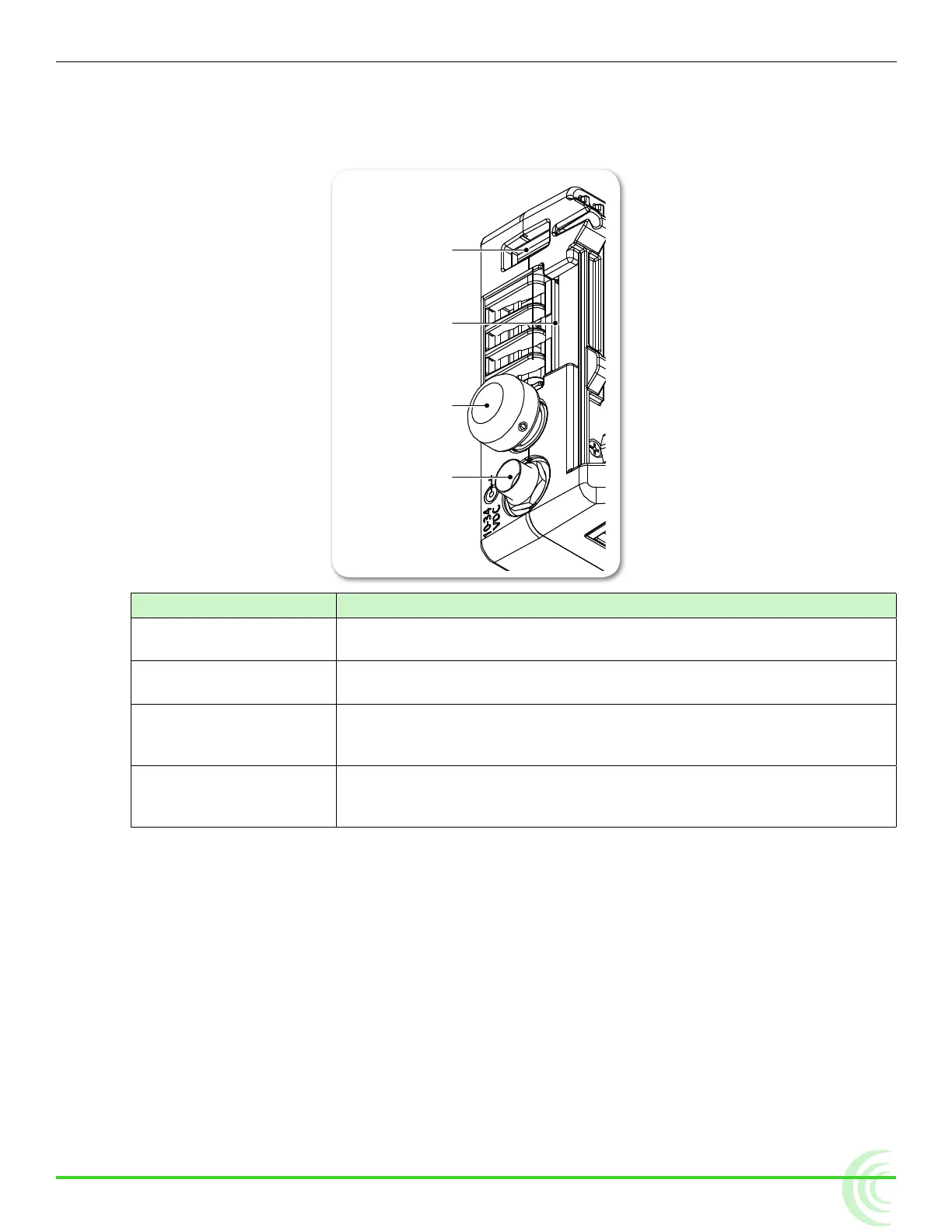
Right Side Panel
The right panel features a SD card slot, a Control knob, and ports for connect-
ing external power or a peripheral USB keyboard.
USB Keyboard Port
SD Card Slot
Control Knob
External Power Port
Feature Description
USB Keyboard Port Use this port to connect a USB keyboard for entering metadata and
remote control.
SD Card Slot Accepts standard SD cards (SDSC, SDHC, and SDXC) for loading
rmware as well as saving and loading setup les.
Control Knob Use the Control knob to navigate menu settings (by turning it) and
selecting menu options (by pressing it in). It may also be used for
scrolling across screen while in zoom mode.
External Power Port Use to connect the PIX-E PSU. It accepts 10-34 VDC, threaded co-
axial connector (pin positive, sleeve negative) with a 5.5 mm outer
diameter and 2.1 mm inner diameter.
⚠ Caution regarding power supply: The PIX-E PSU must be connected to a
protective earthing connection to ensure safety. The power supply’s cord
acts as the disconnect device. The cord must be readily accessible and
remain readily operable.



 To Next Page