51
RECORDING AND PLAYBACK
Viewing the File List
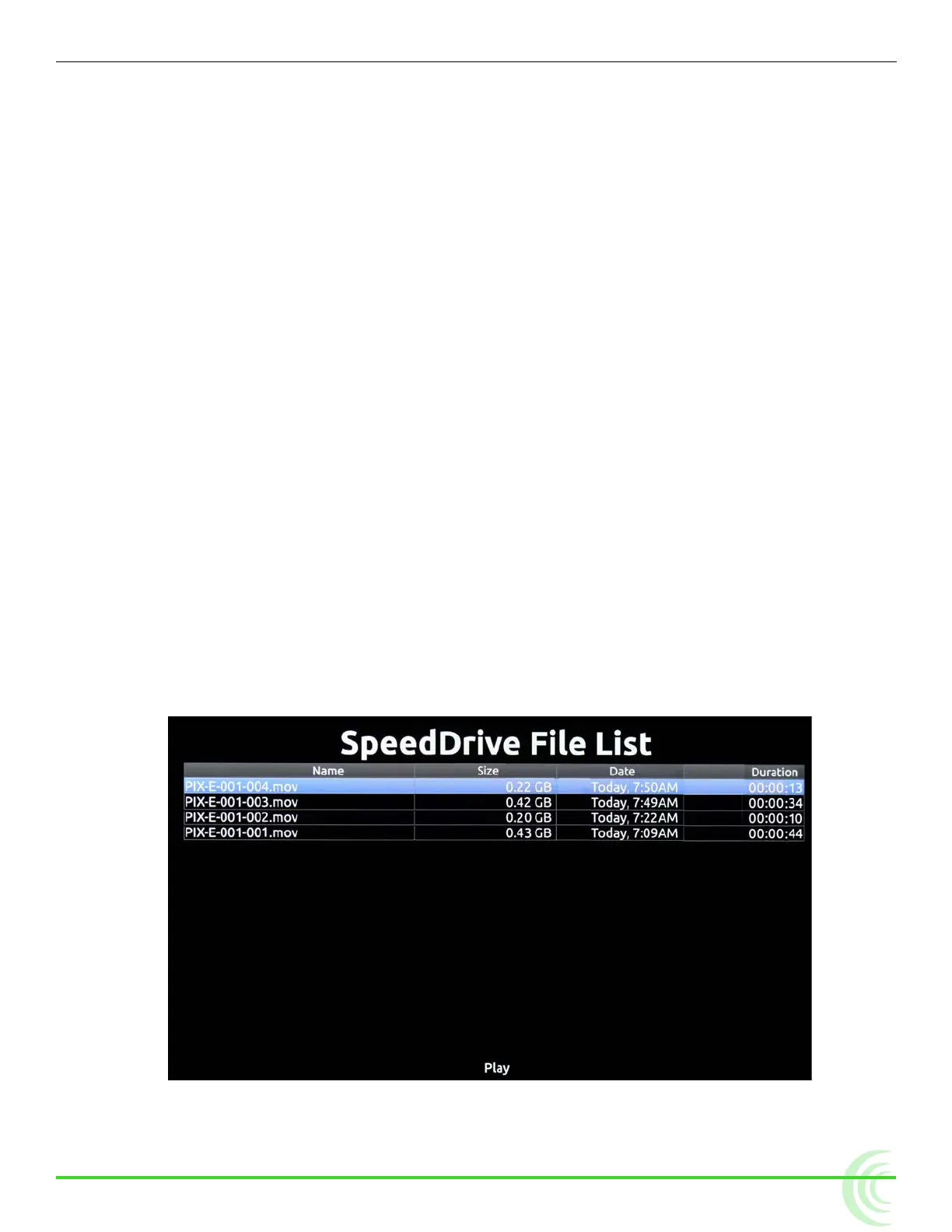
The list of recorded les are available via the SpeedDrive File List screen. The
list provides each le’s name, size, the date and time each le was recorded,
and each video le’s duration.
To view the SpeedDrive File List:
X Press the Files soft key button.
i The SpeedDrive File List screen is not accessible during playback or while record-
ing.
Playing Back Recorded Files
The PIX-E monitor can only playback Quicktime video les that it recorded.
During playback, video is shown on screen and also sent to the monitor’s video
output(s). The audio signal is also sent to the video output(s) as well as the
headphone output.
To play the last le recorded:
X Press the Play soft key button.
To play a recorded le from the SpeedDrive File List:
1. Press the Files soft key button.
The SpeedDrive File List appears, showing a list of recorded les on the
drive and related information, such as le size and duration.
2. Select a le.
3. Press the Play soft key button.



 To Next Page