37
PIX-ASSIST MONITORING SUITE
Using Markers
Guide markers are used to help frame and compose shots and dene safe ar-
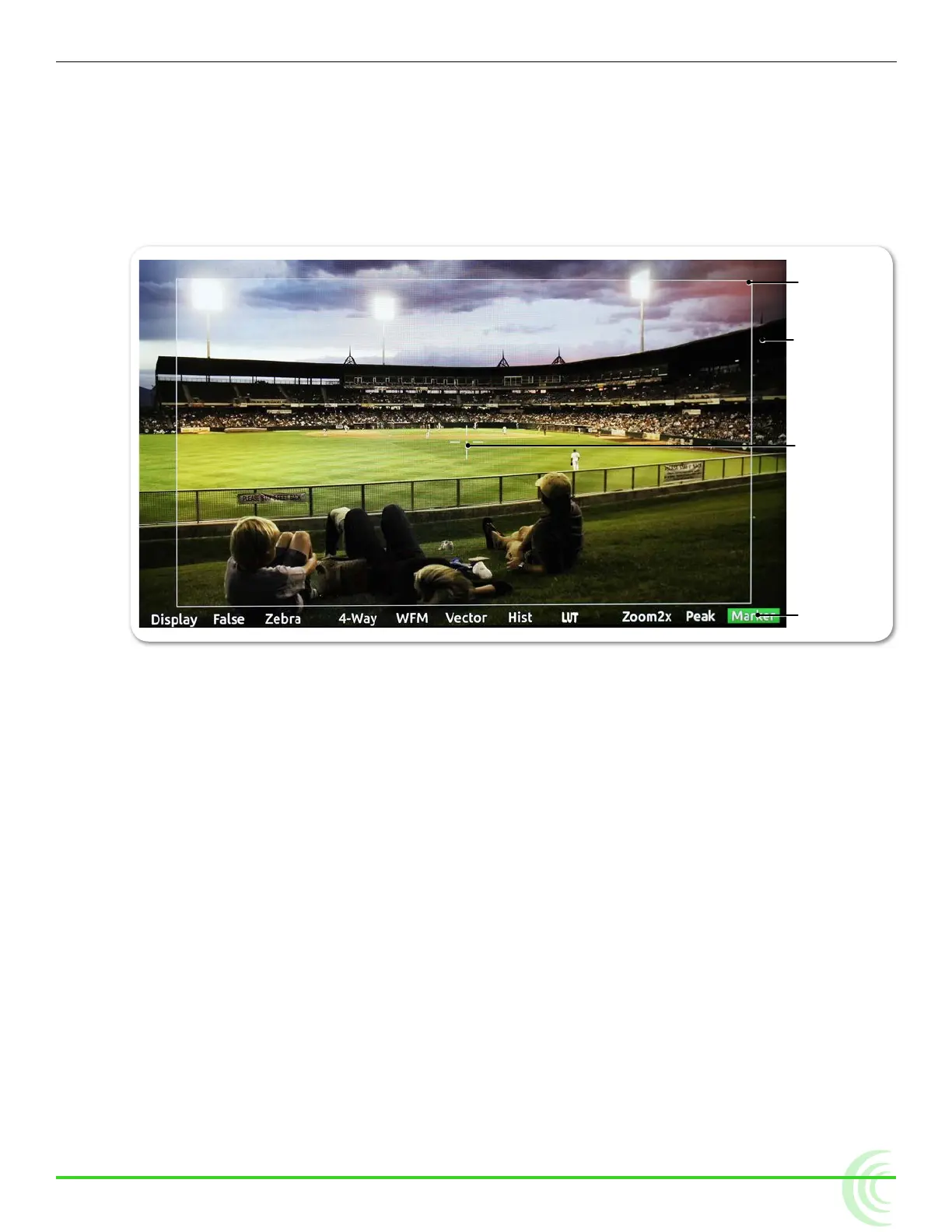
eas. The PIX-E monitors feature three different types of markers: frame , grid,
and a center indicator.
The center indicator may be a dot or a cross, or both, and is used to mark the
center point of a shot.
Mask
Frame
Soft Key Label
Center Indicator
A frame marker is a thinly lined rectangle used to “frame” the shot. The frame
may be customized to match the aspect ratio of the video, such as 16:9 for
high-denition television. The area within the rectangular frame is safely “in-
side” the shot; the area outside the rectangle is the mask, which is considered
“outside” the shot. There are two frame markers available on the monitor, which
may be congured separately.
A grid marker divides up the frame into thirds or quarters, forming a grid pat-
tern.
To show or hide markers:
X Press the Marker soft key button, which toggles the display of markers on
or off. The Marker soft key label appears with a green background when
markers are displayed.
i Turning off all individual markers via their respective settings disables the Marker
soft key button.
With Markers enabled, all markers that are turned on will be visible in the video
monitor. Each type of marker is enabled via its respective settings section.



 To Next Page