User Guide
24
Using Zebras
Zebras provides an alternative method for identifying exposure levels in an
image. They appear as black and white diagonal stripes that are superimposed
over regions of an image that exceed a threshold or specic value range of lu-
minance. PIX-E monitors have three modes: Zebra 1, Zebra 2, and Zebra 1+2.
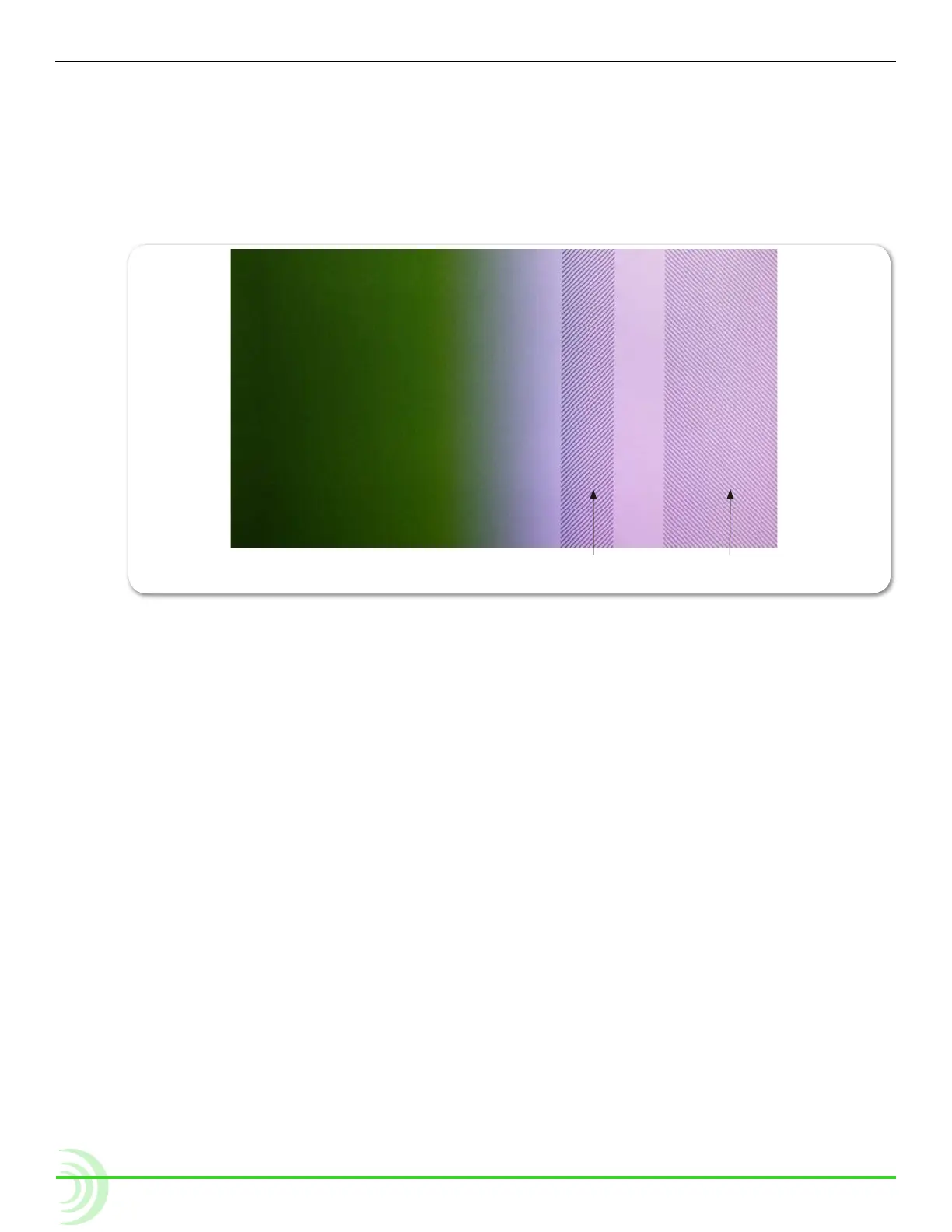
The following image shows both zebra 1+2 overlays with default settings.
Zebra 1
85 %
Zebra 2
70 % (+/-5%)
Zebra 1 stripes are forward leaning and are typically set to identify a particular
brightness range (value +/-5%), such as skin tones or mid tones.
Zebra 2 stripes are backward leaning and are typically set to identify when a
specic brightness level is exceeded. They are often set to identify over-ex-
posed image or when textures and details in whites start to get lost.
Zebra 1+2 simultaneously superimposes both on the video image.
To enable or disable zebras:
X Press the Zebra soft key button.
The button is a toggle, so pressing it a second time turns off the zebra overlay.
When enabled, the Zebra soft key label appears with a green background.
To adjust zebra settings:
1. Press and hold the Zebra soft key button. The Zebra menu appears.



 To Next Page