15
MENUS AND NAVIGATION
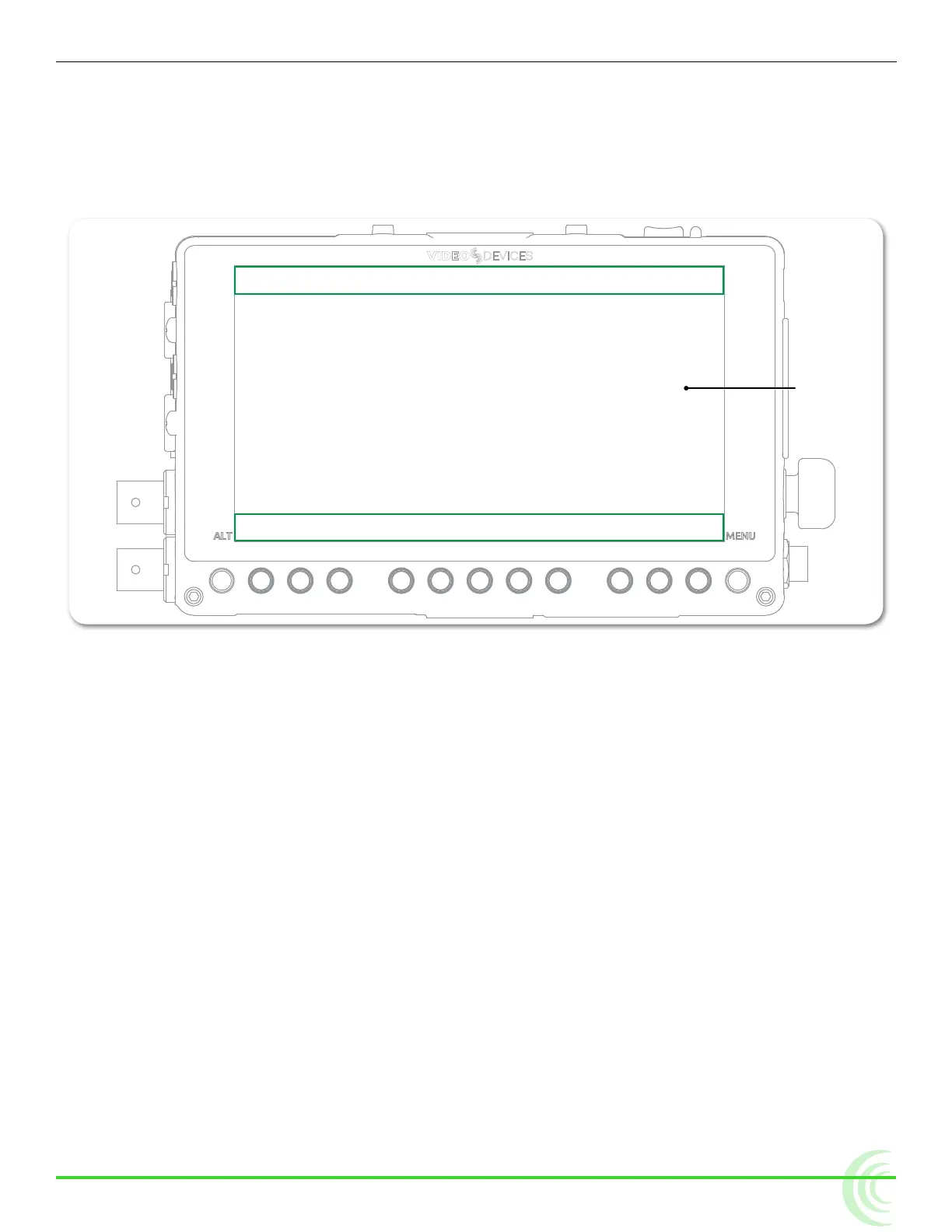
◦ Show both information bar and soft key labels
◦ Show soft key labels; hide information bar
◦ Hide both information bar and soft key labels
i Holding down the Display soft key button for at least one second will show alterna-
tive data on the information bar, such as the codec being used, and a le’s resolu-
tion and rate.
Area Displaying Information Bar
Area Displaying Soft Key Labels
LCD
Toggling Soft Key Button Functionality
The primary functionality of soft key buttons is to toggle on or off monitoring
tools, such as: peaking, zebras, scopes, and more.
However, soft key buttons are multi-functional; their alternative functionality
includes accessing the File List and Audio screens, and acting as transport con-
trols for recording and playback.
To toggle between monitor and record soft key functions:
X Press the ALT button. The displayed soft key labels above the buttons will
change, indicating their current function.
i The Display soft key label remains on-screen regardless of which functionality is
set for the other soft key buttons.
The following sections provide more details about what soft key labels appear
for the primary monitor versus alternative record functionalities.



 To Next Page