21
Topics in this section include:The PIX-E5 and PIX-E5H are powerful,
versatile eld monitors designed for use
with virtually any production camera.
Their LCD’s accurate color
representation and excellent off-axis
visibility, even on very sunny days,
provide a powerful visual aid for
achieving precise focusing, exposure,
color balance, and framing, enabling
the cinematographer to achieve their
creative vision.
The monitors feature the complete
PIX-Assist™ suite of monitoring
tools, offering the best graphical
representation of your video signal so
you can be sure what you see on the
monitor is exactly what you want in a
video recording.
Overview
The PIX-Assist suite of monitoring tools consists of a collection of focus, expo-
sure, and framing assist tools plus scopes. These tools affect the video signal
displayed on the monitor, and the scopes provide a live graphical analysis of
chrominance and luminance information in the video signal.
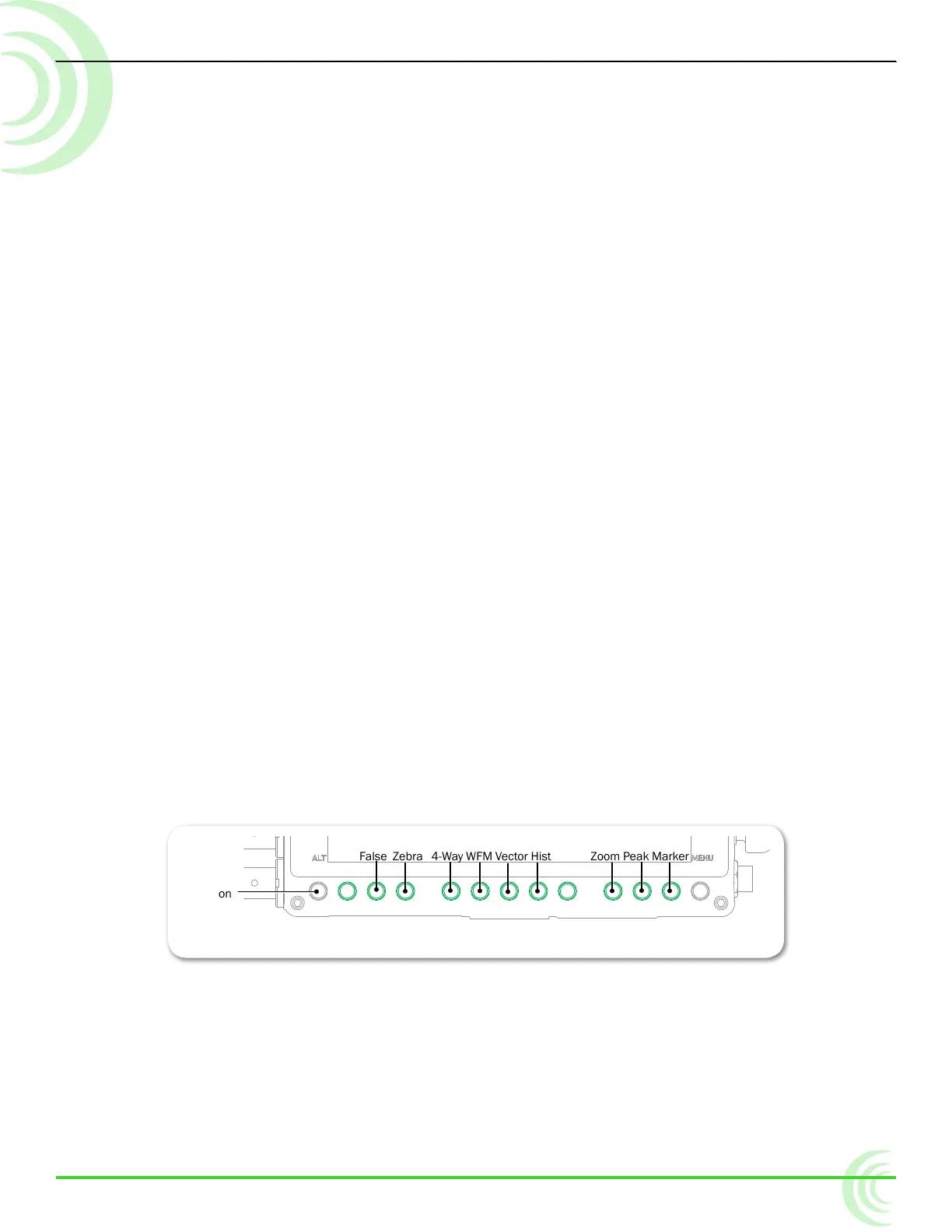
These monitoring features are controlled from soft key buttons, above which
are soft key labels indicating the button’s current functionality.
False Zebra 4-Way WFM Vector Hist Zoom Peak Marker
ALT Button
i If the monitor functionality of soft keys is not displayed, press the ALT button.
When a monitoring tool is activated, the label above the corresponding button
appears with a green background.
PIX-Assist Monitoring Suite
Overview
Assist Tools
Using False Colors
Using Zebras
Using Zoom
Using Peaking
Scopes
Using the Waveform Monitor
Using the Vectorscope
Using the Histogram
Using 4-Way Monitoring
Using LUTs
Uploading Custom LUTs
Using Markers
Resetting Monitor Defaults



 To Next Page