Rev AA Setting the Screen Orientation 3-5
Videojet DataFlex 6420 Operator Manual
Setting the Screen Orientation
Depending on the position in which the CLARiTY
®
controller is mounted,
it may be necessary to rotate the screen image by 180 degrees.
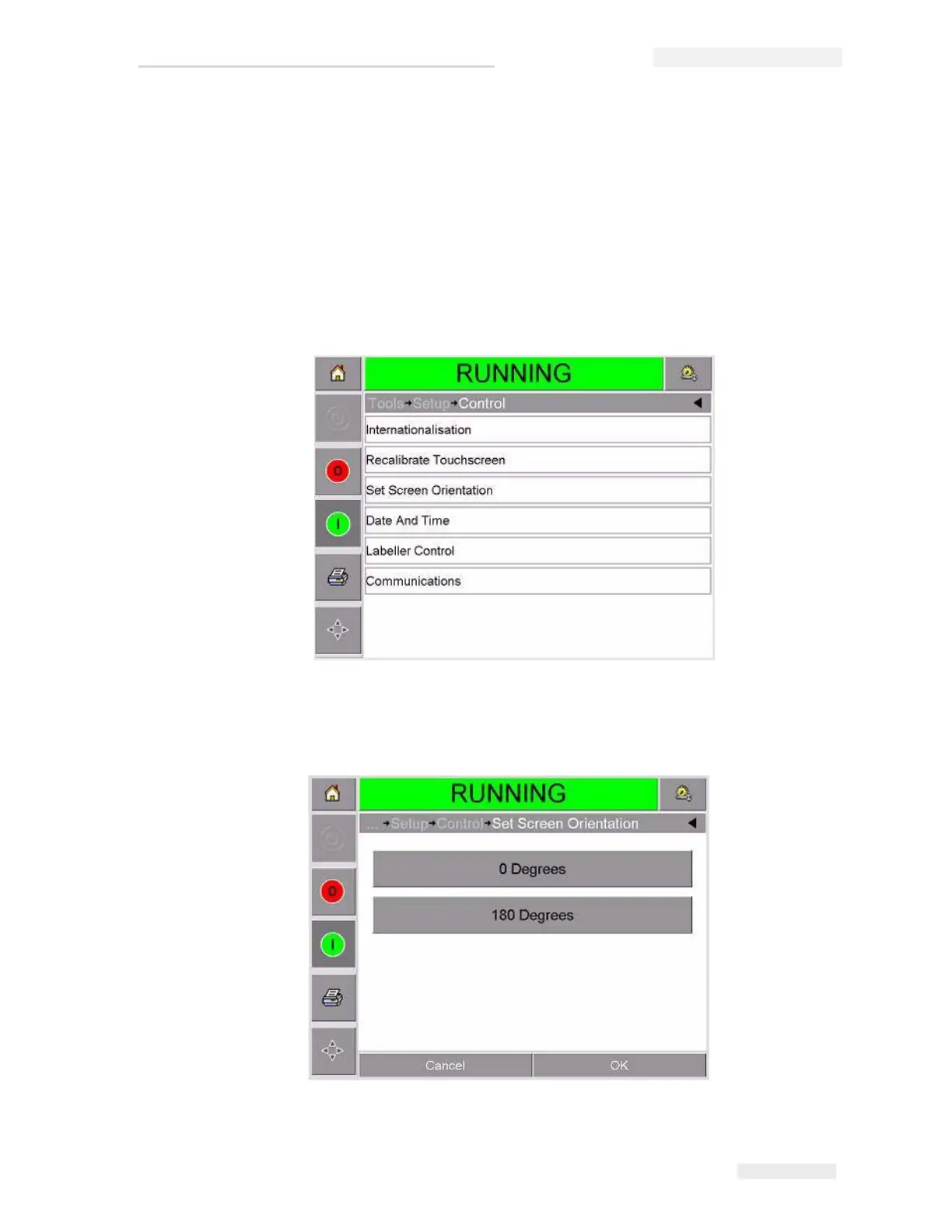
To change the screen orientation, proceed as follows:
1 Touch the Tools button on the home page.
2 Touch the Setup button on the tools page.
3 Touch the Control button on the setup page.
4 Touch Set Screen Orientation from the list. The Screen Orientation
page appears.
Figure 3-5: Screen Orientation



 To Next Page