Rev AA Changing Variable Information 4-7
Videojet DataFlex 6420 Operator Manual
Changing Variable Text Information
To change the variable text information, proceed as follows:
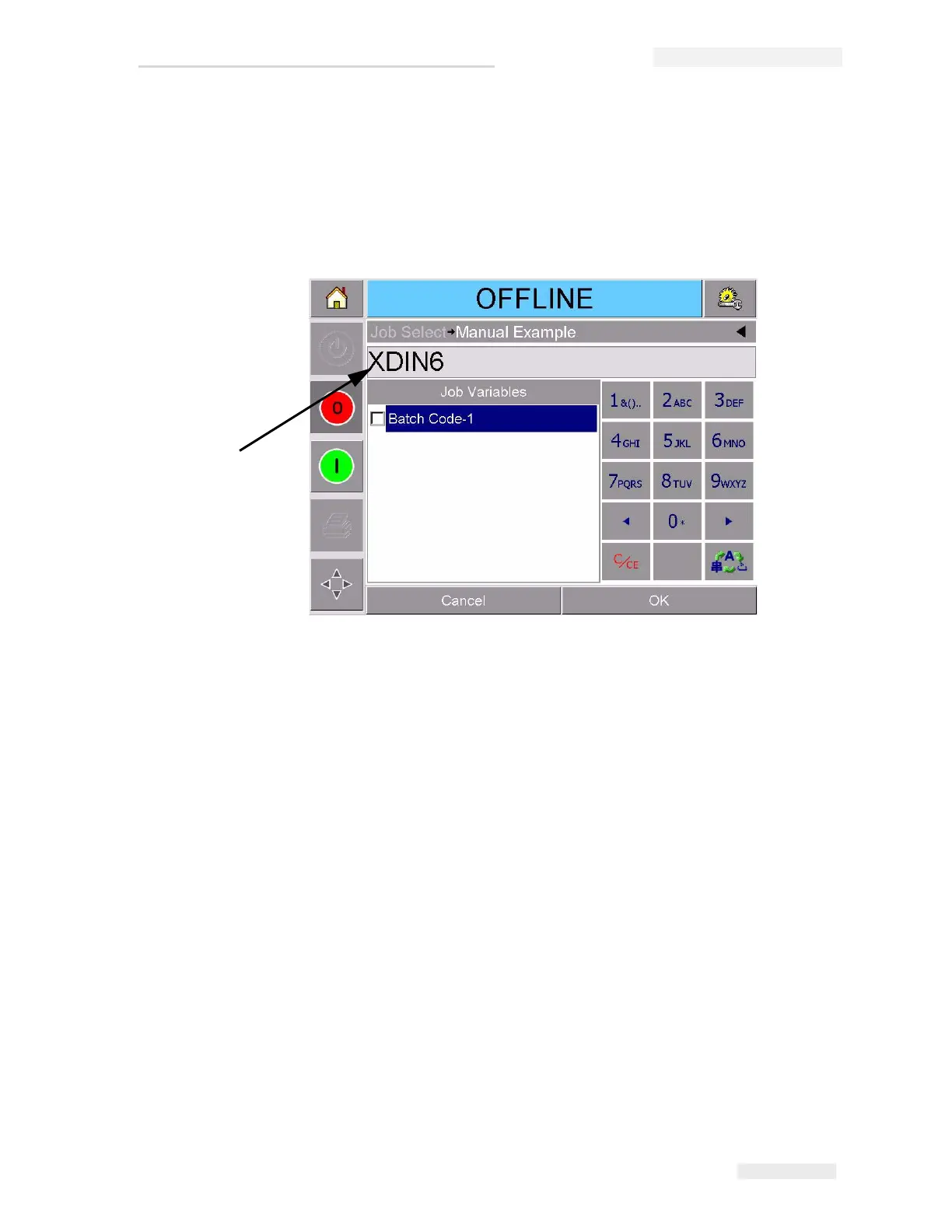
1 Touch the required job variable from the list to select it (the first one in
the list is automatically selected). The default data for that job variable
appears in the data window (Figure 4-7).
2 If the information in the data window is the information that you
want to print, go to Step 6. If you want to change the information,
perform Step 4, Step 5, and Step 6.
3 Touch to the right of the text in the data window. A flashing line is
displayed in the data window. This is known as the ‘cursor’ and
shows your position in the window. Use the alpha numeric key pads
to enter the data.
The CLARiTY
®
Operating system supports a number of standard
languages for use with 'User Entered' text information.
Figure 4-7: Default Data Window
Data Window



 To Next Page