Rev AA Removing and Reinstalling the Cassette 5-5
Videojet DataFlex 6420 Operator Manual
Removing and Reinstalling the Cassette
Removing the Cassette
To remove the cassette, proceed as follows:
1 Turn the printer to the OFFLINE state.
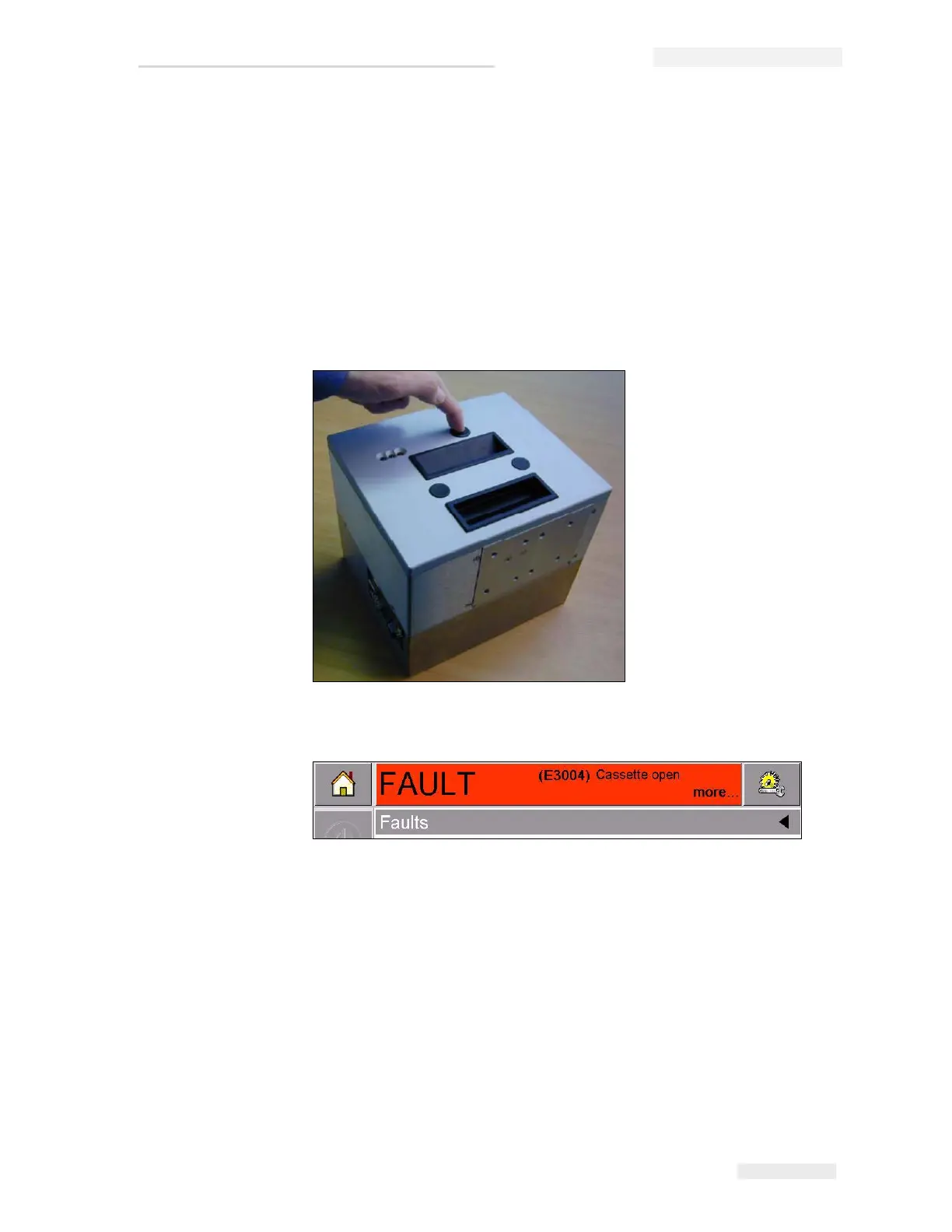
2 Press the circular black release button on the front of the printer, as
shown in Figure 5-4. The button clicks as the cassette unlocks from the
printer body.
At this point, CLARiTY
®
displays the Cassette Open fault (Figure 5-5).
Figure 5-4: Cassette Unlocking
Figure 5-5: Cassette Open Fault



 To Next Page