Rev AA Changing the Position or Appearance of the Print 4-21
Videojet DataFlex 6420 Operator Manual
Changing the Print Darkness
If the print darkness is too low, it causes the printed image to appear
faded.
If the print darkness is set too high, the edges of the printed image appears
blurred. This will also overdrive the printhead and shorten its lifetime.
Choose the lowest value of darkness that achieves a satisfactory quality
print.
To set the print darkness, proceed as follows:
1 Touch the Tools button on the home page.
2 Touch the Setup button on the tools page.
3 Touch the Printhead button to open the printhead setup page.
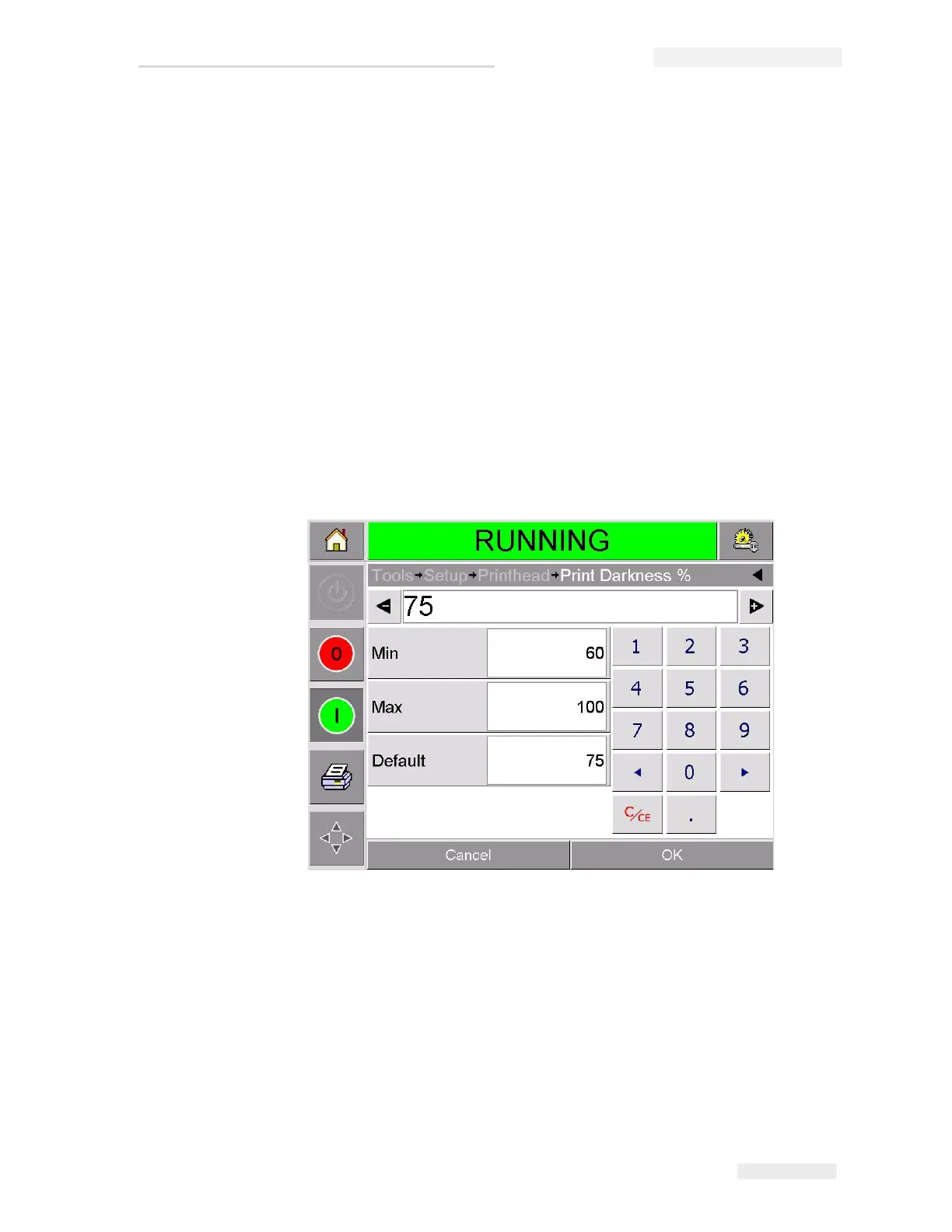
4 Touch the Print Darkness button to open the print darkness setup
page (Figure 4-16).
5 Use the + or - buttons to make small adjustments in the parameter
settings. Alternatively, do one of the following to make changes in the
settings:
• Type a new number using the keypad.
• Touch on the Min, Max, or Default buttons to select the minimum,
maximum, or default (standard) values.
6 Touch OK to save the settings.
Figure 4-16: Print Darkness Setting



 To Next Page