Rev AA Using Ribbons of Different Widths, Colors and Types 5-15
Videojet DataFlex 6420 Operator Manual
6 Touch OK to save the settings.
Different colors of ribbon have different thickness. To ensure accurate end
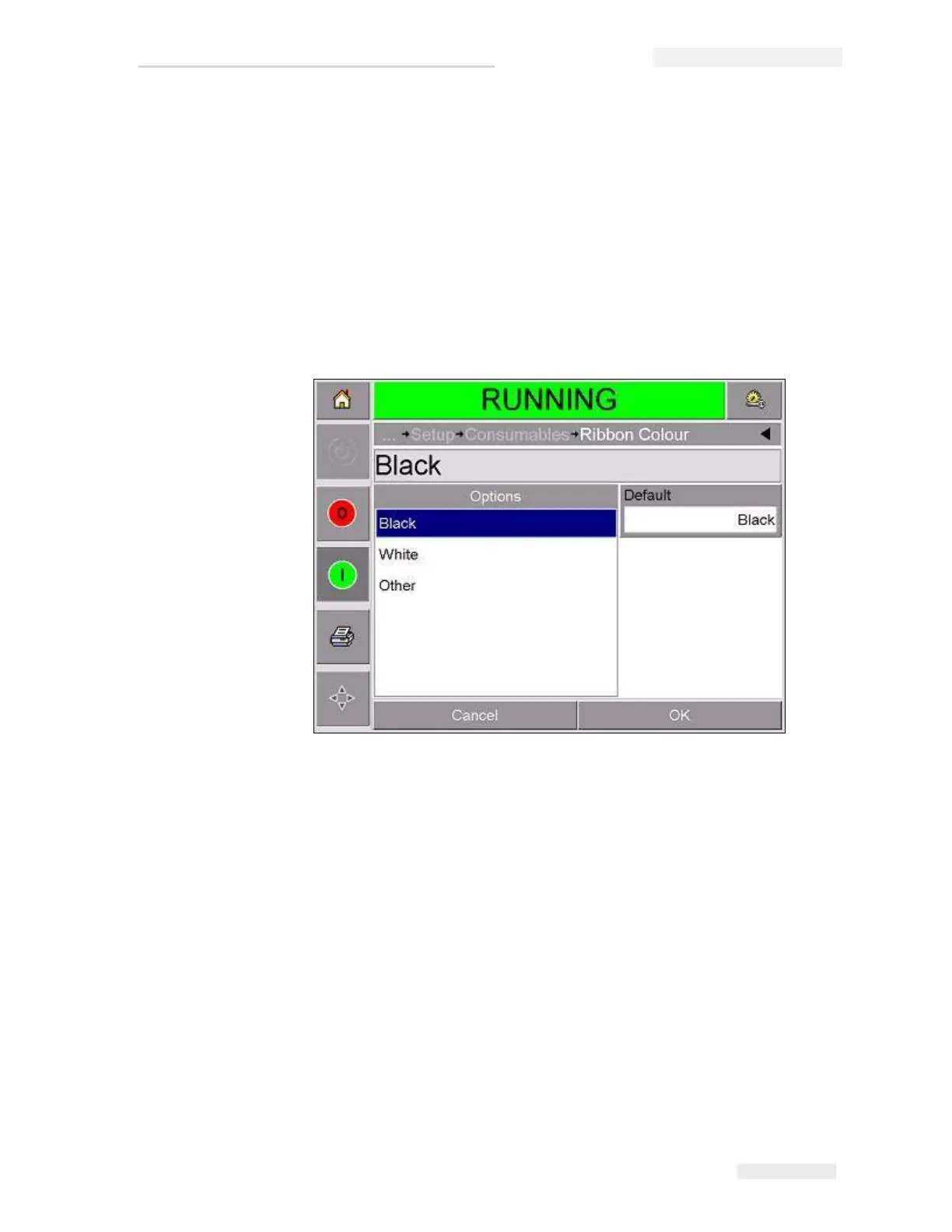
of reel warnings, select the correct color of the ribbon being used by the
printer. To select ribbon color, proceed as follows:
1 Touch the Tools button on the home page.
2 Touch the Setup button on the tools page.
3 Touch the Consumables button to open the consumables setup page.
4 Touch the Ribbon Color parameter and select the correct color from the
list.
5 Touch OK to save the settings.
6 Touch the Home button to return to the home page.
To ensure accurate consumable measurements, select the correct ribbon
type of the inserted ribbon.
To select the ribbon type, proceed as follows:
1 Touch the Tools button on the home page.
2 Touch the Setup button on the tools page
3 Touch the Consumables button to open the consumables setup page.
4 Touch the Ribbon Type parameter and select the correct ribbon type
from the list.
5 Touch OK to save the settings.
6 Touch the Home button to return to the home page.
Figure 5-15: Ribbon Color Setting



 To Next Page