EmbryoScope time-lapse incubator
- 49 -
13. Inspect the EmbryoScope time-lapse incubator. If the time-lapse incubator is visually
clean, it is ready for use. If it is not visually clean, go to steps 10 and 11 and repeat the
procedure.
14. Gently replace the culture dish holder and mount it with the two bolts. Tighten the bolts;
remember to alternate between the two while you tighten.
15. Gently remove the motor lock.
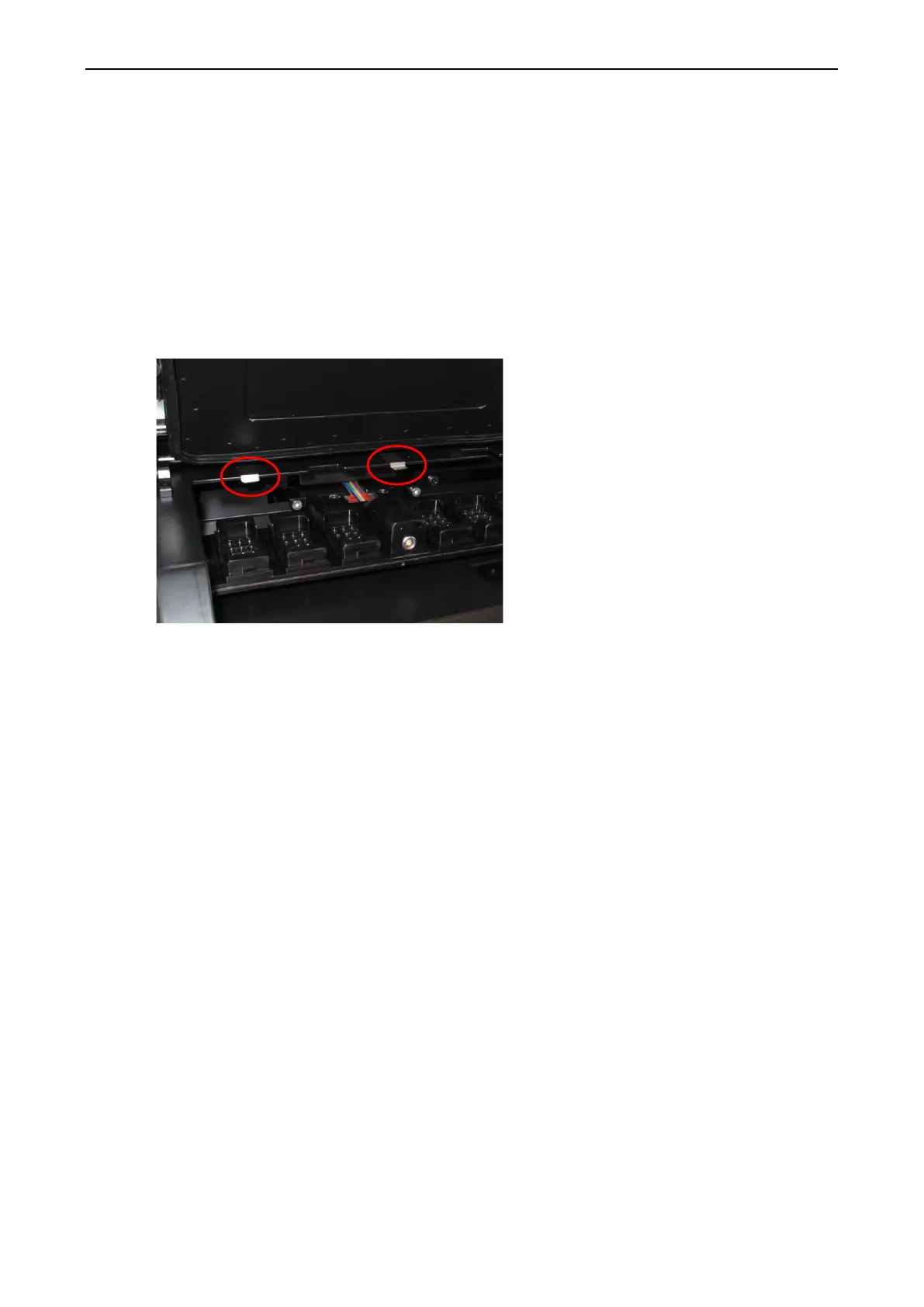
16. Check that both metal clips intended to support the cover plate are firmly attached.
17. Gently replace the cover plate that normally covers the inaccessible positions of the
culture dish holder and close the load door.
18. Turn on the EmbryoScope time-lapse incubator by pressing the main switch found at the
rear panel.
19. Allow the EmbryoScope time-lapse incubator three hours to equilibrate gas and
temperature levels.
20. After three hours, press the Shutdown button to close down the software of the
EmbryoScope time-lapse incubator.
21. Restart the software and press Reset to perform a camera reset.


 To Next Page