— 48 —
1. Connect an RJ45 cable to the projector and computer’s RJ45 ports.
2. Enter the IP address of the projector in the address bar of an open browser.
3. Download pwPresenter (Zipped file) from the web control page. Unzip it and install the
pwPresenter on the computer.
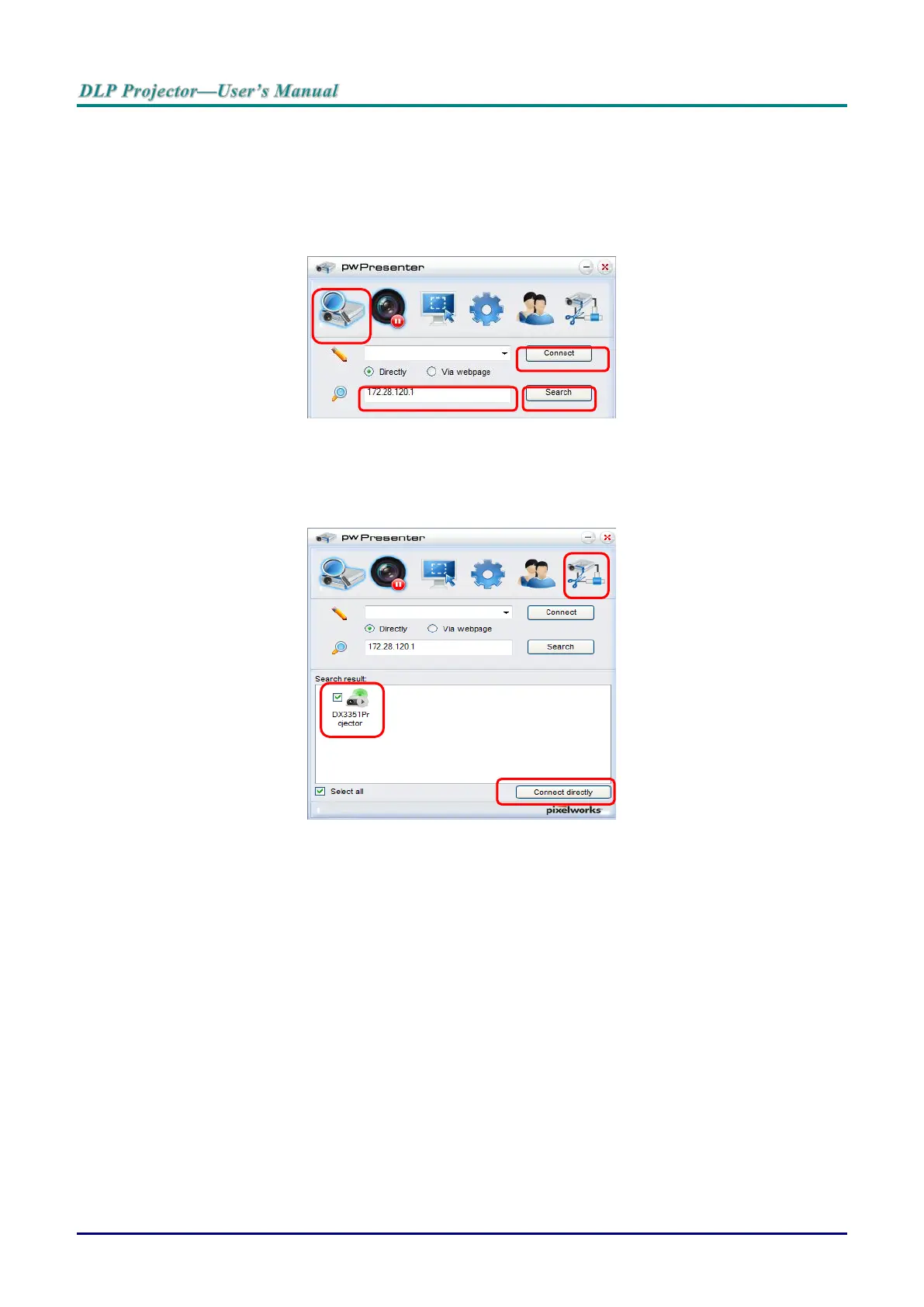
4. Once installed, double click the pwPresenter icon. The pw Presenter page appears.
5. Click the Search icon to search and connect to a networked display.
a. Type in the IP address (see Browser Based Management on page 44 for details.) and
click Search.
b. The networked projector is displayed. Select it to continue.
c. Click Connect and the computer’s desktop image is displayed through the projector.



 To Next Page