8
1.2 Hardware description
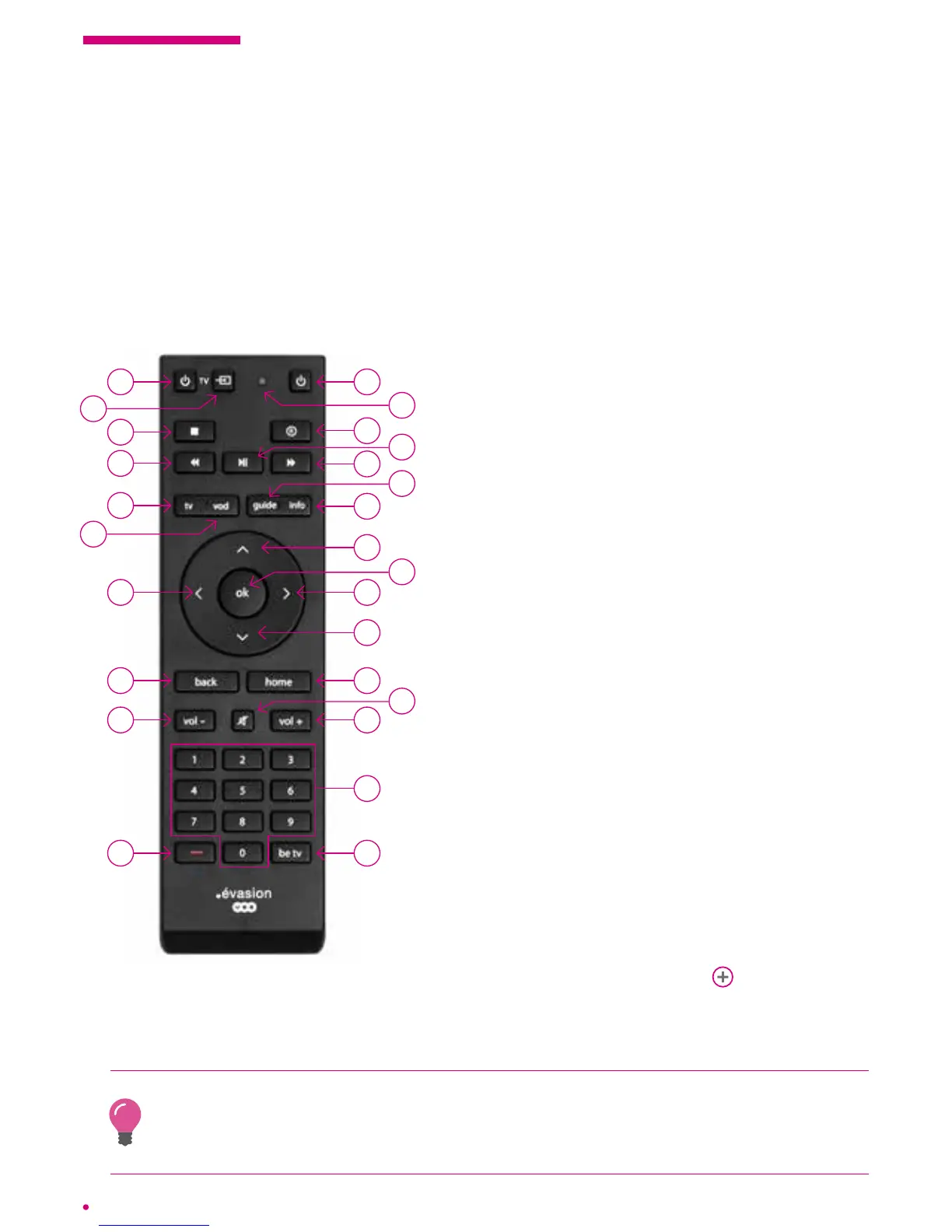
The remote control
26 1
3
5
7
10
8
11
12
14
15
16
25
21
4
13
9
24
23
22
20
19
18
17
2
6
1 Switching your box on and off
2 Red LED
3 Saving or programming a recording either live on
achannel or from the ‘TV guide’
4 Start, resume or pause the playback of a recording
or a VOD programme.
Also allows you to pause and resume the live
programme if in ‘timeshift’ mode
5 Fast forward
6 Access to the ‘TV guide’ in grid format
7 Access to more information about the selected item
8 Going back through your channel list/upward
navigation in the menu choices
9 Validating in the menus
10 Navigation to the right / skip forwards
11 Continuing down through your list of channels /
downward navigation
12 Access to the main menu of your box
13 Sound off / on
14 Turning up the volume
15 Keypad to change channels, enter a code or
advance by percentage
16 Direct access to Be 1 HD
17 Red button to access certain content specic to
certain channels
18 Turning down the volume
19 Access to the previous screen of your interface
20 Navigation left / backwards skip
21 Access to the ‘VOO catalogue’ (video on demand)
22 Exiting the menus or applications
23 Rewind
24 Stopping the programme on demand, a recording
orpersonal content
25 Changing the source of your television set
26
Switching off your television set
see p.14
The remote control is connected to your box via radio signal. This connection is established
automatically during installation. Connection by radio signal means that you do not have to
aim at your box with your remote control when you use it. This also allows you to keep your
box in a cupboard while allowing remote control operation.



 To Next Page