Users need to provide a hard disk for the NVR. The hard disk is strictly detected during
device startup. If the detection result failed, the possible causes are as follows:
The hard disk is new and is not formatted. Log in to the system and format the hard disk.
The hard disk is formatted, but the file system is inconsistent with the file system
supported by the NVR. Format the hard disk.
The hard disk is damaged.
2.2 Power off the Device
Click the main menu and choose System > Maintenance, the maintenance page is
displayed. Click Shutdown to power off the NVR. You can choose quick main menu’s
shutdown. If there is a power switch on the real panel of the NVR, you can turn off the
power switch to disconnect the NVR from the power supply.
2.3 Log into the System
Log into the device
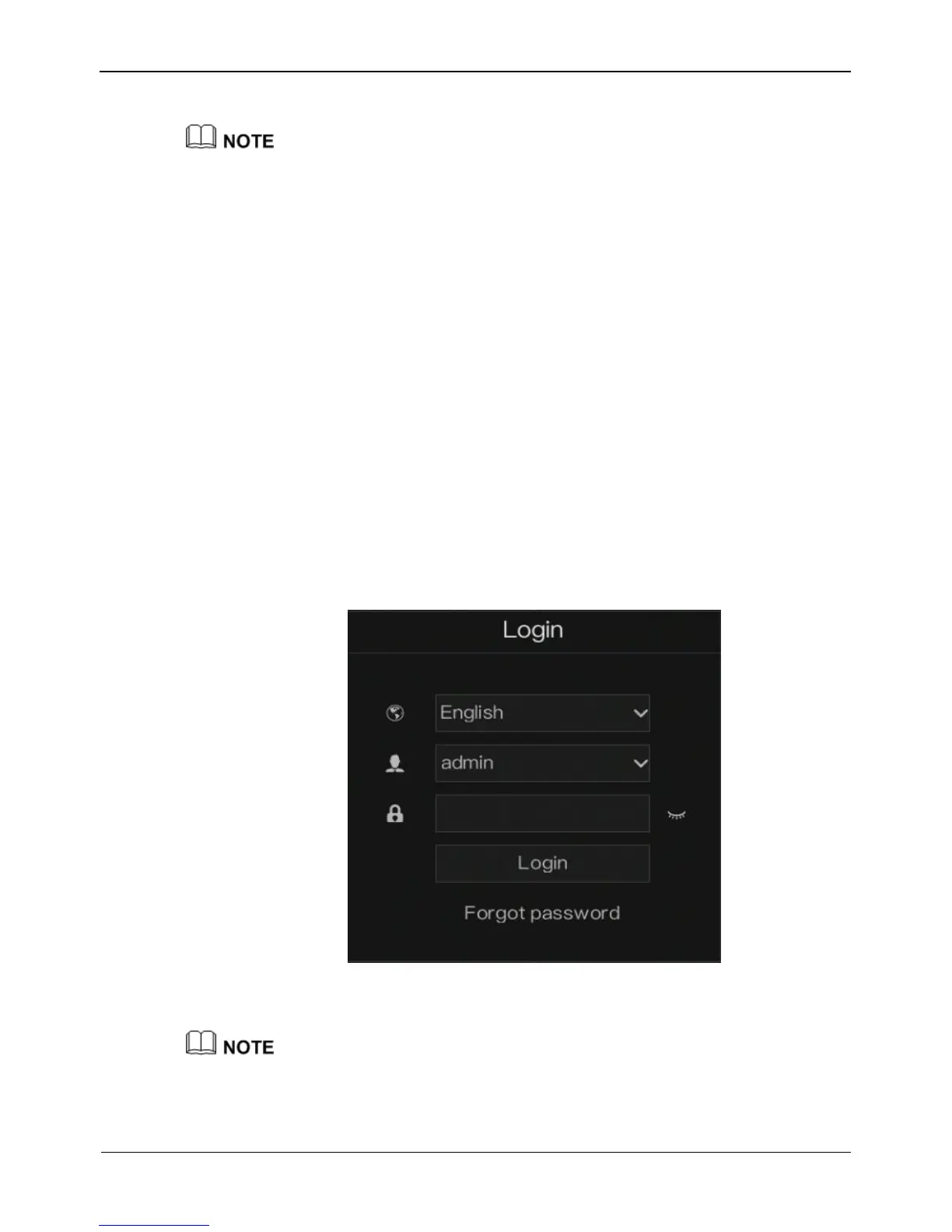
Step 1 On the NVR login screen, select the language, as shown in Figure 2-2.
Figure 2-2 Login screen
Step 2 Input the username and password.
The username and password are both admin.
If you forget password, click Forgot password. You can choose a way to find previous
password:



 To Next Page