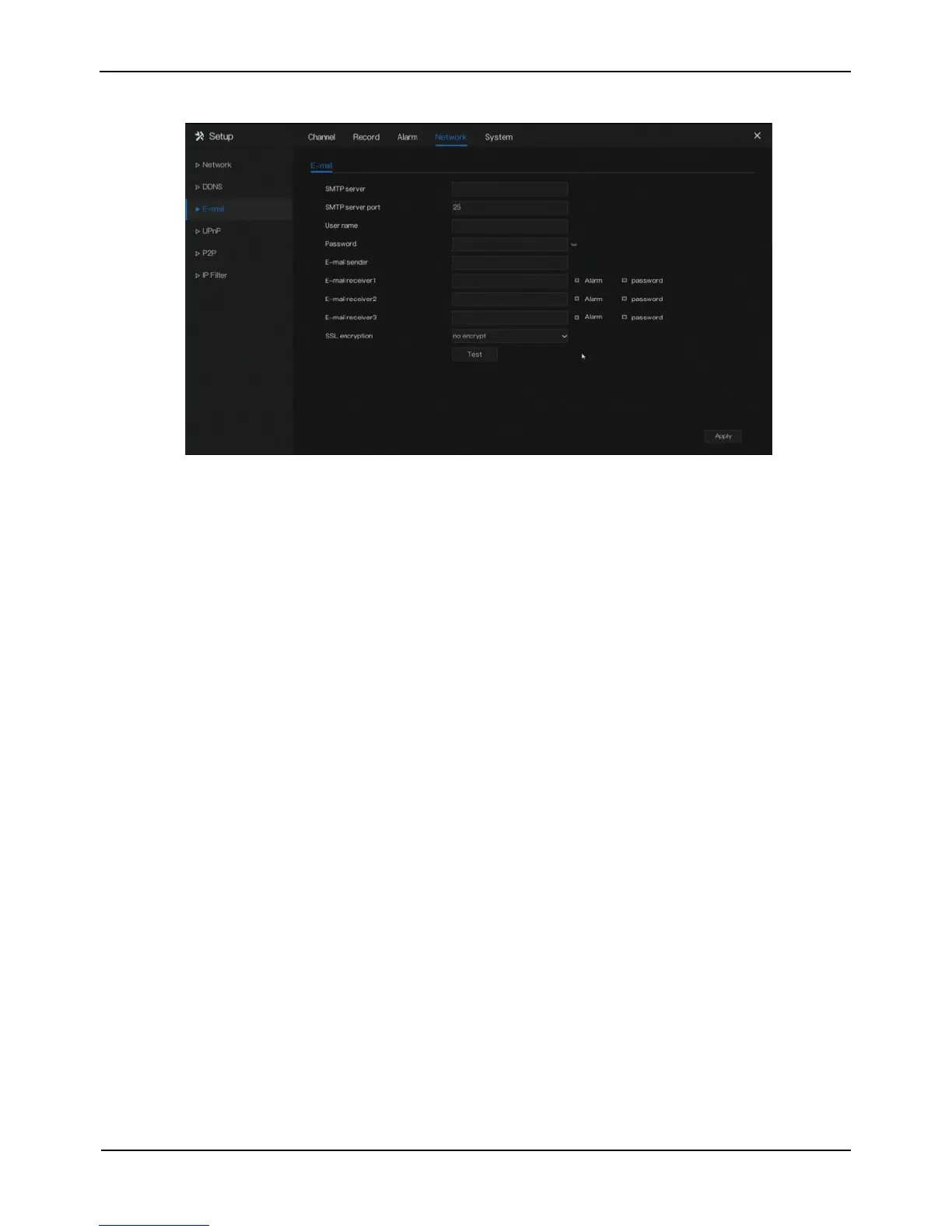
Figure 8-5 E-mail setting screen
Step 2 Set SMTP server and SMTP server port manually.
Step 3 Set sender E-mail, user name and password manually.
Step 4 Set E-mail for receive alarm. the message “Mail has been sent, please check” is
displayed. Open the mail, if the verification code is received, that shows the E-mail
is set successfully.
Step 5 Set E-mail for retrieve the password. the message “Mail has been sent, please
check” is displayed. Open the mail, if the verification code is received, that shows
the E-mail is set successfully.
Step 6 Set SSL encryption for encrypting mail or not.
Step 7 Click Apply to save settings.
----End
8.4 UPnP
Operation Steps
Step 1 Click UPnP in the main menu or menu of the network management screen and
choose UPnP to access the UPnP screen, as shown in Figure 8-6.



 To Next Page