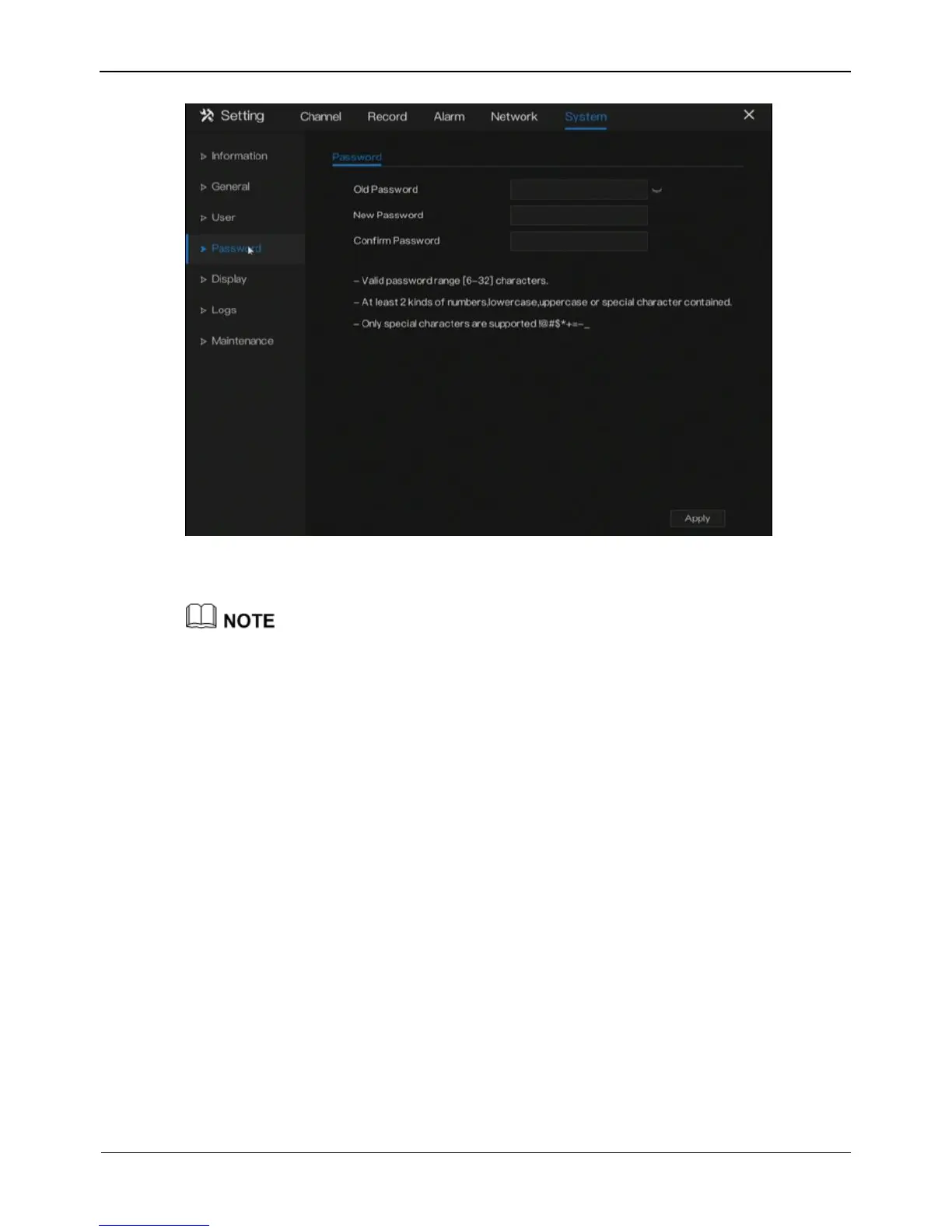
Figure 9-9 Password modification screen
Step 2 Enter the correct old password, new password, and confirm password.
The password should include at least two kinds of letter, character and number.
The password should be 6~32 characters.
Only special characters (!@#$*+=-) are supported,
Step 3 Click Apply to save modify password settings.
----End
9.5 Display
Set video mode, dwell time in display screen.
Operation Steps
Step 1 Click Display in the main menu or menu of the system management screen and
choose display to access the display screen, as shown in Figure 9-10.



 To Next Page