7.6 Alarm in
Operation Description
Click Alarm in in the main menu or menu of the alarm management screen and choose
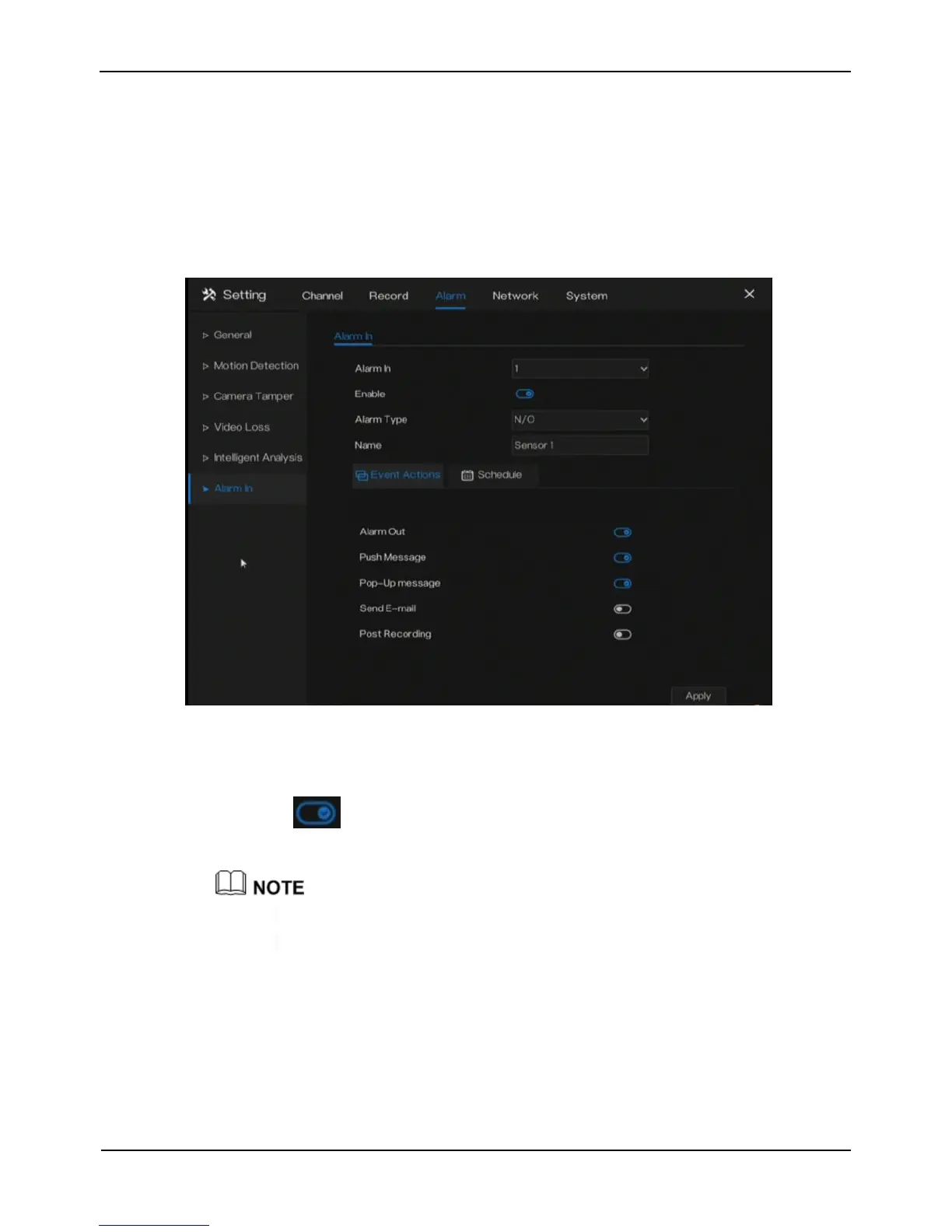
Alarm in to access the alarm in screen, as shown in Figure 7-7.
Figure 7-7 Alarm in screen
Operation Steps
Step 1 Select a channel in alarm in.
Step 2 Click to enable or disable the functions.
Step 3 Select Alarm type from the drop-down list.
NC: Normal close the alarm
NO: Normal open the alarm
Step 4 Set name.
Step 5 Enable the event actions include: buzzer, alarm out, push message, pop up
message, send E-mail and post recording.
Step 6 Click Schedule page to access the schedule screen.
For details, please see 6.1 Record Schedule Step 4 Set the record schedule.
Step 7 Click Apply to save alarm in settings.



 To Next Page