8.1.1 IP
Operation Steps
Step 1 Click next to DHCP to enable or disable the function of automatically
getting an IP address. The function is enabled by default.
If the function is disabled, click input boxes next to IP, Subnet mask, and
Gateway to set the parameters as required.
Step 2 Click next to Obtain DNS Automatically to enable or disable the function
of automatically getting a DNS address. The function is enabled by default.
If the function is disabled, click input boxes next to DNS1(default 192.168.0.1)
and DNS2(default 8.8.8.8), delete original address, and enter new address.
Step 3 Click Apply to save IP settings.
----End
8.1.2 Port
Operation Steps
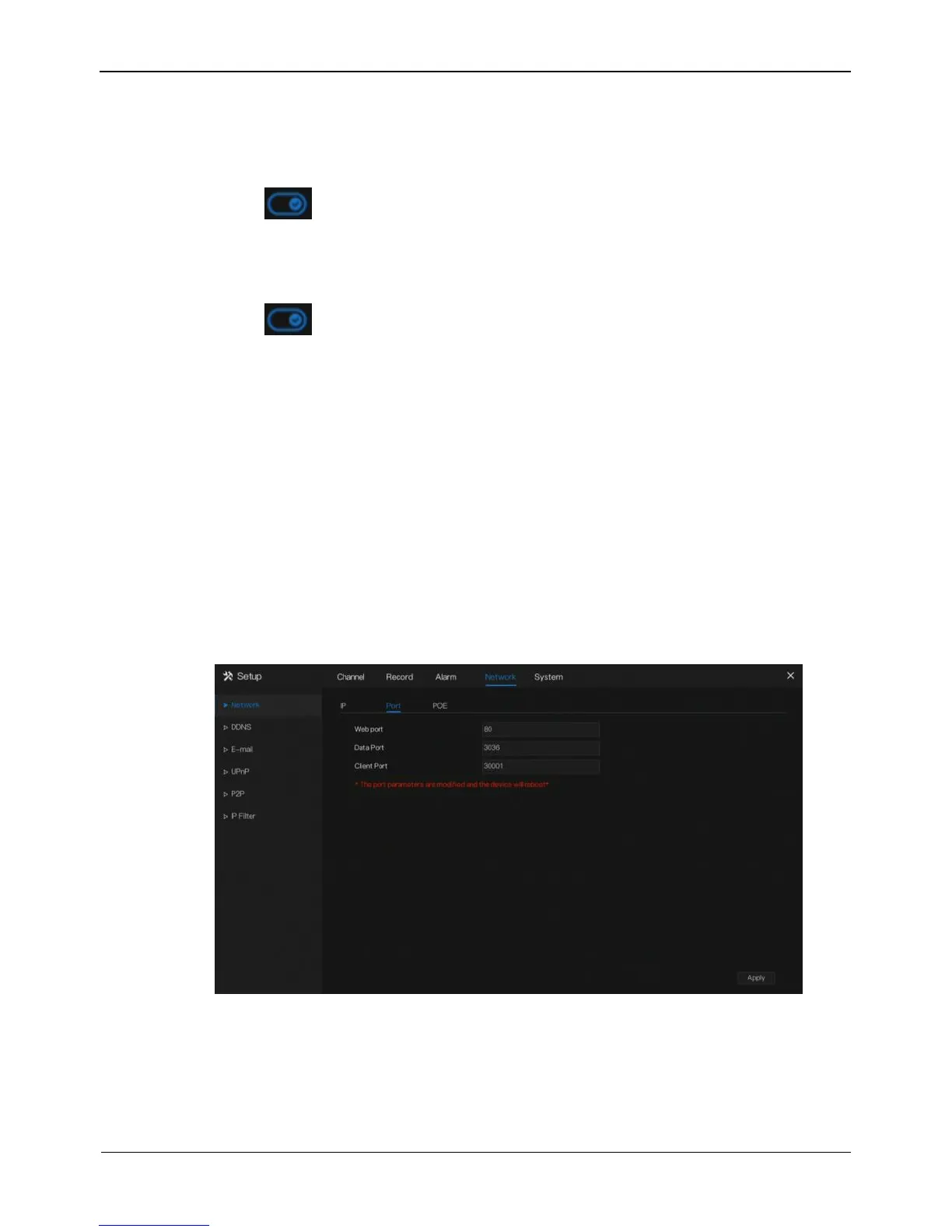
Step 1 Click Port page to access the port setting screen, as shown in Figure 8-2.
Figure 8-2 Port setting screen
Step 2 Set the web port, data port and client port.
Step 3 Click Apply to save port settings.
----End



 To Next Page