Home
W Box
DVR
0E-4CHNVR2TB
Page 19 (Disk management screen)
W Box 0E-4CHNVR2TB - Disk management screen
67 pages
Manual
Save Page as PDF
To Next Page
To Next Page
To Previous Page
To Previous Page
Loading...
W
izard
Netwo
rk V
ideo Recorde
r
User Manual
Issue: V4.2 (201
8-
08
-
15
)
13
F
ig
ur
e
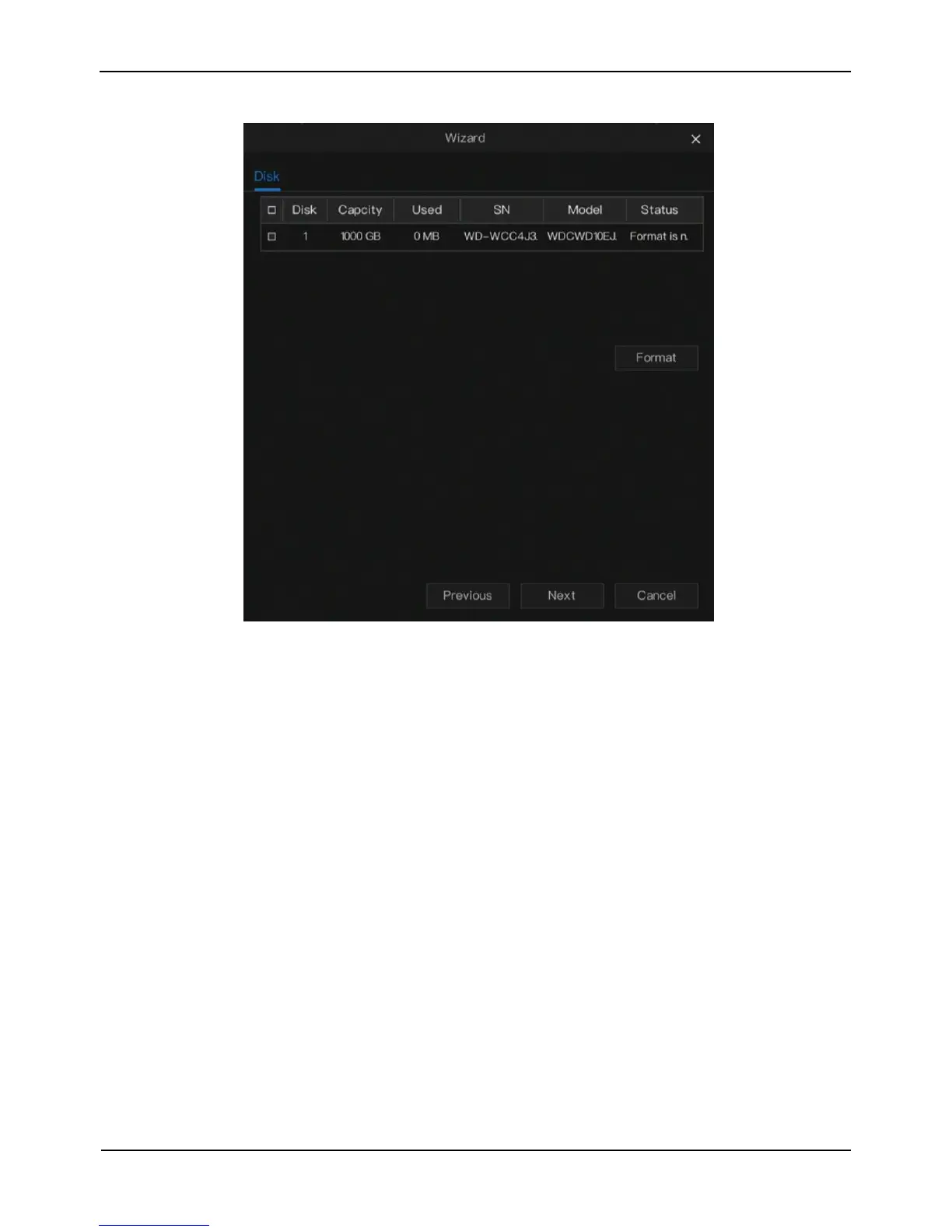
3
-
6
D
is
k
m
an
ag
em
e
nt
sc
re
e
n
Y
ou
can view
the
disk capacity
,
u
sed capacity
, SN
,
disk m
od
el and status of disks, and
format disk in disk ma
nage
m
ent.
Cl
ick
Next
,
the resol
ution management screen is
displayed, as shown in Figure 3-7.
18
20
Table of Contents
Main Page
About this Document
3
Table of Contents
5
1 Preface
7
Important Notes
7
About this User Manual
7
Installation Environment and Precautions
7
2 Basic Operations
9
Power on the Device
9
Power off the Device
10
Log into the System
10
Add Cameras
11
3 Wizard
13
4 Quick Navigation
21
Playback
22
Time Search
23
Picture Grid
24
Event
25
Backup
26
Main Menu
27
5 Channel Management
29
Camera Management
29
Add a Camera Automatically
29
Add a Camera Manually
30
Delete a Camera
31
Encode Parameter
31
Image Parameter
32
OSD Settings
33
Privacy Zone
34
6 Record Management
36
Record Schedule
36
Disk
37
7 Alarm Management
39
General
39
Motion Detection
40
Camera Tamper
41
Video Loss
42
Intelligent Analysis
44
Alarm in
45
Device Malfunction
46
8 Network Management
47
Network
47
Port
48
Poe
49
Ddns
49
E-Mail
50
Upnp
51
P2P
52
IP Filter
53
9 System Setting
56
Information
56
General
57
System
57
Date and Time
57
Time Zone
58
Dst
59
User
60
Advance Setting
63
Password
63
Display
64
Logs
65
Maintenance
66
Related product manuals
W Box 0E-41T1UD
22 pages
W Box 0E-4500GMD
22 pages
W Box 0E-81TMD
22 pages
W Box 0E-82T1UD
22 pages
W Box 0E-161TMD
22 pages
W Box 0E-162T1UD
22 pages
W Box 0E-8CHNVR2TB
67 pages



 To Next Page