Operation Description
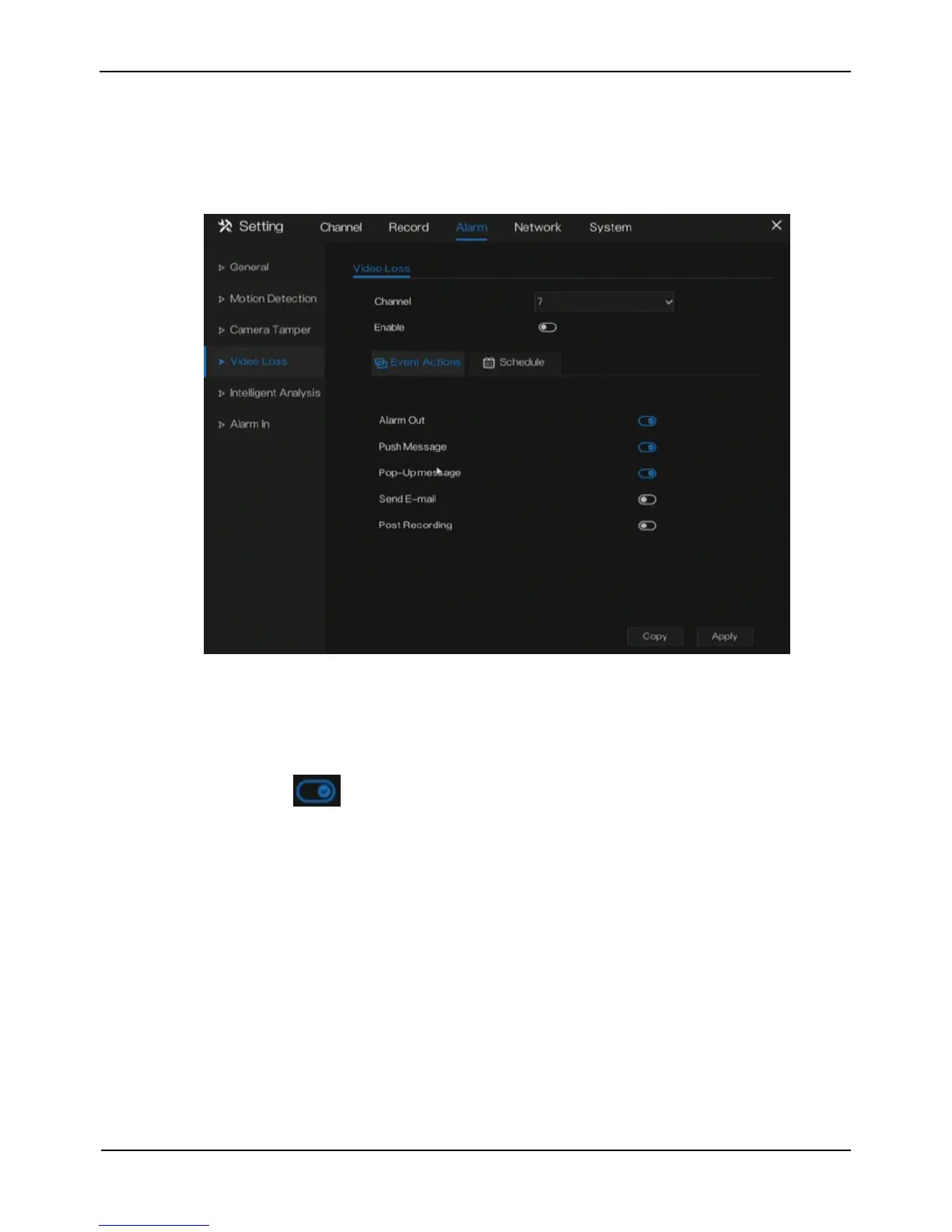
Click Video loss in the main menu or menu of the alarm management screen and
choose video loss to access the video loss screen, as shown in Figure 7-5.
Figure 7-5 Video loss screen
Operation Steps
Step 1 Select a channel from the drop-down list of channel.
Step 2 Click to enable video loss alarm.
Step 3 Enable the Event actions include: buzzer, alarm out, push message, pop up
message, send E-mail and post recording.
Step 4 Click Schedule page to access the schedule screen.
For details, please see 6.1 Record Schedule Step 4 Set the record schedule.
Step 5 Click Copy and select a channel, then click OK to apply the parameter settings
to cameras in selected channels,click Apply to save video loss settings.
----End



 To Next Page