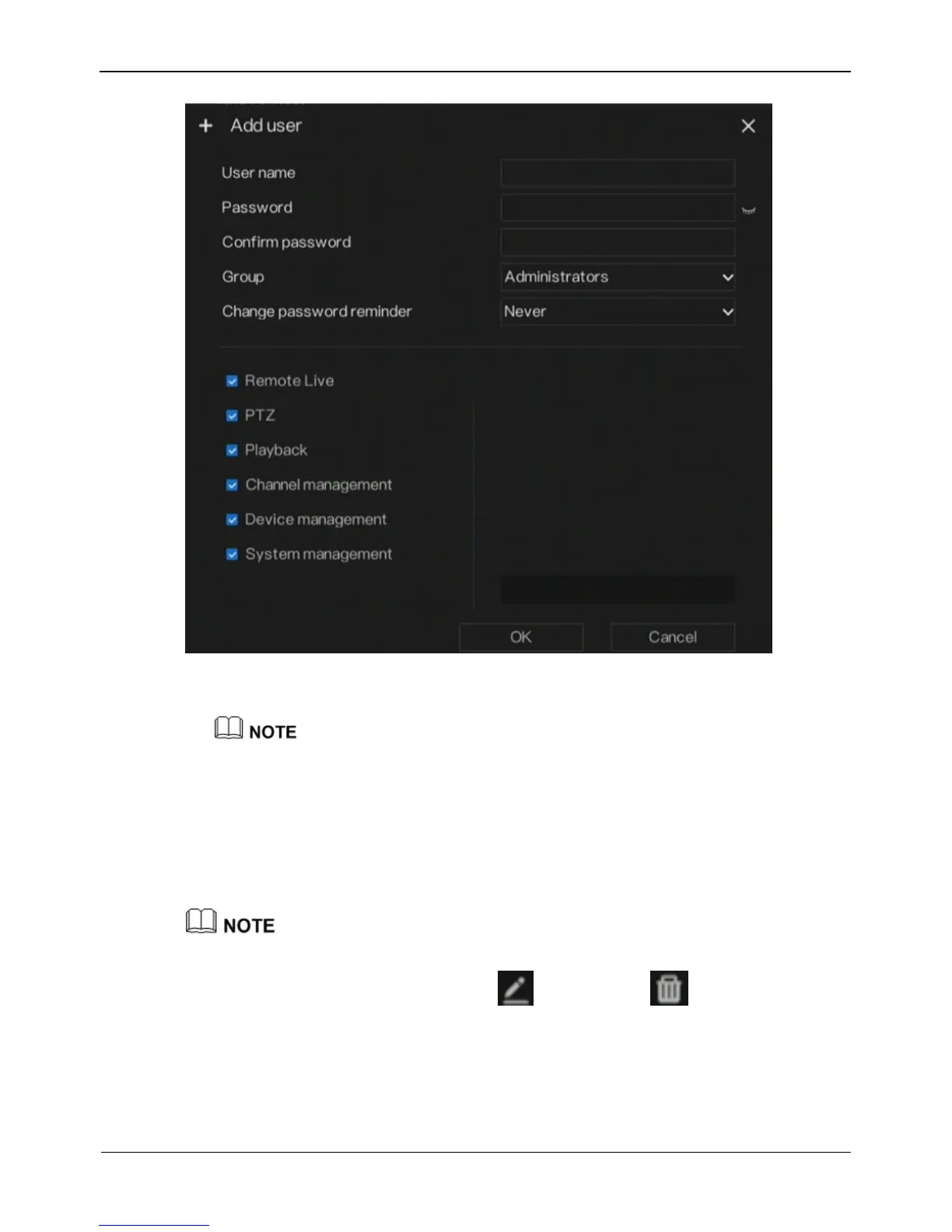
Figure 9-7 Add user screen
2. Enter a username, password and confirm password.
The password should include letter, character and number, at least two types.
The password should be 6~32.
3. Select a Group from the drop-down list box.
4. Select a Change password reminder value from the drop-down list box.
5. Select the operation privileges in the list of the add user screen.
6. Click OK. The user is set successfully.
The default user is Administrator and cannot be deleted or modified.
Select a user from user list and click
to edit , or click to delete a user.
-----End


 To Next Page
 Loading...

