• Some computers may be unable to auto play the CD because of system configuration. Please double click
"Computer" icon, find "DVD RW driver", then double click "DVD RW driver" to run the installation procedure.
4. Click on the "I agree" button on the right bottom corner after reading the license agreement and enter into driver installation
interface.
5. Click on the "Manual installation" at the bottom of driver installation interface, and enter into manual installation interface.
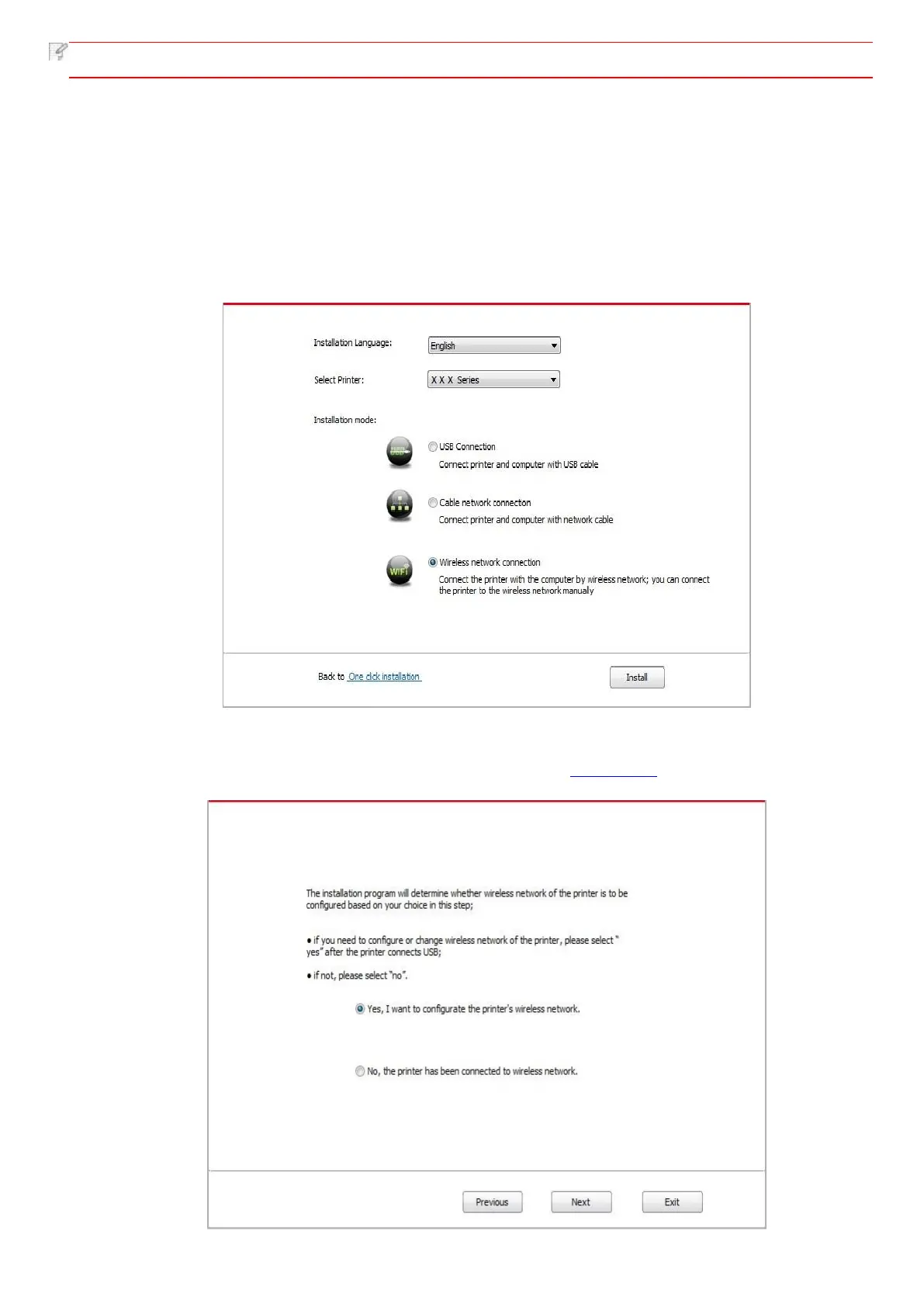
6. Please select installation language and printer model.
7. Select "Wireless network connection" and click on "Install".
8. Select “Yes, I want to configurate the printer's wireless network” on the wireless setup window popped out, and operate
according to the prompts to set up the printer to wireless network (please refer to Chapter 5.1.1 for setup method).



 To Next Page