• Windows 10 system: When the "DVD RW driver" window pops up from the right top corner of computer desktop, click
anywhere in the window, then click "Autorun.exe" to run the installation procedure.
• Some computers may be unable to auto play the CD beacase of system configuration. Please double click
"Computer" icon, find "DVD RW driver", then double click "DVD RW driver" to run the installation procedure.
4. Click on the "I agree" button on the right bottom corner after reading the license agreement and enter into driver installation
interface.
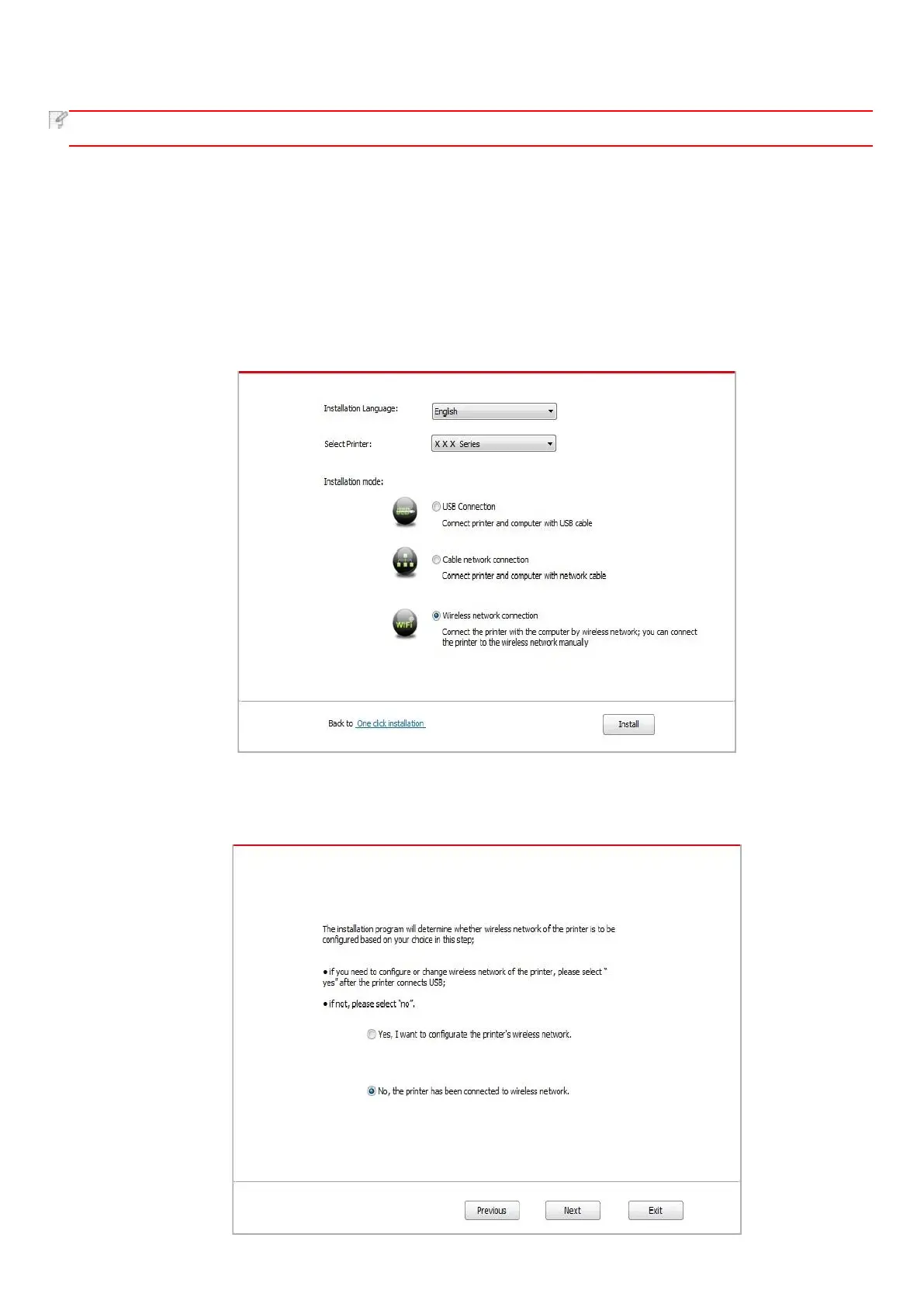
5. Click on the "Manual installation" at the bottom of driver installation interface, and enter into manual installation interface.
6. Please select installation language and printer model.
7. Select "Wireless network connection" and click on "Install".
8. Select “No, the printer has been connected to wireless network” on the wireless setup window popping out, and then click
“Next”.



 To Next Page