105
Programme unit
ADJUST TIME ALLOWED Y
ADJUST TEMPERATURE ALLOWED Y
RAPID ADVANCE ALLOWED Y
SHOW WEIGHT ALLOWED Y
WATER REDUCTION NOT ALLOWED Y
MANUAL FUNCTIONS ALLOWED Y
PAUSE ALLOWED Y
FREE TEXT ALLOWED Y
CHANGE WASH PROGRAM ALLOWED Y
AUTO RESTART ALLOWED Y
ADJUST SPIN SPEED ALLOWED. Y
DISPLAY REMAINING TIME Y
DISPLAY ACTUAL TEMPERATURE Y
DISPLAY ACTUAL SPEED Y
MACHINE NOT HEATED N
Y/N
Answer Yes (Y) or No (N).
Press b.
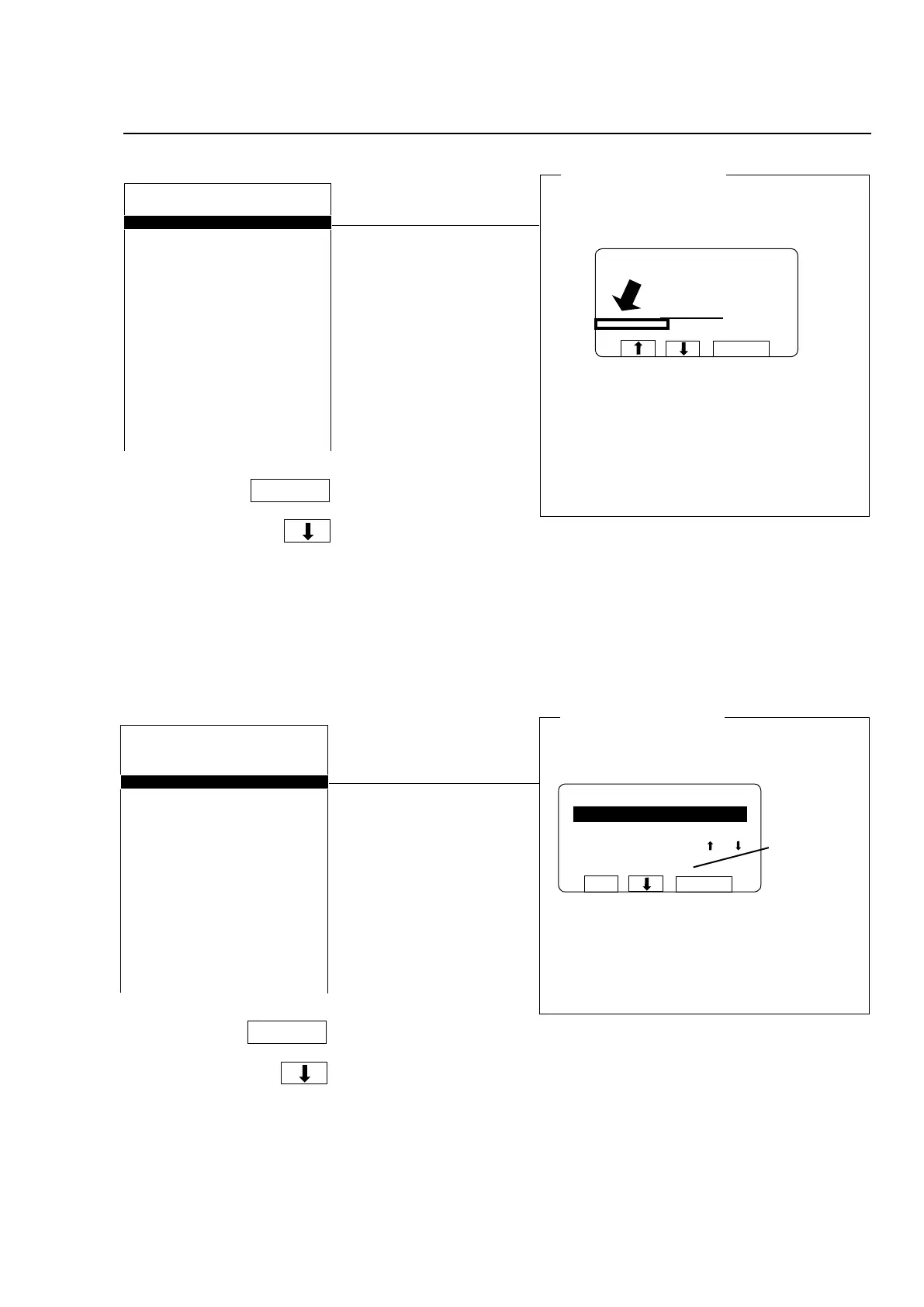
Show weight allowed
Here you determine whether the menu line showing
actual weight will be displayed or not.
ADJUST TIME ALLOWED Y
ADJUST TEMPERATURE ALLOWED Y
RAPID ADVANCE ALLOWED Y
SHOW WEIGHT ALLOWED Y
WATER REDUCTION NOT ALLOWED Y
MANUAL FUNCTIONS ALLOWED Y
PAUSE ALLOWED Y
FREE TEXT ALLOWED Y
CHANGE WASH PROGRAM ALLOWED Y
AUTO RESTART ALLOWED Y
ADJUST SPIN SPEED ALLOWED. Y
DISPLAY REMAINING TIME Y
DISPLAY ACTUAL TEMPERATURE Y
DISPLAY ACTUAL SPEED Y
MACHINE NOT HEATED N
Y/N
Answer Yes (Y) or No (N).
Press b.
If you answer Yes (Y):
Menu line showing current weight will be dis-
played.
If you answer No (N):
Menu line showing current weight will not be
displayed.
RUN A WASH PROGRAM
GO TO THE MENU
MAKE YOUR CHOICE WITH OR
AND PRESS SELECT
WEIGHT, KG: 013,5
SELECTTAR
Menu line showing
actual weight
For machines with weight measurement installed
only!
Rapid advance allowed
Here you determine whether it is allowed to use
rapid advance forwards or backwards through the
wash program during program operation.
PROGRAM STEP: MAIN WASH 1
STEP TIME: 720 SEC
SET TEMPERATURE: 85 °C
ACTUAL TEMPERATURE: 21 °C
REMAINING TIME: 70 MIN
DRUM SPEED: 48 RPM
RAPID ADVANCE
SHOW WEIGHT
SELECT
991 NORMAL 95°C STD
If you answer Yes (Y):
Rapid advance is allowed.
If you answer No (N):
Rapid advance is not allowed. If you have
answered N (No), and subsequently during pro-
gram operation you wish to terminate a program
before it has ended, press the emergency stop
button.







 To Next Page