95
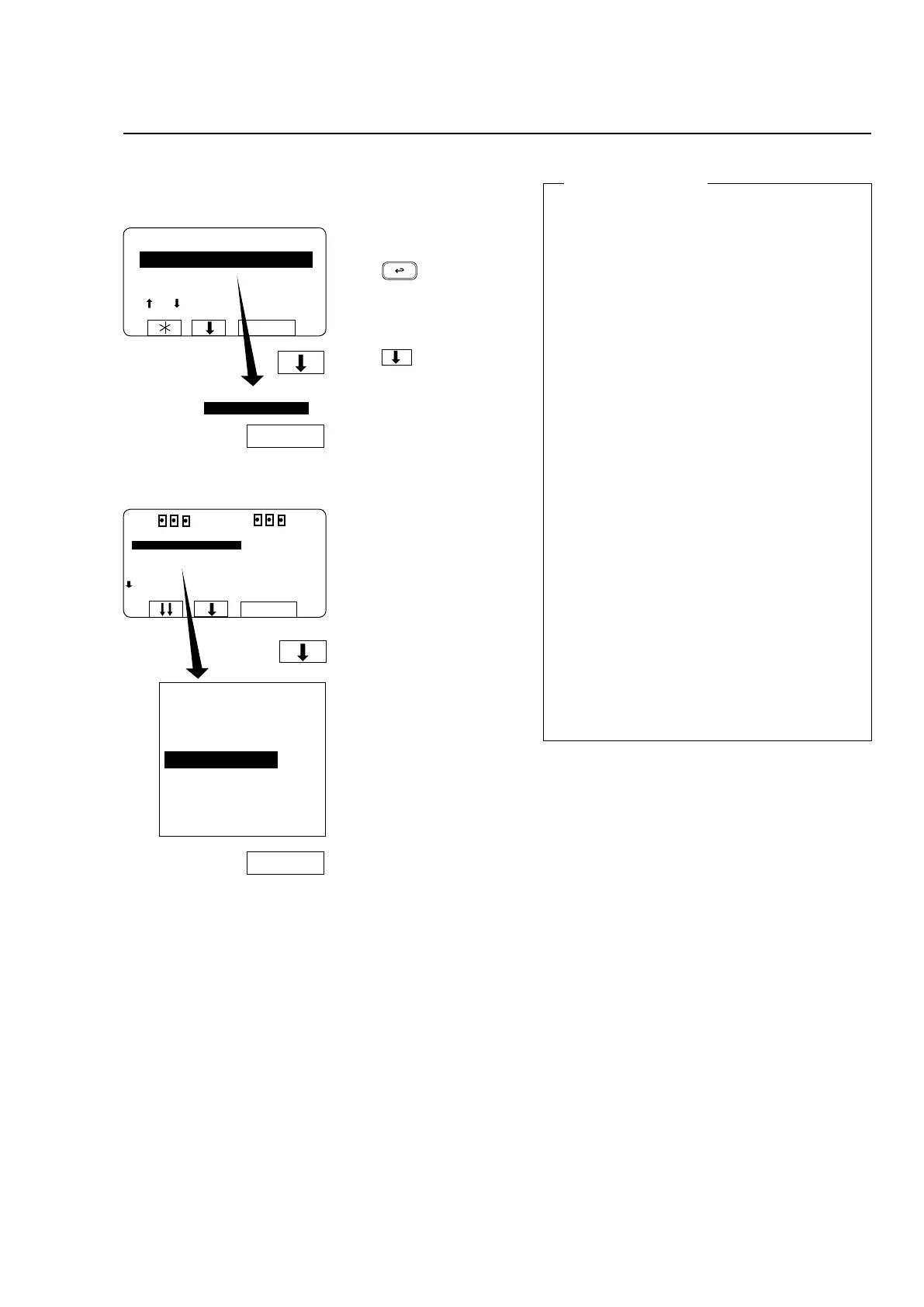
To select the ”Service Program” function
Press b four times.
... to highlight
”SERVICE MODE”.
RUN A WASH PROGRAM
GO TO THE MENU
MAKE YOUR CHOICE WITH
OR AND PRESS SELECT
WEIGHT, KG 000,0
SELECT
SELECT
MENU
MAKE A CHOICE:
WASH PROGRAM LIBRARY
PROGRAMMING MODE
SETTINGS 1
MEMORY CARD
SERVICE MODE
STATISTICS
WASH PROGRAM LIBRARY
PROGRAMMING MODE
SETTINGS 1
MEMORY CARD
SERVICE MODE
STATISTICS
MANUAL MODE
SETTINGS 2
EXIT
SELECT
SELECT
RUN A WASH PROGRAM
GO TO THE MENU
If this menu is not currently
displayed:
Press repeatedly.
Press to highlight
”GO TO THE MENU”.
Press SELECT.
Press SELECT.
The service program
Theserviceprogrammakesfault-ndingonthe
machine easier, as it allows you to control the
various machine functions individually:
• waterlling
• detergentushing
• motorrotation,clockwiseandcounterclockwise
• motoraction,distributionandextraction
• drain
• doorlock
• heating
• buzzer
You can also check which input signals to the
PCU are activated:
• emergencystop
• remotestart
• oillubrication
• service
• repeatrinse
• phasecheck
• doorlocked
• doorclosed
• unbalance
The following values will also be displayed at all
times:
• waterlevelinmachine
• watertemperature
• motorspeed
• whetherdrainisopenorclosed
Programme unit







 To Next Page