103
Programme unit
Y/N
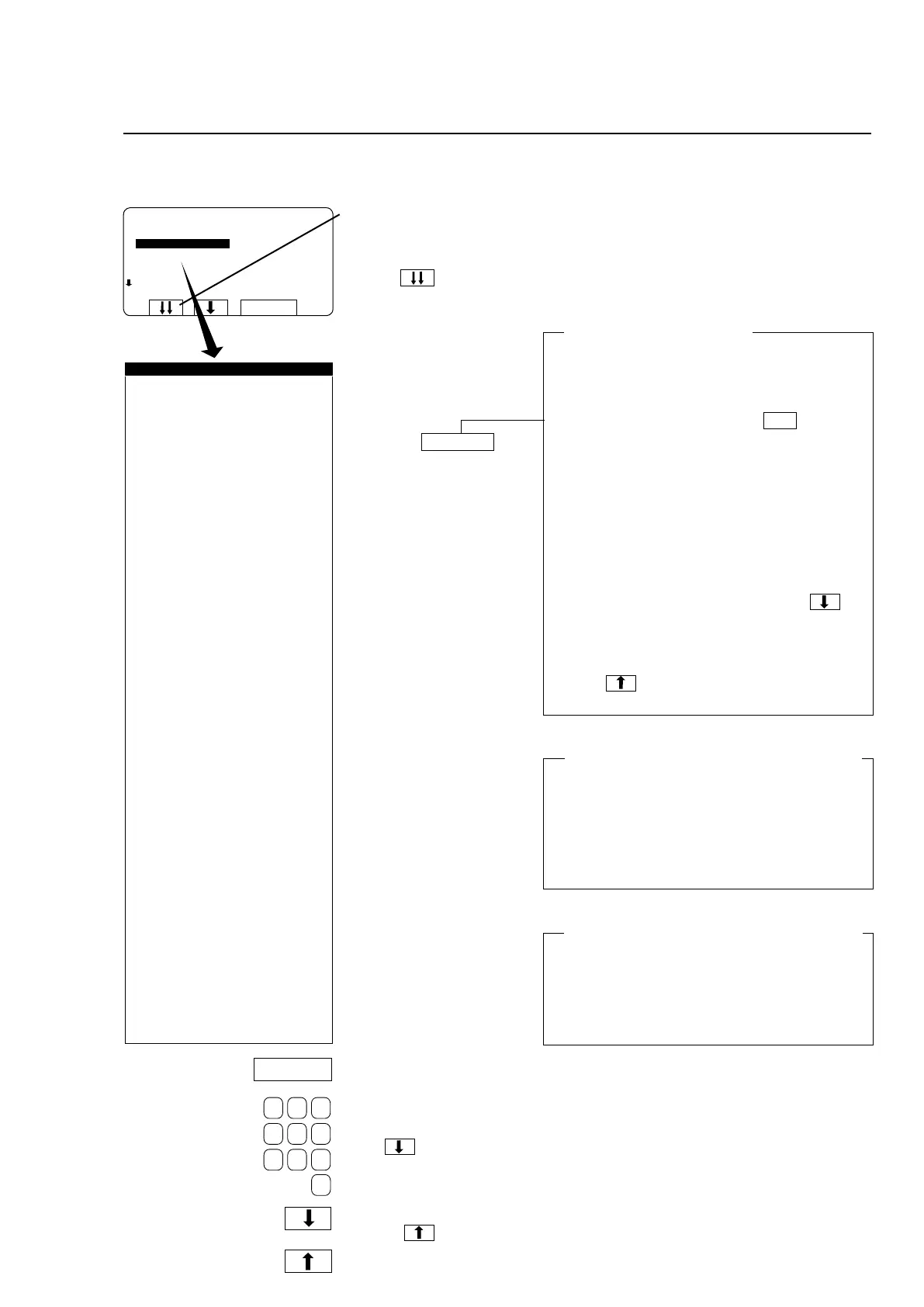
Variables under ”SETTINGS 1”
When the top line of a menu
is highlighted you have the
option of scrolling down
through the menu faster by
pressing . When you
do, the next portion of the
menu is displayed, with its
last line highlighted.
Answer the questions using
the function key or the
numeric keys.
Times, temperatures, levels.
You can go back and
change a question you
have answered already by
pressing repeatedly.
Then simply change the
value in the normal way.
Press to move on to
the next question.
Yes/No question
Different types of question
The questions in the various modules are of two
different types, each of which needs to be answe-
red in a different way:
Yes/No questions
The function key display shows Y/N , which
is a toggle function (the letter to the right of the
highlighted question toggles between N and Y
each time it is pressed).
Times, temperatures, water levels
To answer these questions, use the numeric
keys. The number of digits required will vary. If
you make a mistake while entering digits, delete
it by pressing ERASE one or more times.
No confirmation of value entered
Once you have entered the right value, you
simply move on to the next by pressing .
There is no enter or return key to press to con-
firm each value.
To alter the value for a question you have al-
ready answered
Press to highlight the question you want,
then simply change the value.
Confirm changes before you exit Settings 1
If you have changed any of the variables, this
change must be confirmed when you exit Set-
tings 1. To do this you have to use a strap to
short-circuittwoterminalsontheCPUboard,see
section headed "To conclude making changes in
variables under SETTINGS 1".
Your changes can affect program operation
If you have answered any of the first 11 variables
in the menu with N (No), and later during pro-
gram operation you attempt to activate one of
these, a message equivalent to "FUNCTION NOT
ALLOWED" will appear on the display. You can
then press any key to return to normal program
operation.
Y/N
ADJUST TIME ALLOWED Y
ADJUST TEMPERATURE ALLOWED Y
RAPID ADVANCE ALLOWED Y
MANUAL FUNCTIONS ALLOWED Y
PAUSE ALLOWED Y
FREE TEXT ALLOWED Y
SETTINGS 1
ADJUST TIME ALLOWED Y
ADJUST TEMPERATURE ALLOWED Y
RAPID ADVANCE ALLOWED Y
SHOW WEIGHT ALLOWED Y
WATER REDUCTION NOT ALLOWED Y
MANUAL FUNCTIONS ALLOWED Y
PAUSE ALLOWED Y
FREE TEXT ALLOWED Y
CHANGE WASH PROGRAM ALLOWED Y
AUTO RESTART ALLOWED Y
ADJUST SPIN SPEED ALLOWED. Y
DISPLAY REMAINING TIME Y
DISPLAY ACTUAL TEMPERATURE Y
DISPLAY ACTUAL SPEED Y
MACHINE NOT HEATED N
TEMPERATURE CONTROL OF WATER Y
TEMPERATURE IN °C Y
REPEAT PROGR. MODE QUESTION N
LOCKED STANDARD WASH PROGRAMS N
LEVELQUICKCOOL-DOWN 175
LEVEL UNBALANCE 0
LEVEL LOW 135
LEVEL MEDIUM 150
LEVEL HIGH 175
MIDDELTEMPERATURECOOL-DOWN70°C
DEFAULT MOTOR ON TIME 0:12
DEFAULT MOTOR OFF TIME 0:03
FLUSH DELAY TIME 0:06
FLUSH ON TIME 0:10
BUZZER ON BUTTON Y
MAX FILLING TIME 10:00
MAX HEATING TIME 10:00
SHOW WEIGHT TIMEOUT 0:20
PC5 BLOCKING OF HEATING N
PC5 BLOCKING OF SPINNING Y
HEAT 2 AS STANDARD Y
SERVICE ALARM HOURS Y
BUZZER TIMEOUT AT END Y
BUZZER TIMEOUT AT PAUS Y
ERROR, OVERFILLED Y
PASSWORD ACTIVE Y
CMIS ADDRESS Y
LEVEL IN MM ACTIVE Y
START SLOW FILLING, HG Y
OFFSET LEVEL, HG Y
READY







 To Next Page