34
Troubleshooting
Errors with no error codes
No indication in the display window (machine
not responding or operates apart from this).
If the power is on, be very careful when
working on the the machine.
Verify that:
• themachinereceivespower.
• themachinehasnotbeenemergencystop-
ped.
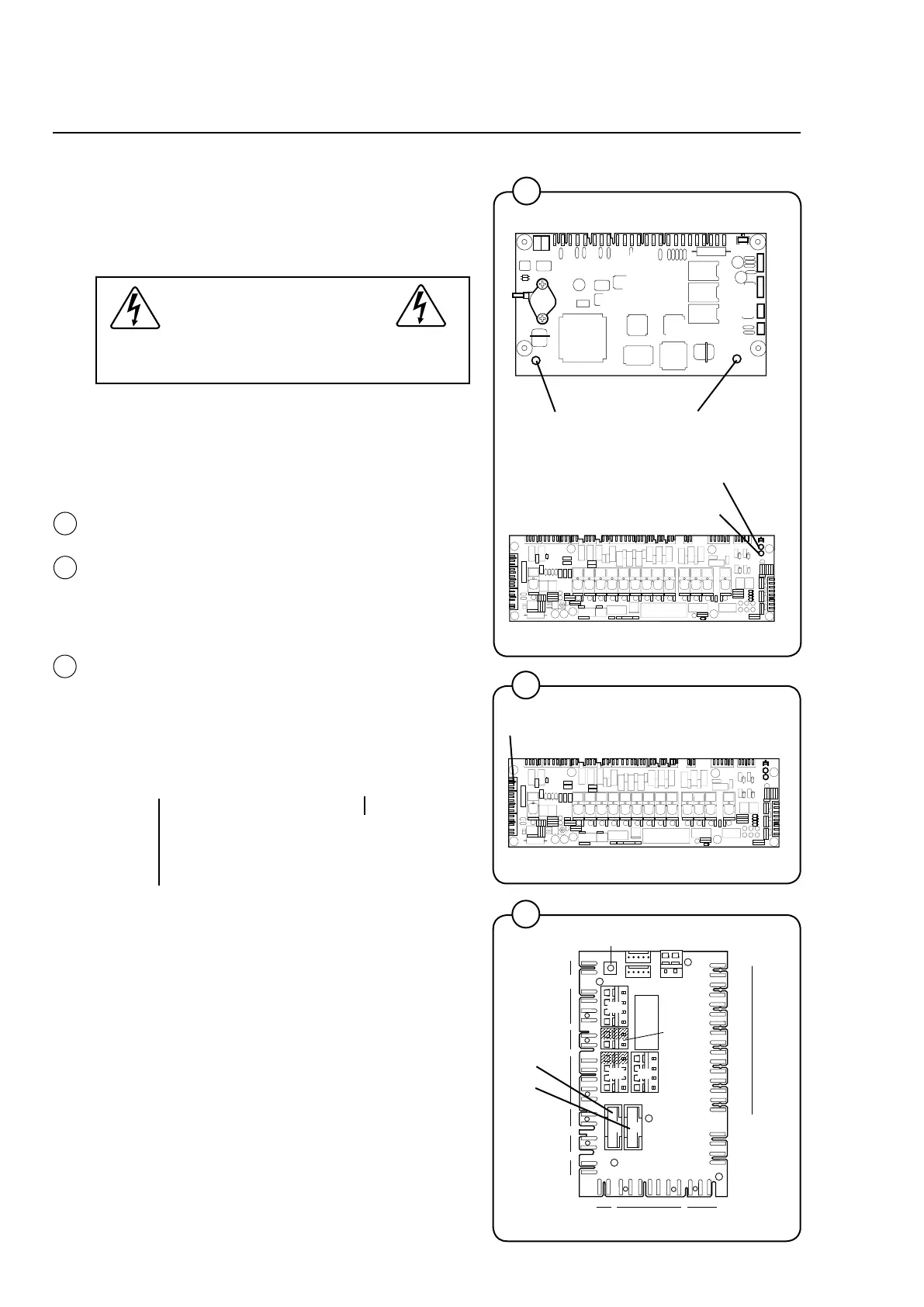
• theredLEDsontheprogrammeunitcardand
the I/O card light steadily. (Verify through me-
asurementthatX3:1-2atA11is16V.Ifnot,
troubleshoot the voltage supply circuit.)
• verifythatthegreenLEDsontheprogramme
unit card and the I/O card blink quickly.
• verifythefusesF11andF12(T1.25A)onthe
communicationcardA21.Replaceburnt-out
fuses.
1. Perform a communication test using the test
box. Refer to the manual ”Instructions for Clarus
Communication Tests”.
OK LED on test box Defective LEDs on test box
Troubleshoot according to
the manual ”Instructions
for Clarus Communication
Tests”.
The display or display cable
is probably defective.
2
3972
Red LED
Green LED
2
3
3
3973
Programme unit card
I/O card
Green LED
Red LED
3973
4
4
5233
X3
F11,
F12







 To Next Page