123
Programme unit
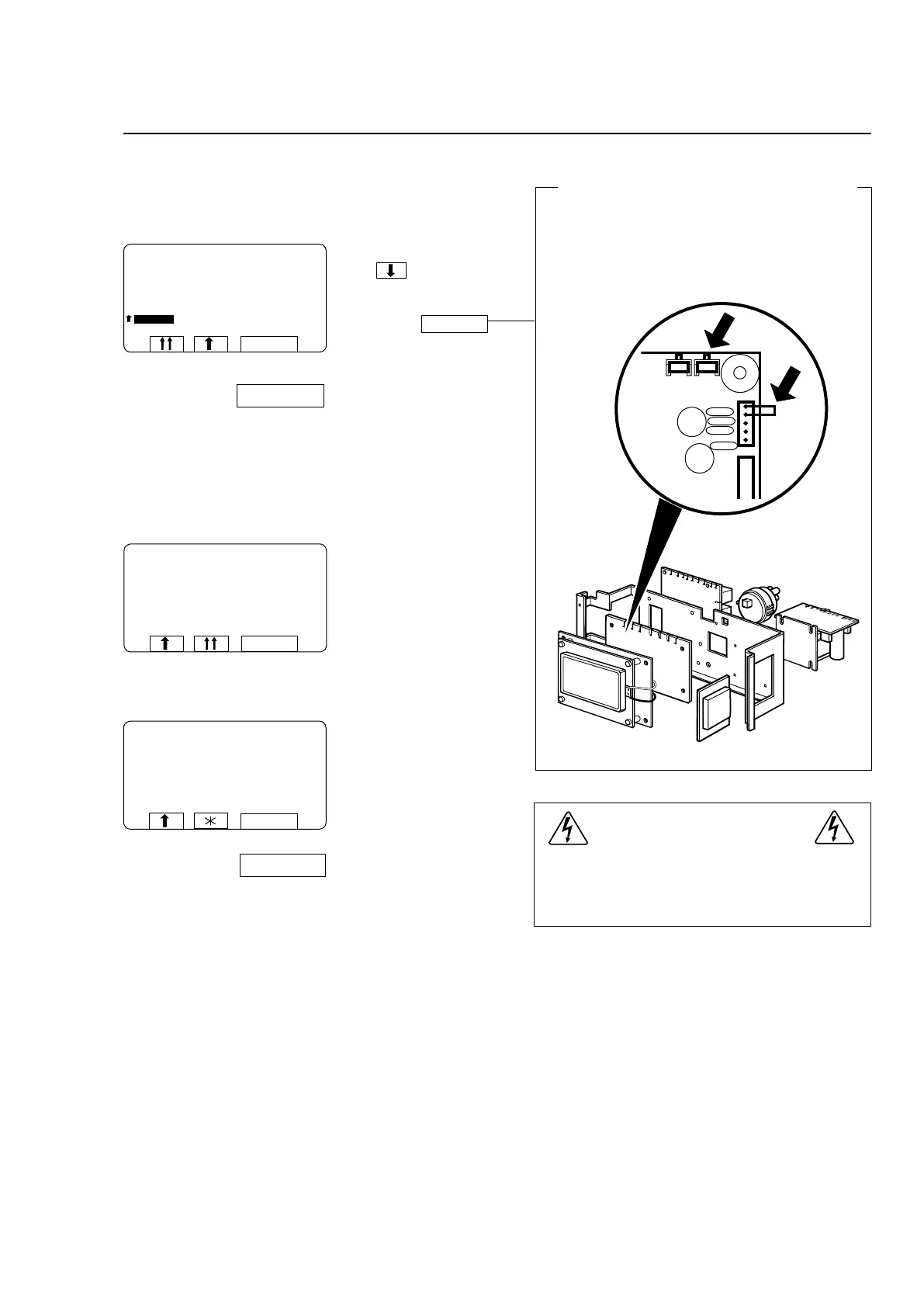
To conclude making changes in variables
under ”SETTINGS 1”
SELECT
FLUSH DELAY TIME 0:06
FLUSH ON TIME 0:10
BUZZER ON BUTTON Y
MAX FILLING TIME 10:00
MAX HEATING TIME 10:00
READY
SETTINGS 1
SELECT
OK LOADED! DO NOT FORGET TO
REMOVE STRAP!
SETTINGS 1
SELECT
SELECT
SELECT
VERIFICATION ERROR!
CHECK THE STRAP. PRESS SELECT TO TRY AGAIN.
SETTINGS 1
WARNING!
Use a short circuit jumper when strapping pin
X7:1-2.
Do not use a screwdriver or similar as short circuit-
ing a pin to ground may destroy the CPU card.
To prevent inadvertent changes in variables
If you have changed any variables under “Settings
1”, when you have finished keying in the changes,
you need to insert a strap between two terminals on
the CPU circuit board to register the changes in the
CPU. Alt. keep the button pressed.
6676, 5227
Press to highlight
READY.
Insert a suitable strap to
short-circuit terminals
X7:1-2 on the CPU circuit
board, alt. press the button
and keep it pressed.
Press SELECT.
The variables will now have
been stored in the PCU.
Remove the strap between
terminals X7:1-2 on the
CPU circuit board. Release
the button.
Press SELECT.
The display illustrated left will
appear if you fail to insert the
straptoshort-circuittermi-
nalsX7:1-2,alt.keepthe
button pressed.
Check that the strap bet-
ween X7:1-2 is intact and in
place, alt. press the button
again and keep it pressed.
Press SELECT and try
again.







 To Next Page