153
Programme unit
To conclude making changes in variables
under ”SETTINGS 2”
SELECT
FLUSH DELAY TIME 0:06
FLUSH ON TIME 0:10
BUZZER ON BUTTON Y
MAX FILLING TIME 10:00
MAX HEATING TIME 10:00
READY
SETTINGS 2
SELECT
OK LOADED! DO NOT FORGET TO
REMOVE STRAP!
SETTINGS 2
SELECT
SELECT
SELECT
VERIFICATION ERROR!
CHECK THE STRAP. PRESS SELECT TO TRY AGAIN.
SETTINGS 2
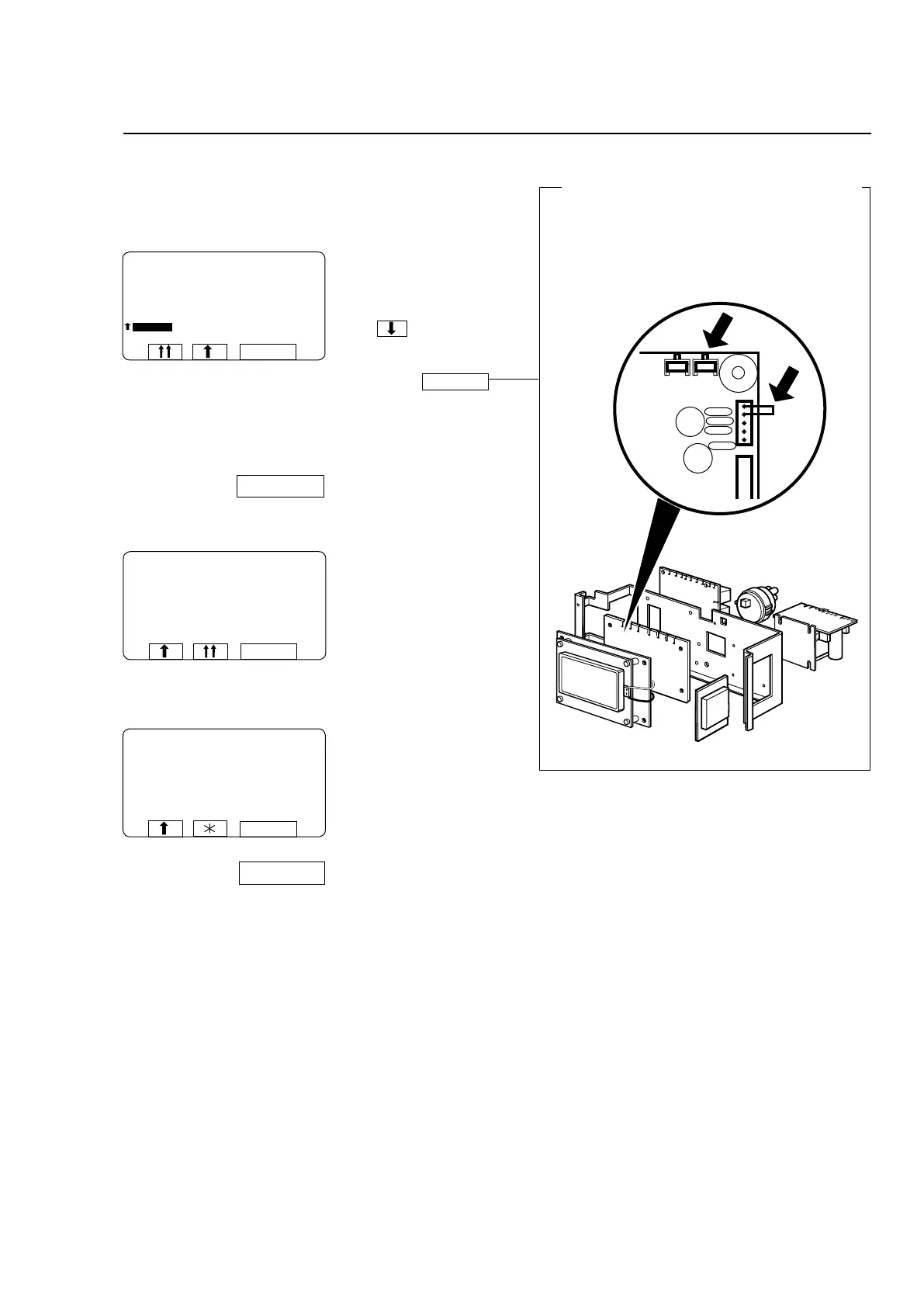
To prevent inadvertent changes in variables
If you have changed any variables under “Settings
2”, when you have finished keying in the changes,
you need to insert a strap between two terminals on
the CPU circuit board to register the changes in the
CPU.
6676, 5227
Press to highlight
READY.
Insert a suitable strap to
short-circuit terminals
X7:1-2 on the CPU circuit
board, alt. press the button
and keep it pressed.
Press SELECT.
The variables will now have
been stored in the PCU.
Remove the strap between
terminals X7:1-2 on the
CPU circuit board, release
the button.
Press SELECT.
The display illustrated left will
appear if you fail to insert the
straptoshort-circuittermi-
nalsX7:1-2,alt.keepthe
button pressed.
Check that the strap bet-
ween X7:1-2 is intact and in
place, alt. press the button
again and keep it pressed.
Press SELECT and try
again.







 To Next Page