1726 North Ballard Road, Suite 1 - Appleton, WI 54911 - 920.991.9082
Technical Support 855.804.5774 - Parts@waupacaelevator.com
PTE10017-B
05 APR 2017
W
E
CRUSH
HAZARD
CUTTING
HAZ ARD
CRUSH
HAZARD
CRUSH
HAZARD
CRUSH
HAZARD
CRUSH
HAZ ARD
ELECTRIC
HAZ ARD
FALLING
HAZ ARD
CRUSH
HAZARD
PINCH
HAZ ARD
ANTI-
STATIC
ALERT
RED
GREEN
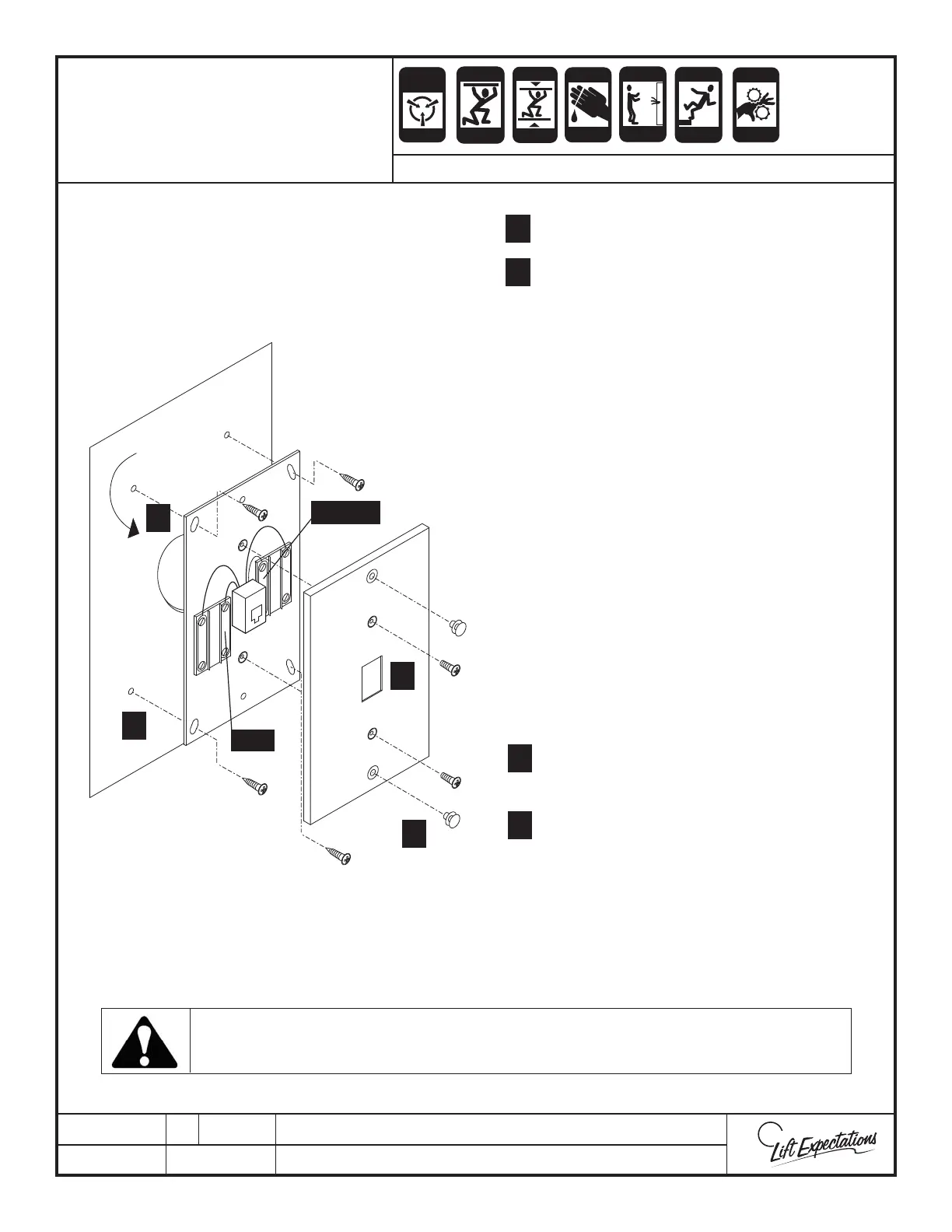
INSIDE OF CAB WALL
CUT HOLE SLIGHTLY SMALLER
THAN PHONE JACK
Locate the telephone jack Inside
car at a convenient location
or as directed by local codes.
Install the phone in the elevator before it is released to the customer!
1 Drill 1” opening in car wall.
2 Mark and drill (4) 1/16” pilot holes.
3 ALL OTHER LIST SERIES - Run wire
from the wall mount telephone jack
(red & green wires) to the phone (PH)
terminals in the car top box. Do not
route over high voltage wires.
4 Connect shielded travel cable wires
to phone (PH) terminals in the car
top box.
5 Connect the other end of the
shielded pair to the phone terminals
in the controller.
6 These terminals should then be
connected to the central telephone
exchange connection (by others) in
the machine room.
7 Secure plate cover with provided
screws.
8 Insert appropriate shoulder screws.
1
2
7
8
1
2
7
8
WALL MOUNT
TELEPHONE JACK
SERIES : All Elevators



 To Next Page