1726 North Ballard Road, Suite 1 - Appleton, WI 54911 - 920.991.9082
Technical Support 855.804.5774 - Parts@waupacaelevator.com
PTE10033-I
12 FEB 2018
W
E
CRUSH
HAZARD
CUTTING
HAZ ARD
CRUSH
HAZARD
CRUSH
HAZARD
ELECTRIC
HAZ ARD
FALLING
HAZ ARD
CRUSH
HAZARD
PINCH
HAZ ARD
CRUSH
HAZARD
CRUSH
HAZ ARD
ANTI-
STATIC
ALERT
PUNCTURE
HAZ ARD
WARNING : ALL WIRING MUST MEET N.E.C. AND LOCAL CODES.
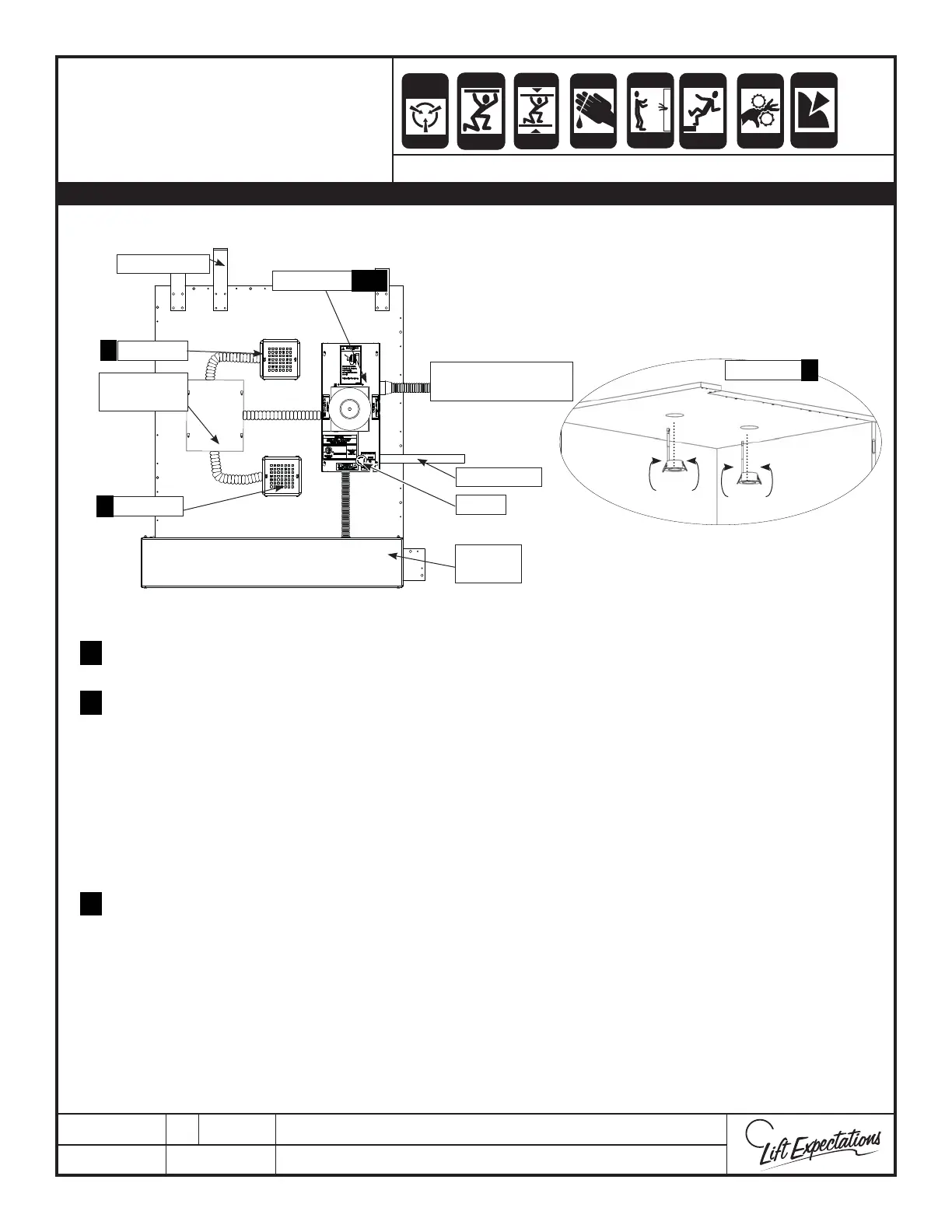
Sample Layout
Locate the car top box as dictated by the lengths of the tape reader, light, and gate switch harness.
Insert into appropriate receptacles in car top box.
To insert the LED lights, pull the springs back and insert through the holes from the inside of the elevator car.
For more information reference the LED Light Installation manual.
Install the tape reader and the gate switch and/or autogate harness to car top box with the connectors and
plug them into appropriate receptacles (reference Tape Reader Driver Board, Car Top Modular Wiring
schematics and Auto Gate manual)
If provided, plug the auto gate plug(s) into plugs based on gate usage below:
AG1: Primary Gate
AG2: Secondary Gate
AG3: Tertiary Gate
Anchor car top box and LED light covers with provided hardware.
Install travel cable, COP, phone and slack cable switch harness to car top box with the connectors.
Install the remaining plugs to the circuit board per Car Top Modular Wiring schematics.
If provided, install the light curtain (reference Light Curtain Installation).
If provided, the COP with Position Indicator (PI) will have one additional plug extending from the COP
harness.
5.
7.
8.
2
6.
MODULAR WIRING
CAR TOP LAYOUT
SERIES : 008, 114, 115. 116, 118, 021, 022, 210
Car Operating Panel
and Slack Cable
LED Light
LED Light
LED Light
Controller
Taper Reader
Cartop Box
E-Stop
Auto
Gate
LED Lights
Travel Cable
1.
4.
2.
3.
1, 4
2
2



 To Next Page