Waves eMotion LV1 Classic User Guide | Chapter 1: Mixer
Window Window
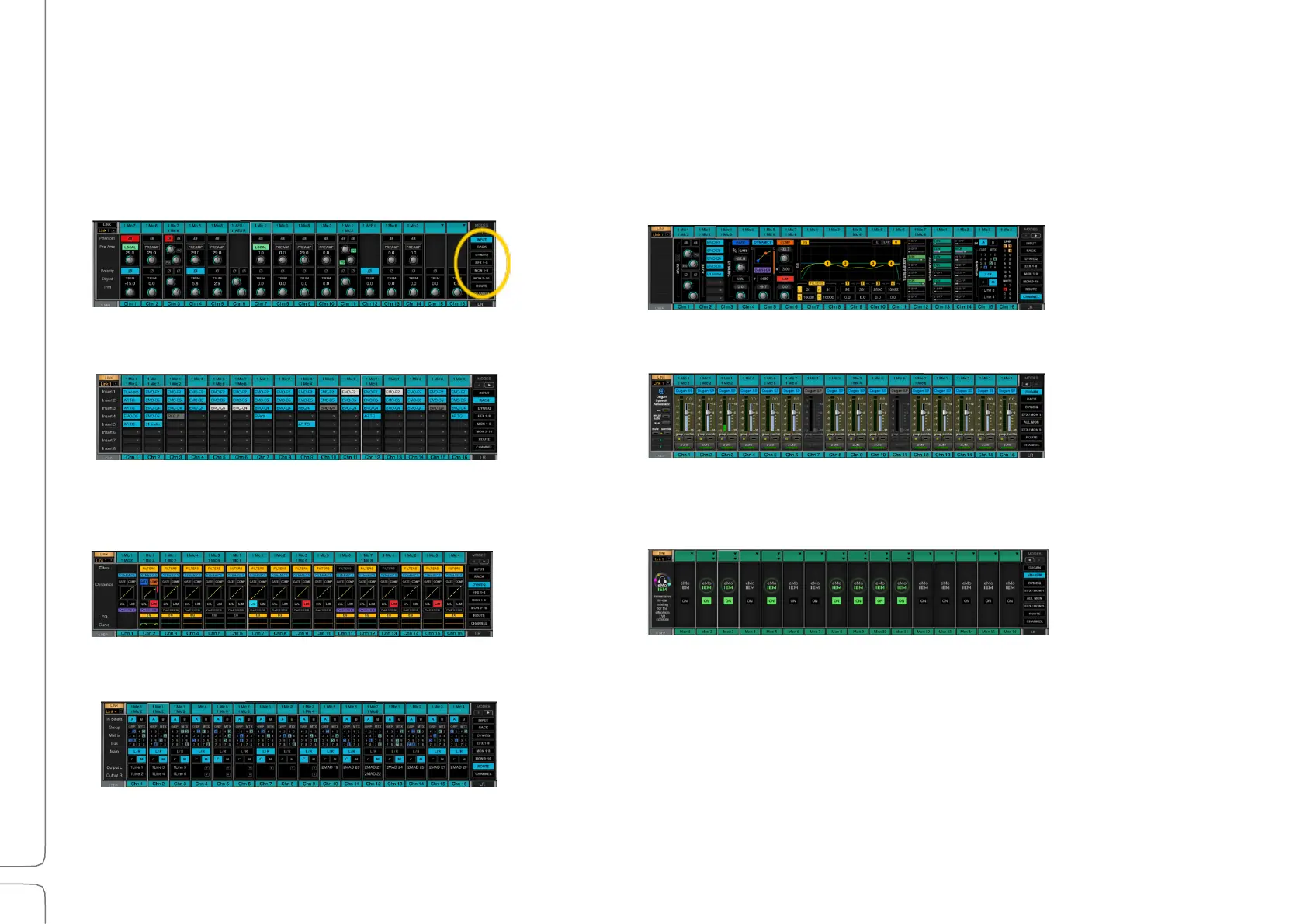
MIXER CHANNELS: MODES
Channel Strip modes determine the processing, routing, and views for all channels in a layer. Modes are displayed in
the large section in the middle of the mixer. They are selected via the panel on the right (highlighted in the yellow
circle here). Toggle between the selector pages using the arrows above the panel.
Input: Select input source. Control preamp and
digital trim.
Rack: Insert up to eight plugins per channel. Plugins
can be inserted on any layer, including mains, cue,
and talkback.
Dyn/EQ: View and control dynamics and EQ
plugins as assigned in the Channel window.
Route: Assign all input and output patching,
as well as internal routing.
Dugan Speech: Control Automix behavior.
If a Dugan Speech license is not present, the
Dugan mode button will be grayed out.
Channel: View and control details of the
selected channel without leaving the Mixer.
Gray if no channel is selected.
eMo IEM: Provides immersive in-ear monitoring
from any Aux mix.



 To Next Page