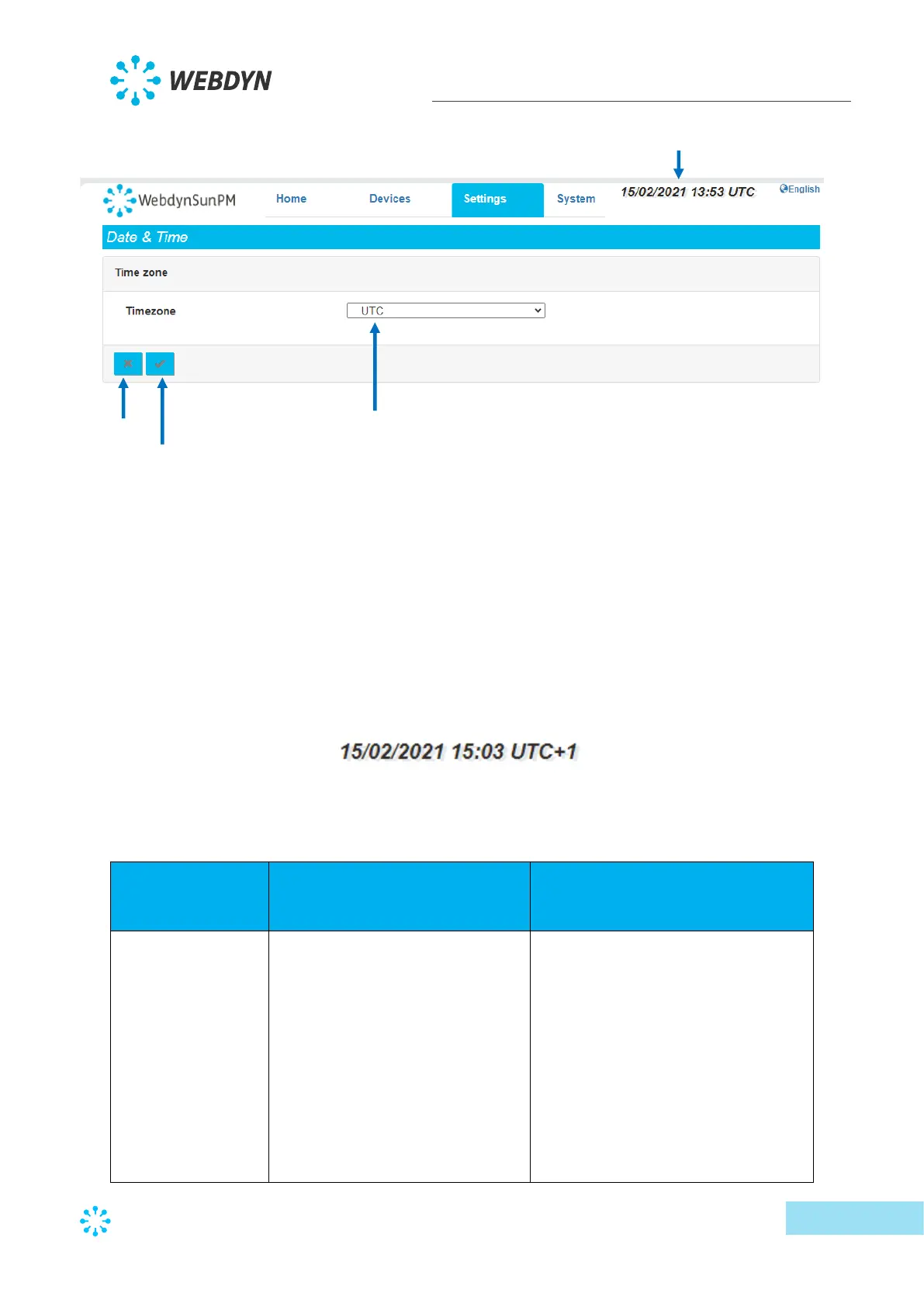
The list of time zones is available in Appendix B: Time zone list.
Once a time zone is selected, click the “Apply” button to take the new time zone into account.
The date and time are updated immediately and the time offset from UTC is indicated on the
web interface.
Time changes impact the names of generated files and recorded data which are then uploaded
to the remote server by the concentrator.
For example, if you select the “(GMT+01:00) Europe: Brussels, Copenhagen, Madrid, Paris”
time zone, the concentrator will indicate:
The date and time setting is:
Time zone selection:
(GMT-11:00) Midway Island,
Samoa
(GMT-10:00) Honolulu
(GMT-10:00) Tahiti
(GMT-09:30) Marquesas
(GMT-09:00) Anchorage
(GMT-08:00) Pacific Time (US and
Canada)
(GMT-08:00) Los angeles
(GMT-07:00) Denver



 To Next Page