If the base configuration is created using the embedded web server, this file is created
automatically the first time the concentrator connects.
If the file is detected when connecting to the FTP server, it is uploaded and the configuration
is applied immediately regardless of the local configuration.
The file has one row per configured script. Each row contains the script number with its name.
The format is the following:
Where “n” is replaced by the script index number. The number starts at 0.
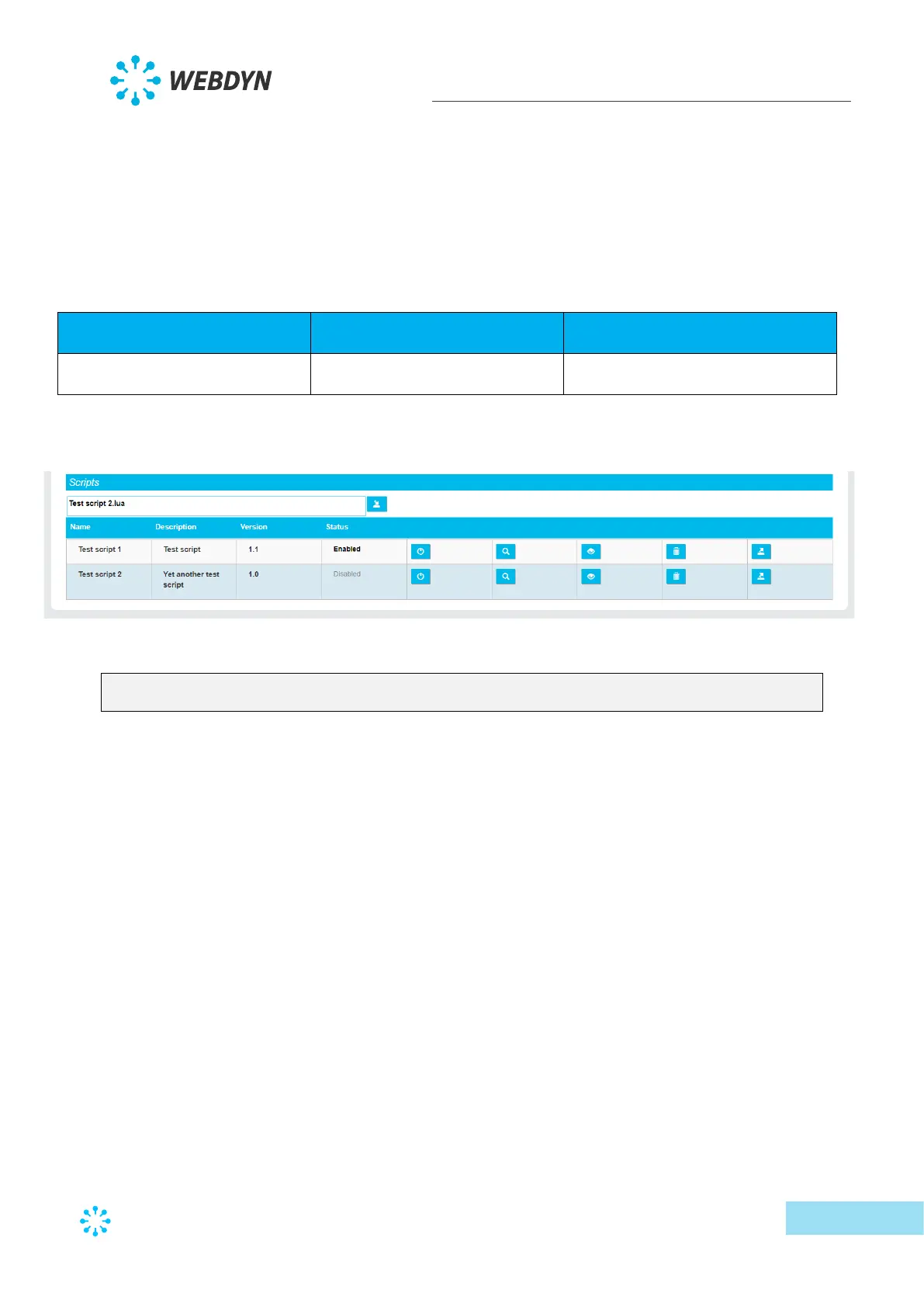
Thus, using the following script configuration:
The configuration file will contain the following information:
SCRIPT_File[0]=Test script 1.lua
SCRIPT_File[1]=Test script 2.lua
The index number is calculated automatically by the concentrator starting with 0. If this file is
modified manually, make sure there are no duplicate index numbers as this would result in
the configuration being rejected.
3.1.2.2 Connected device definition
The definition file is standardised to process the different device cases. It manages the
following types: IO, TIC, Modbus RTU, Modbus TCP, etc.
A definition file is needed fore each configured device. A same definition file can be used to
define several devices.
The device definition files are stored in the configured FTP server directory. By default it is
“/DEF”.
For the definition files to be taken into account, they must be referenced in the “_daq.ini” file
described previously (3.1.2.1.3.4 - Connected device configuration) in the “DefFile” field.



 To Next Page