Examples:
wgapp_3.2.9.34734.spm
To, apply updates, use the FTP update procedure (see section 5.2: “Using FTP/SFTP”). Once
the update has been applied, the firmware file can be deleted.
4.1.8 “LOG”
Log files are the files used to monitor the concentrator actions and analyse when things go
wrong.
When contacting support it is essential to be able to provide the log files for the problem
encountered.
There are 4 types of log file:
• Connection logs: “uid”_LOG_”date”.log.gz
• LUA script run logs: “uid”_LUA_”script name”_”date”.log.gz
• SunSpec detection logs: “uid”_SUNSPEC_”date”.log.gz
• System logs: “uid”_SYSTEM_”date”.log.gz
4.1.8.1 Connection logs
Every time the concentrator connects to a server, either by modem or Ethernet, all operations
are saved for future viewing.
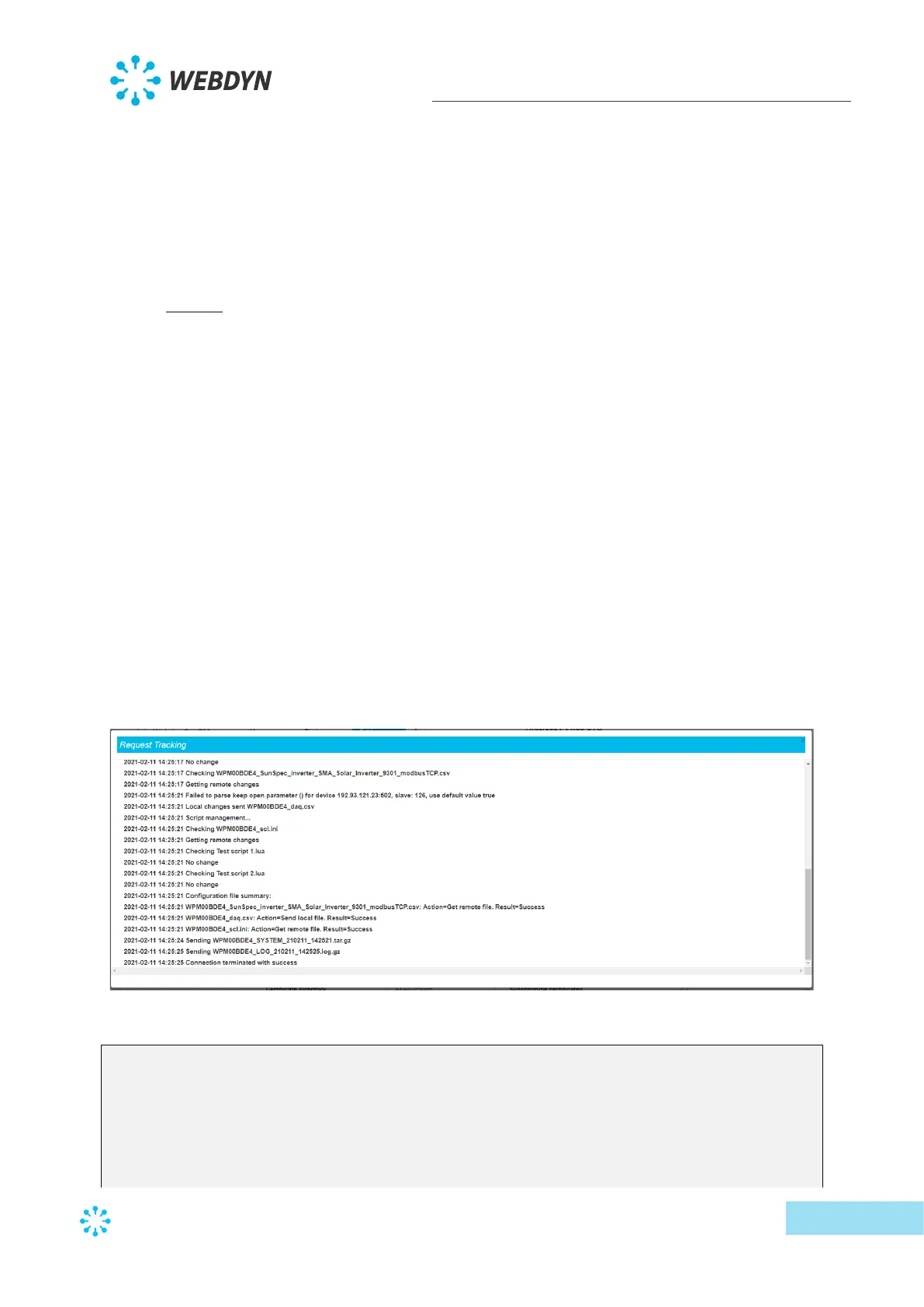
When the connection is forced by the local web interface, a window is displayed showing all
ongoing operations as shown below:
For the same connection, the log file uploaded to the FTP server contains the following data:
2021-02-11 14:25:03:Firmware version : WebdynSunPM 3.2.11.34874
2021-02-11 14:25:03:Connection 1 wait for exclusive...
2021-02-11 14:25:03:Connection requested
2021-02-11 14:25:16:Ntp synchronisation success
2021-02-11 14:25:16:Connection to 192.168.2.13:test server in progress …
2021-02-11 14:25:16:Alarms management…
2021-02-11 14:25:16:Data acquisition management…
2021-02-11 14:25:16:Sending WPM00BDE4_MODBUS_210211_142503.csv.gz



 To Next Page